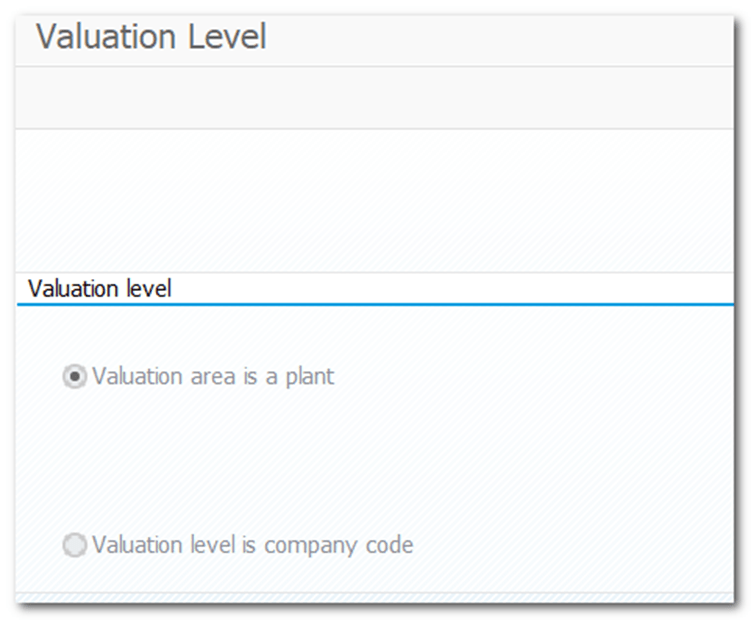
| Step 1 | Define Valuation Level (Plant or Company Code) |
| IMG | Enterprise Structure- Definition- Logistics – General- Define valuation level |
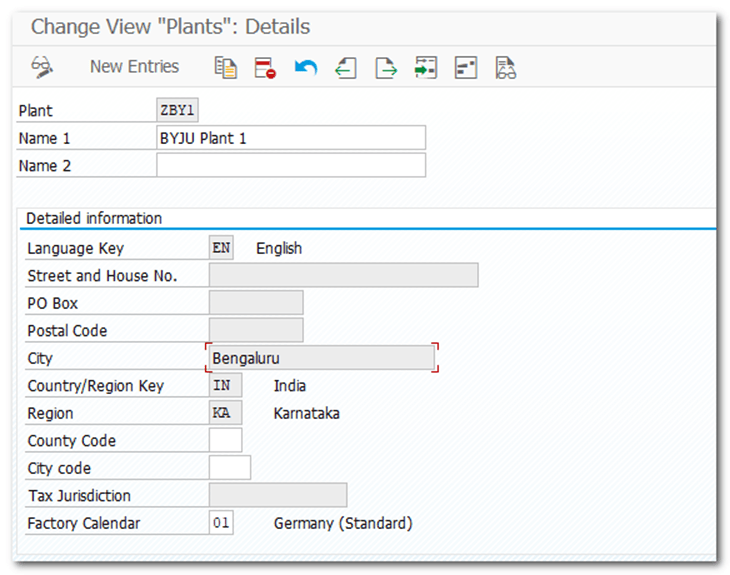
| Step 2 | Define Plant |
| IMG | Enterprise Structure-Definition-Logistics – General- Define, copy, delete, check plant |
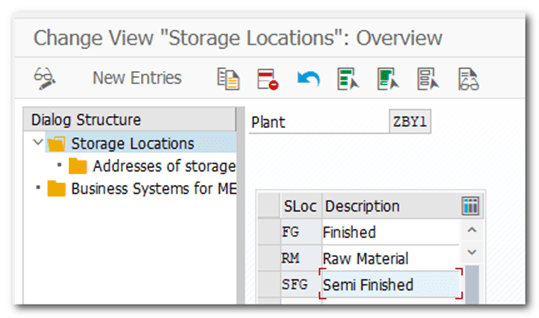
| Step 3 | Define Storage Location |
| IMG | Enterprise Structure-Definition- Materials Management- Maintain storage location |
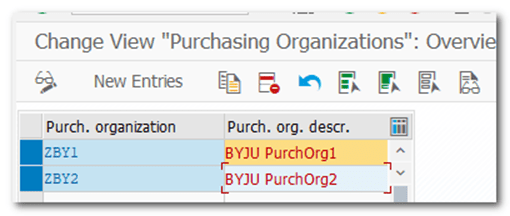
| Step 4 | Define Purchase Organization |
| IMG | Enterprise Structure-Definition- Materials Management- Maintain purchasing organization |
| Step 5 | Assign plant to company code |
| IMG | Enterprise Structure- Assignment- Logistics – General- Assign plant to company code |

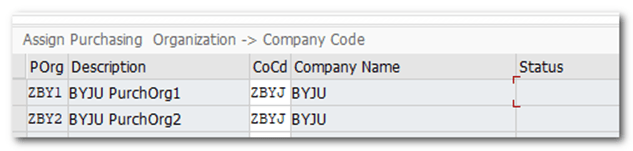
| Step 6 | Assign purchasing organization to company code |
| IMG | Enterprise Structure- Assignment- Materials Management- Assign purchasing organization to company code |
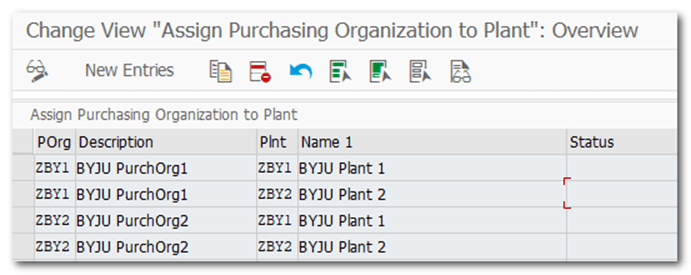
| Step 7 | Assign purchasing organization to plant |
| IMG | Enterprise Structure- Assignment- Materials Management- Assign purchasing organization to plant |
| Step 8 | Maintain Field Selection for Data Screens |
| IMG | Logistics – General- Material Master- Field Selection- Maintain Field Selection for Data Screens |
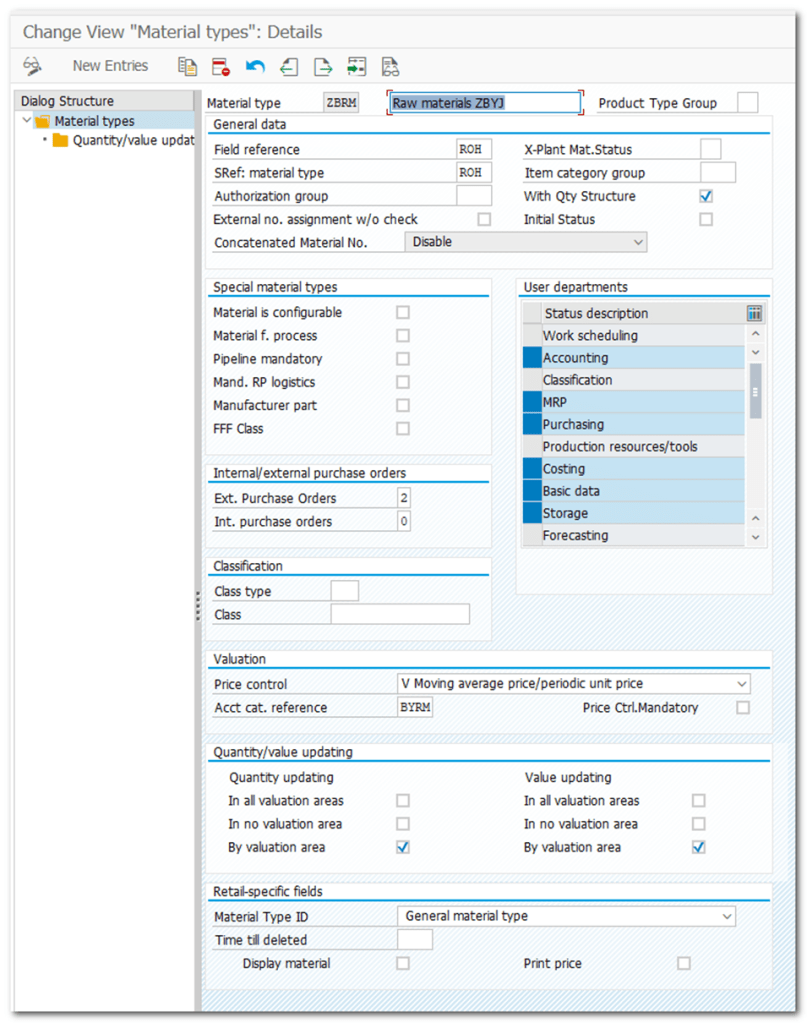
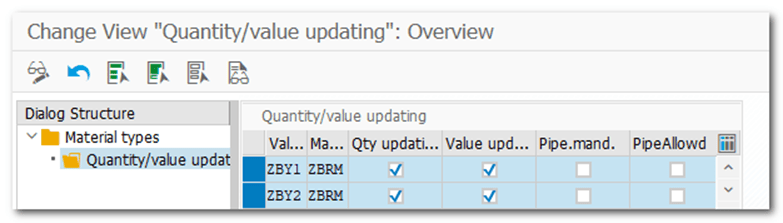
| Step 9 | Define Attributes of Material Types ZAPRM ZAPFG |
| IMG | Logistics – General- Material Master- Basic Settings- Material Types- Define Attributes of Material Types |
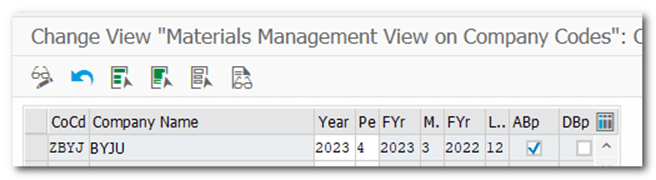
| Step 10 | Maintain Company Codes for Materials Management |
| IMG TCODE | Logistics – General- Material Master- Basic Settings- Maintain Company Codes for Materials Management OMSY |
| MMRV MMPV : Used for subsequent opening/closing of posting periods. |
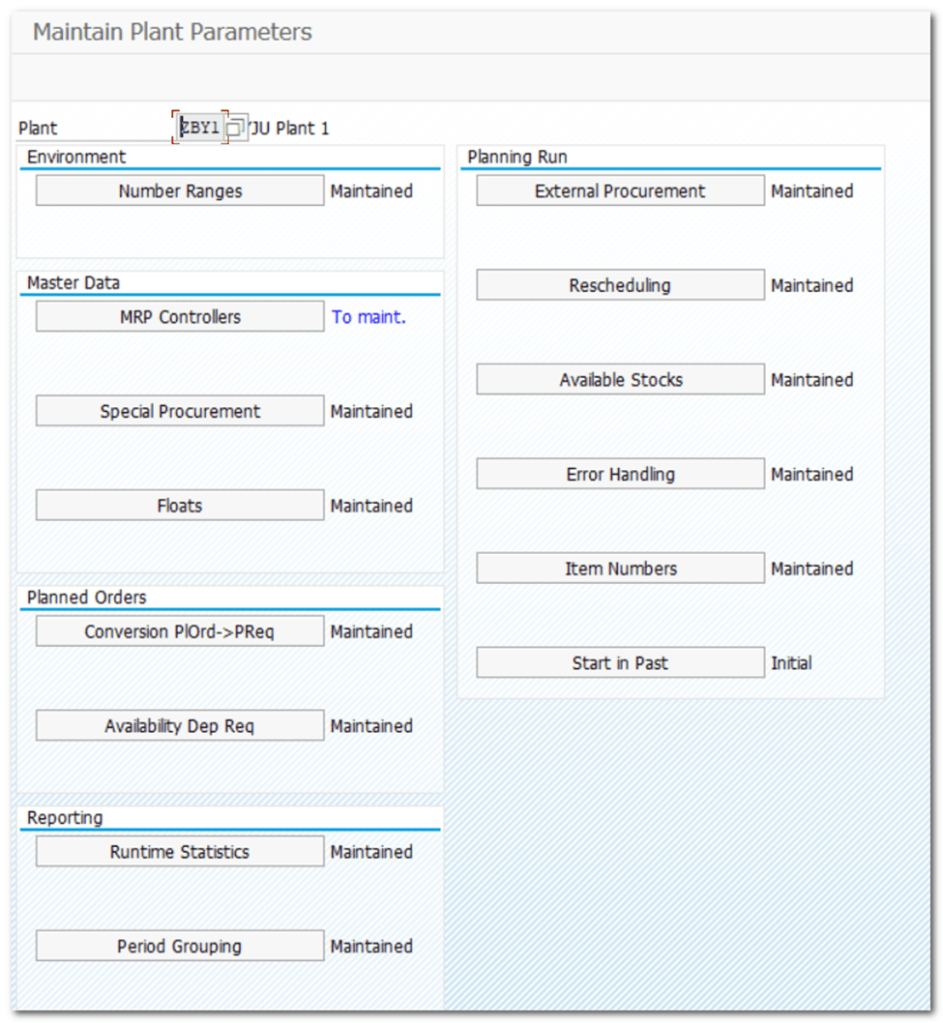
| Step 11 | Define Plant Parameters for MRP |
| IMG TCODE | Materials Management-Consumption-Based Planning-Plant Parameters-Carry Out Overall Maintenance of Plant Parameters OMI8 |
| Step 12 | Define Tax codes for incoming Invoices |
| IMG TCODE | Materials Management- Logistics Invoice Verification- Incoming Invoice- Maintain Default Values for Tax Codes |
| Step 13 | Define Tolerance Limits for Goods Receipts |
| IMG TCODE | Materials Management- Inventory Management and Physical Inventory- Goods Receipt- Set Tolerance Limits |
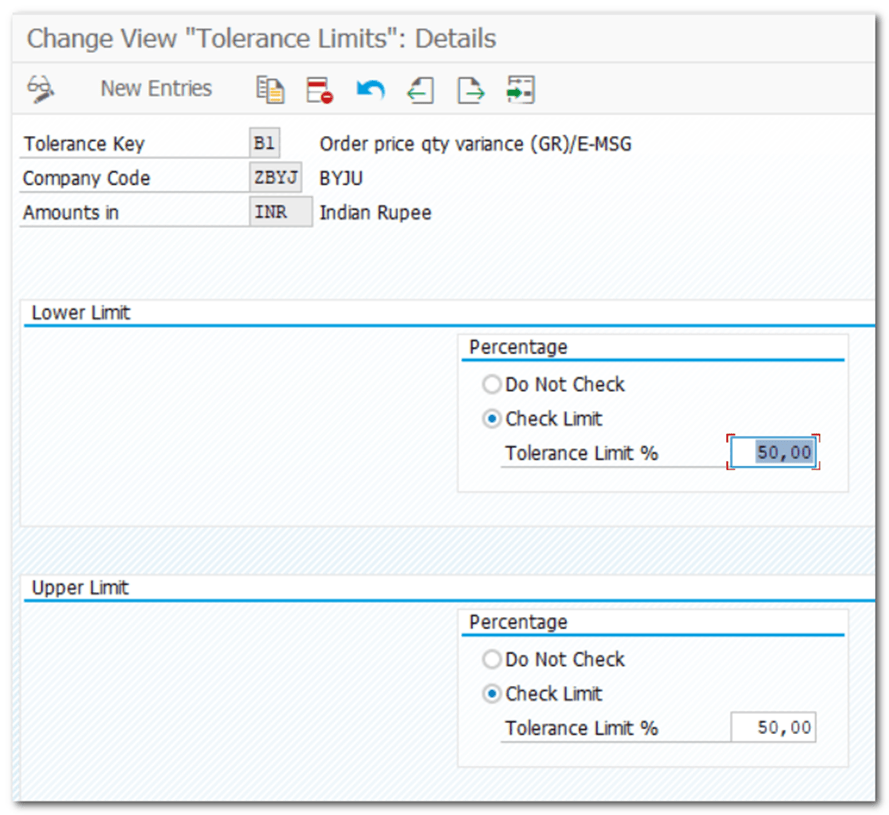
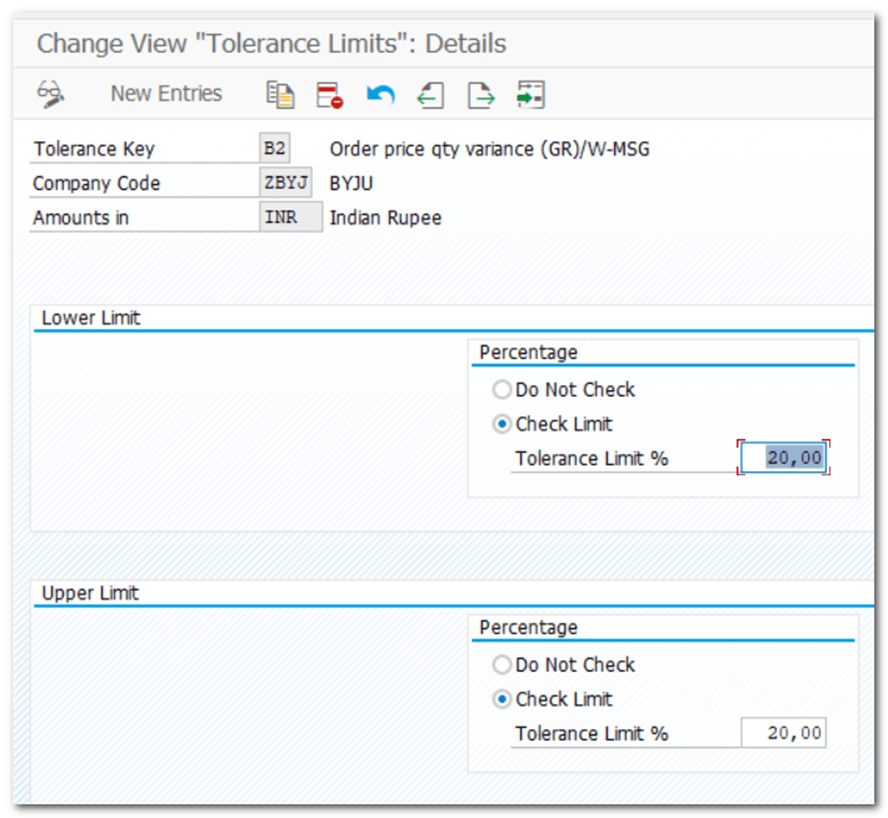
| Step 14 | Define Tolerance Limits for Price Variance |
| IMG TCODE | Materials Management- Purchasing- Purchase Order- Set Tolerance Limits for Price Variance |
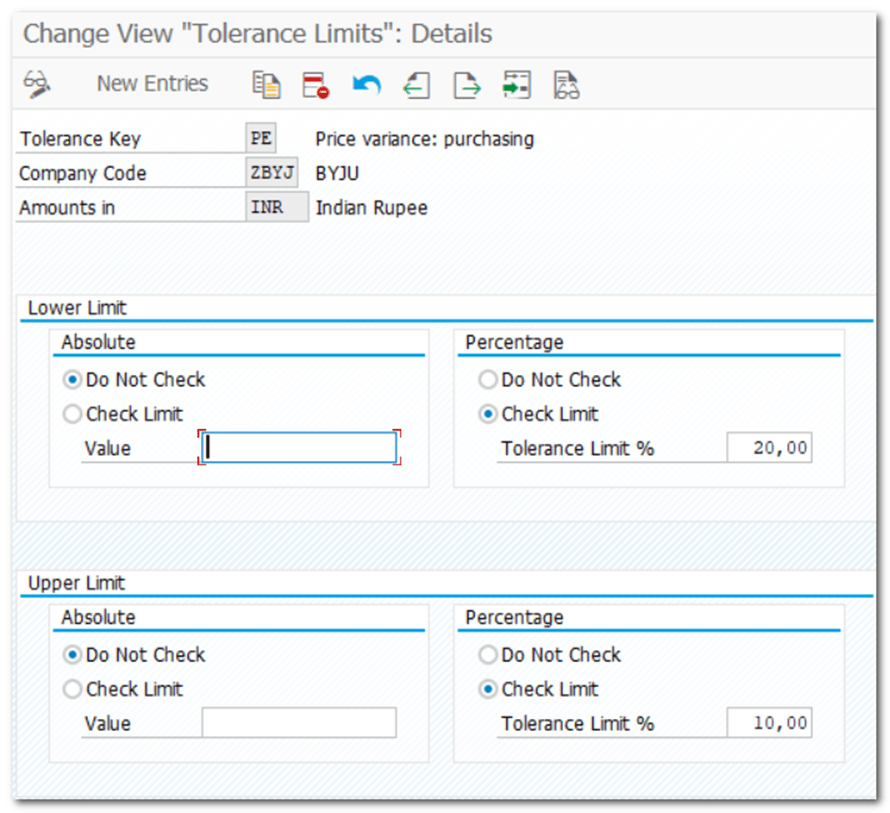
| Step 15 | Define Tolerance Limits while processing Invoice |
| IMG TCODE | Materials Management- Logistics Invoice Verification- Invoice Block- Set Tolerance Limits OMR6 |
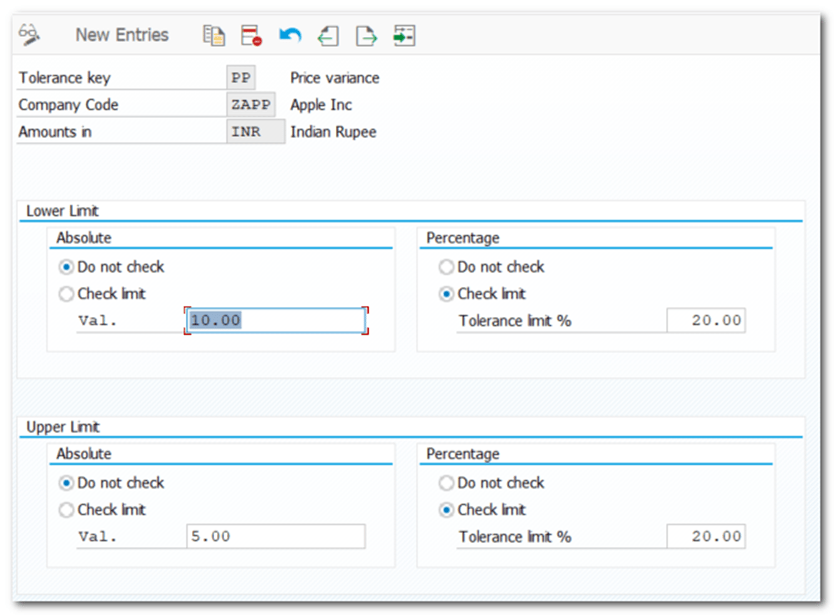
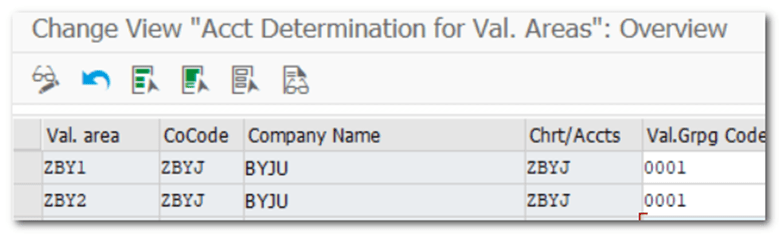
| Step 16 | Define Valuation Control |
| IMG TCODE | Materials Management- Valuation and Account Assignment- Account Determination- Account Determination Without Wizard- Group Together Valuation Areas |
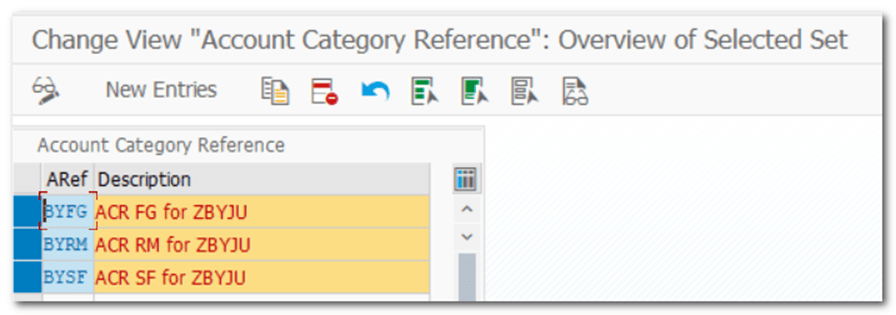
| Step 17 | Define Valuation Classes |
| IMG TCODE (OMSK) | Materials Management- Valuation and Account Assignment- Account Determination- Account Determination Without Wizard- Define Valuation Classes Account Category Reference Valuation Class Material Type/Account Category REference |
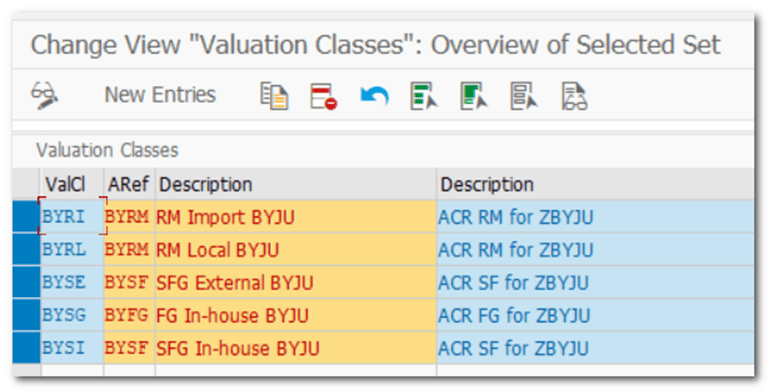
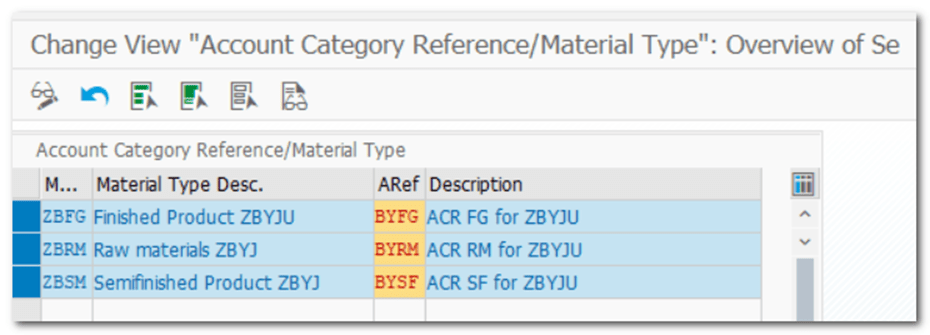
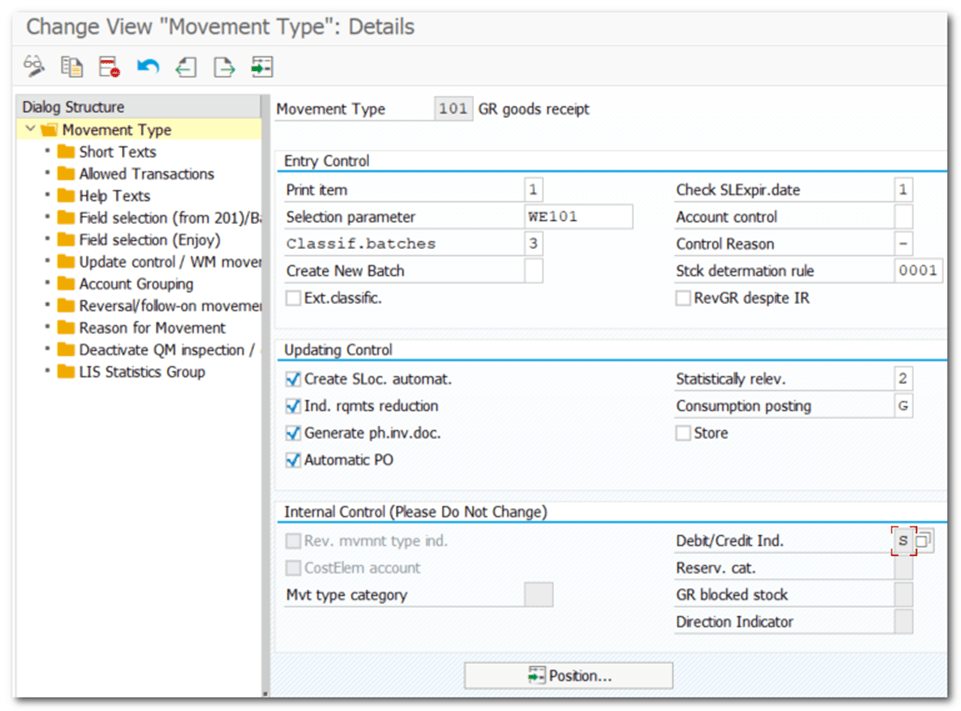
| Step 18 | Movement Types |
| IMG | Materials Management- Inventory Management and Physical Inventory- Copy, Change Movement Types |
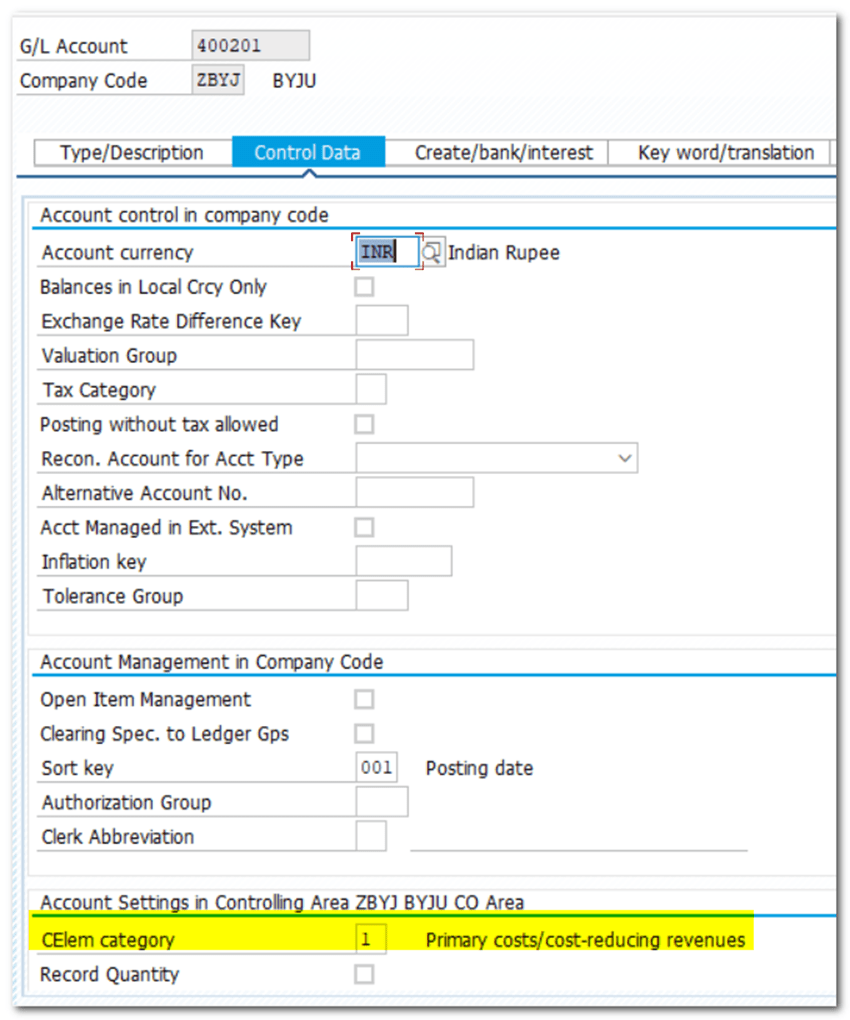
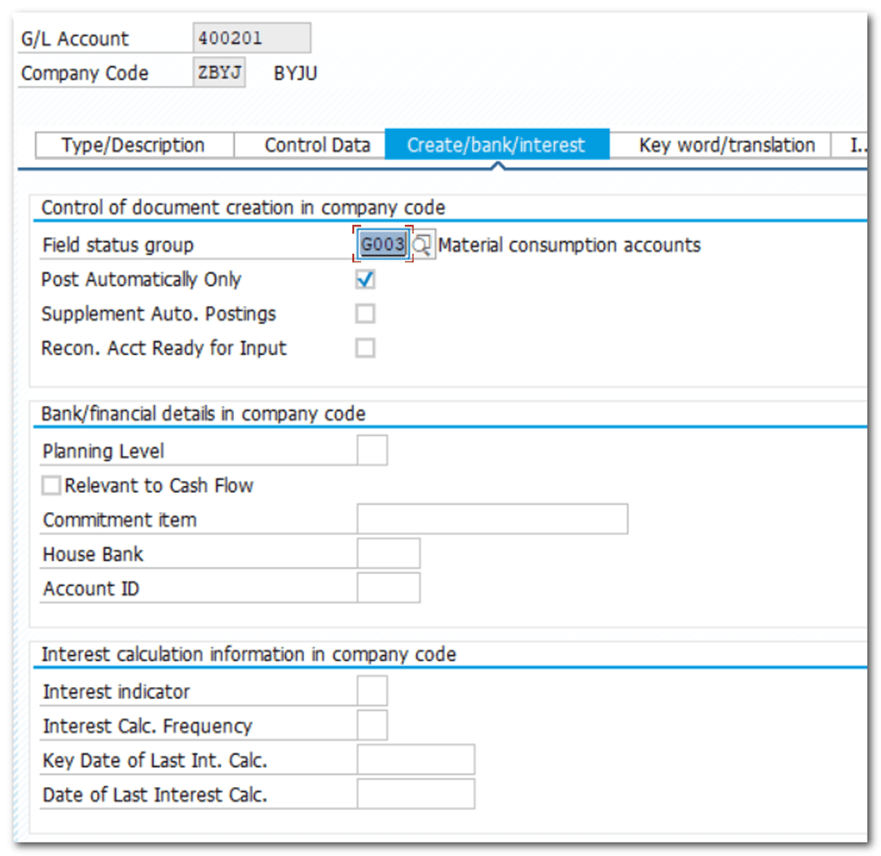
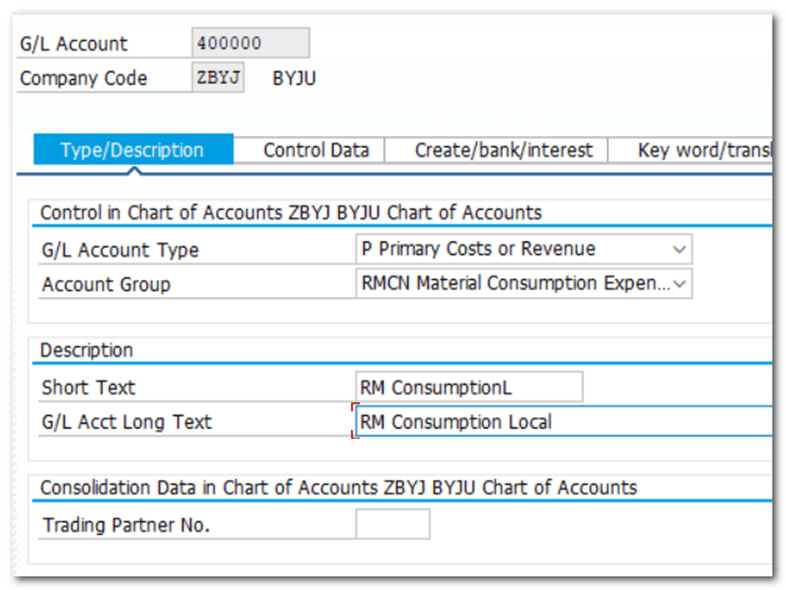
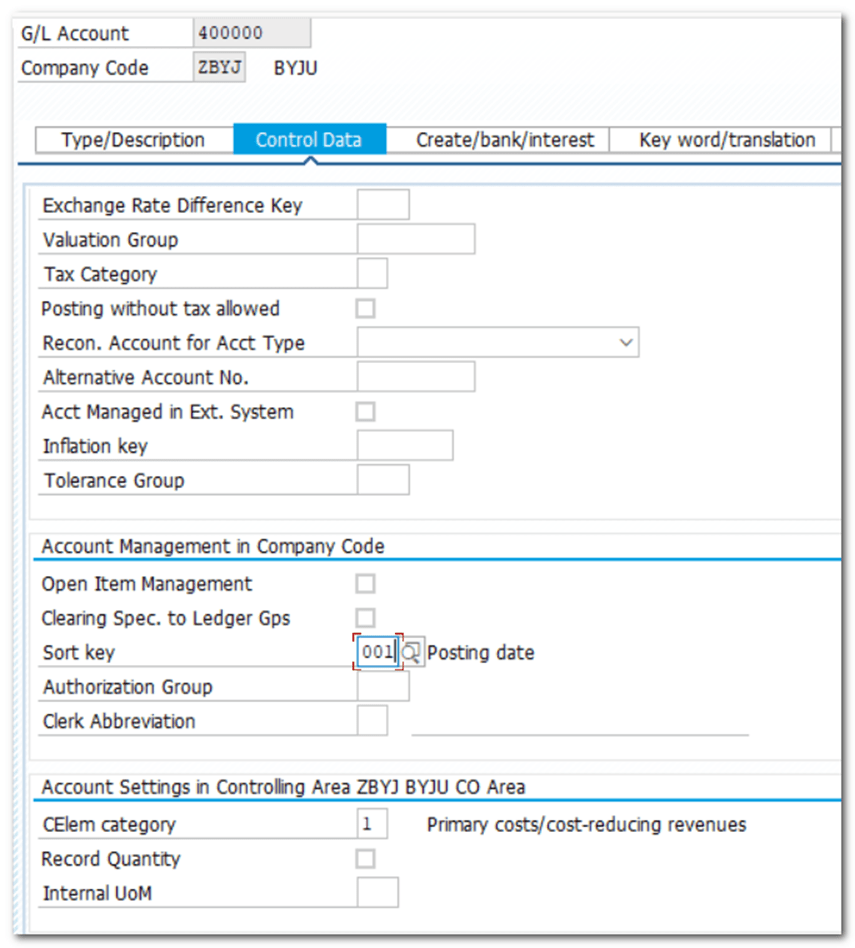
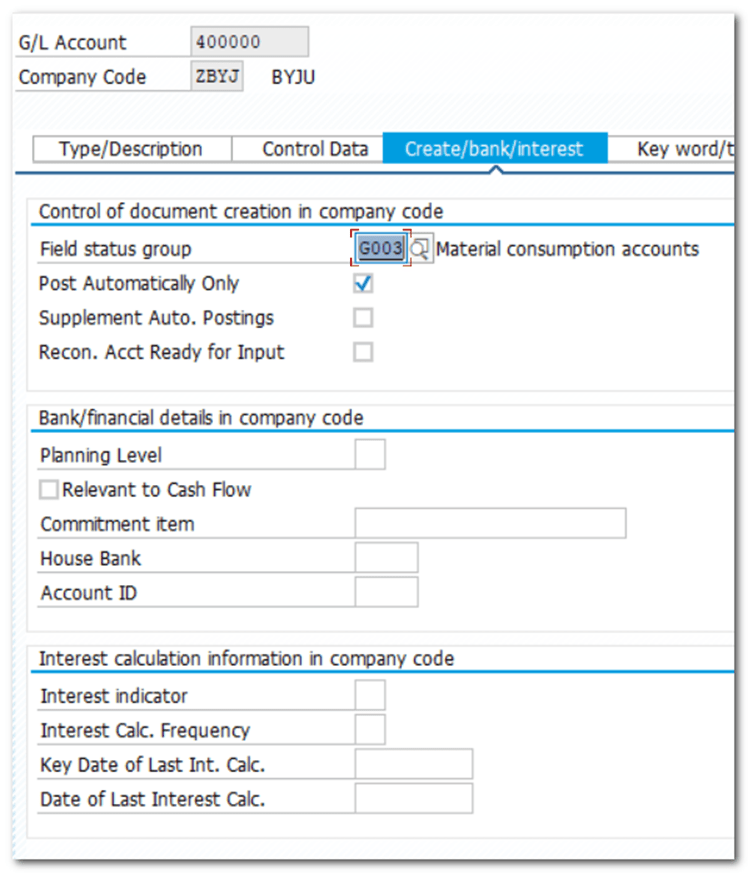
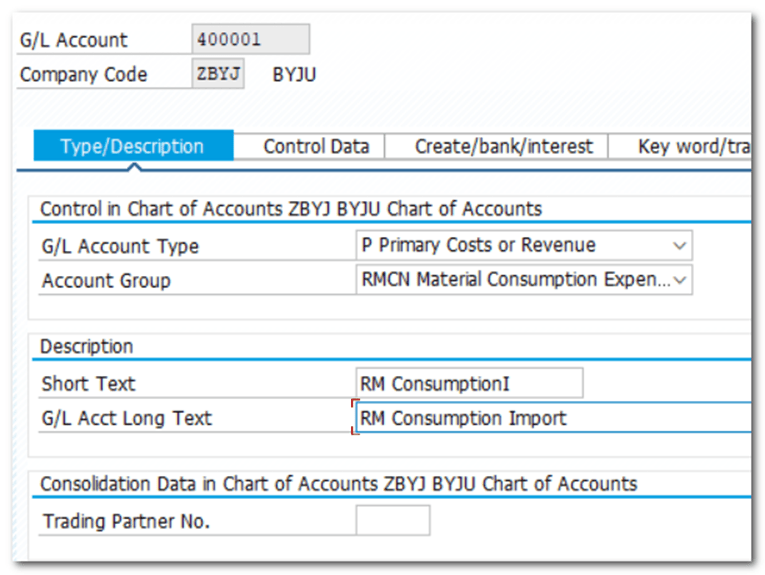
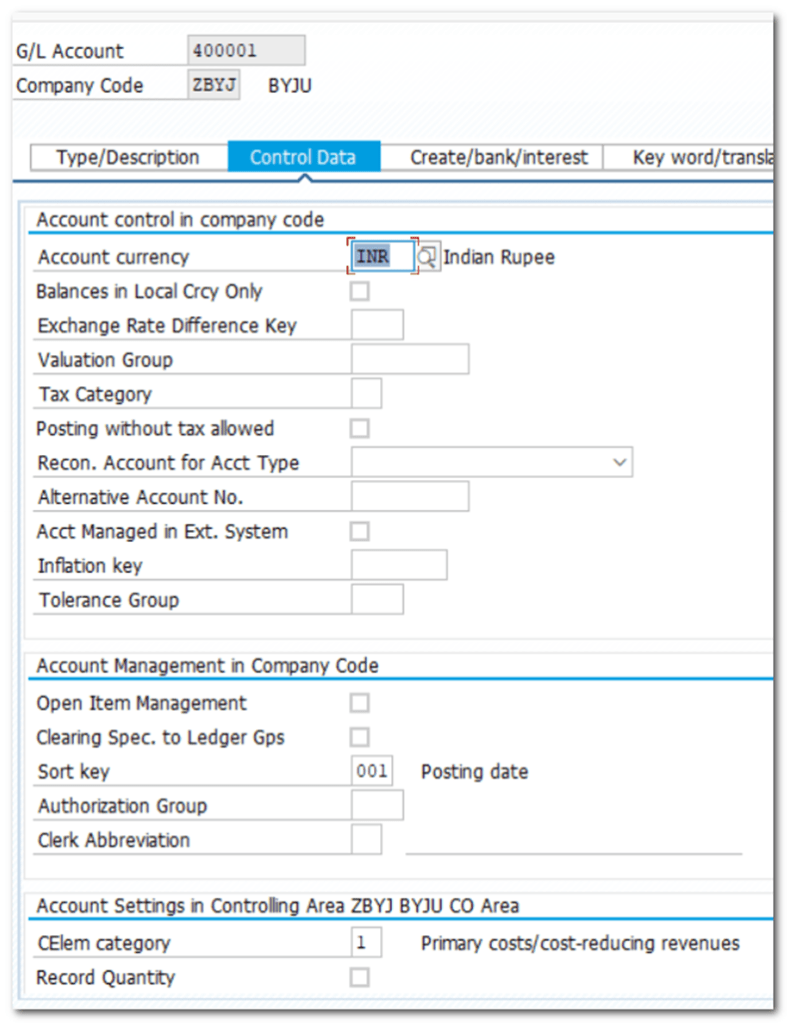
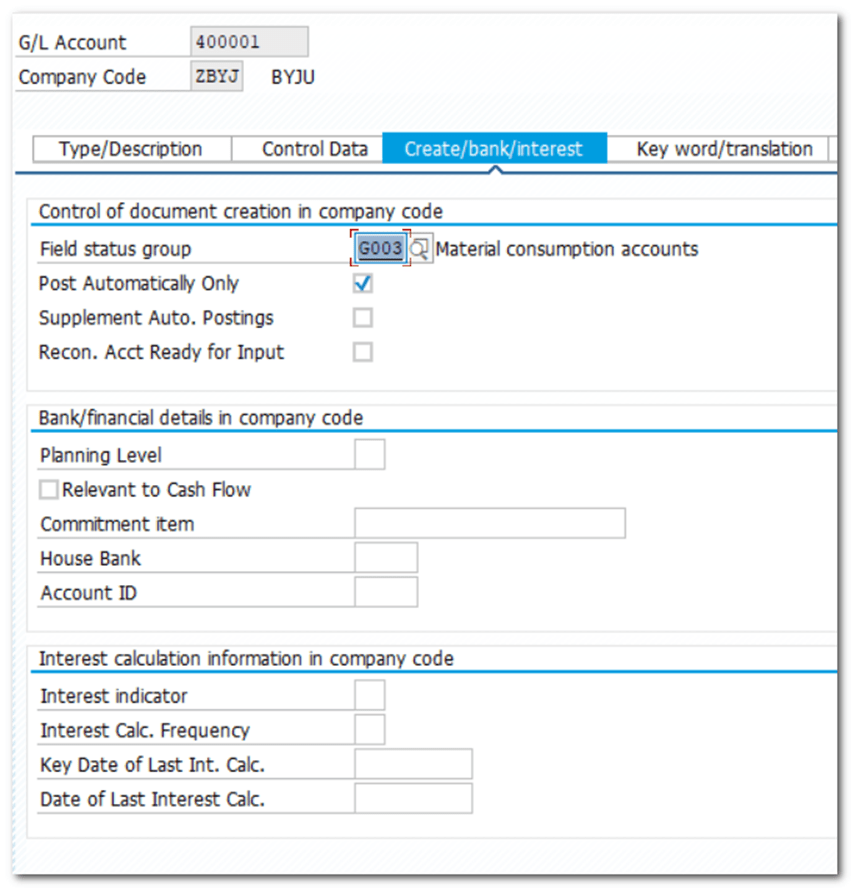
| Step 19 | Create GL |
| TCODE | FS00 |
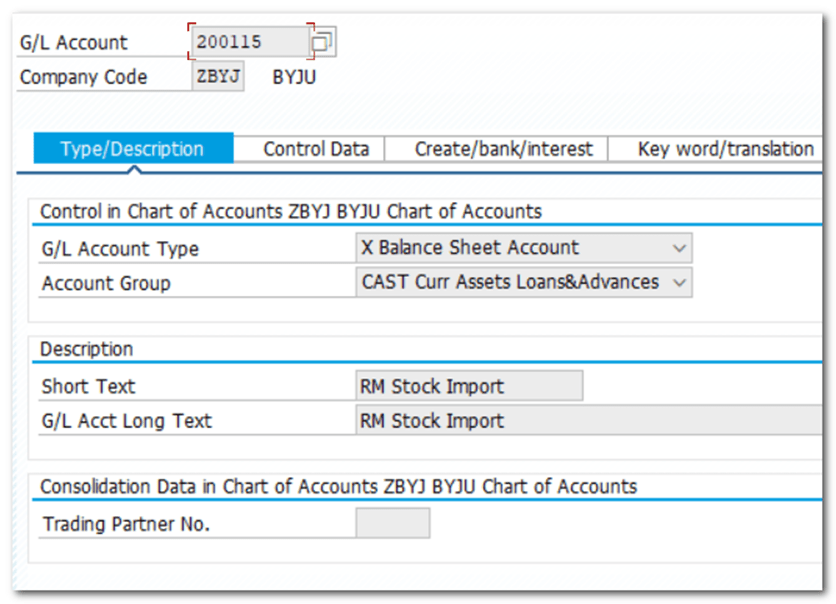
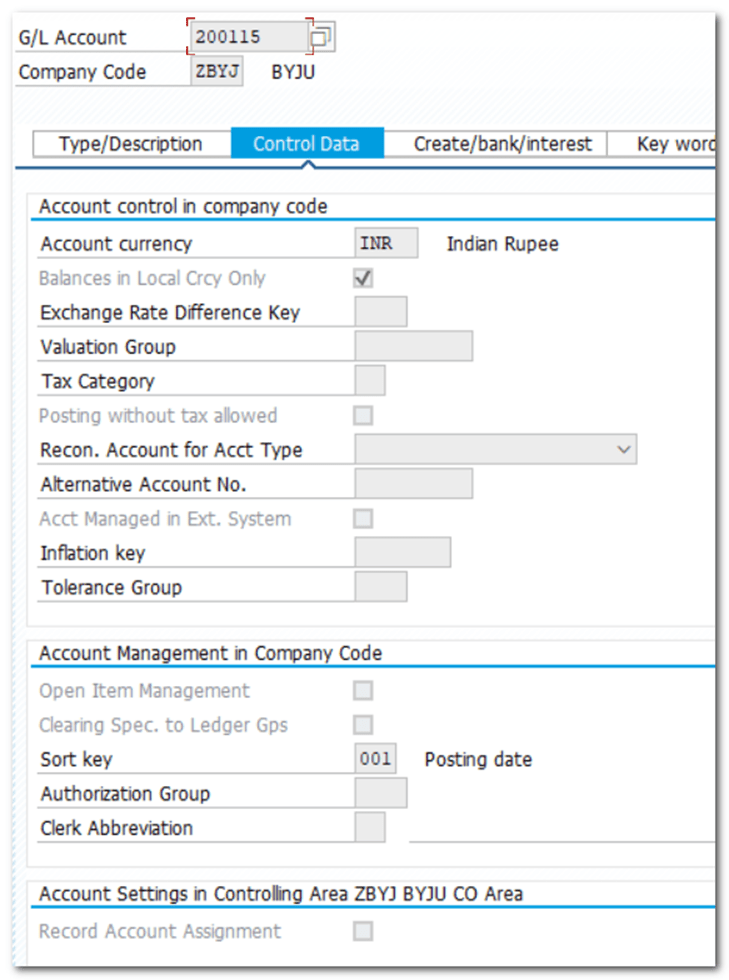
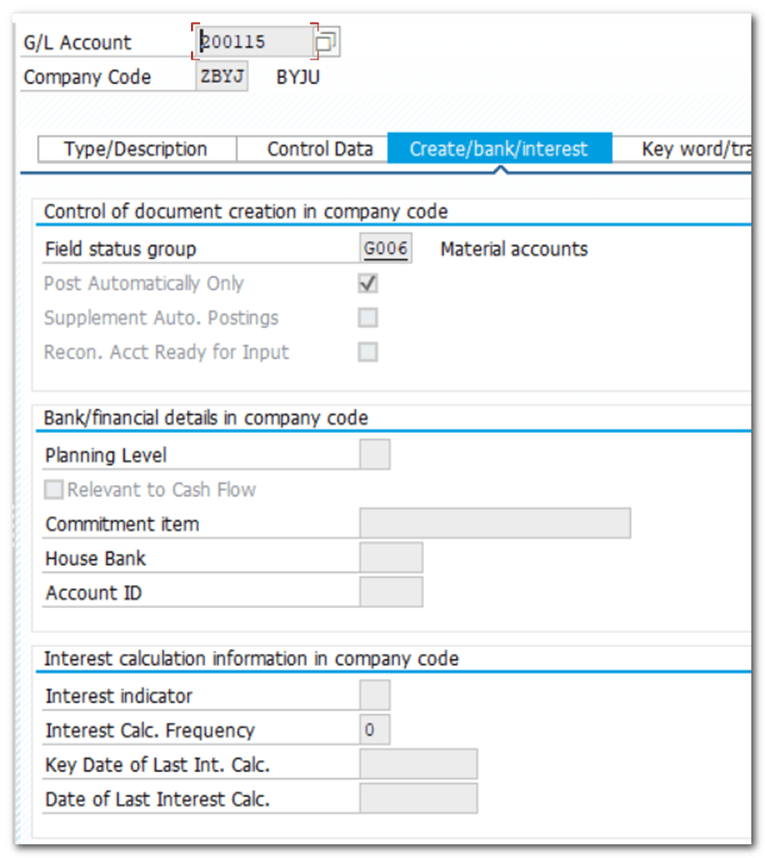
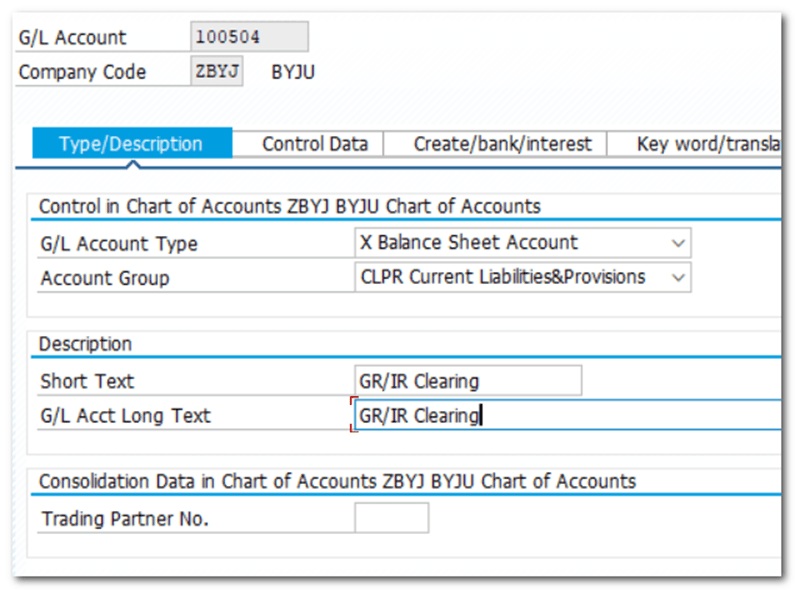
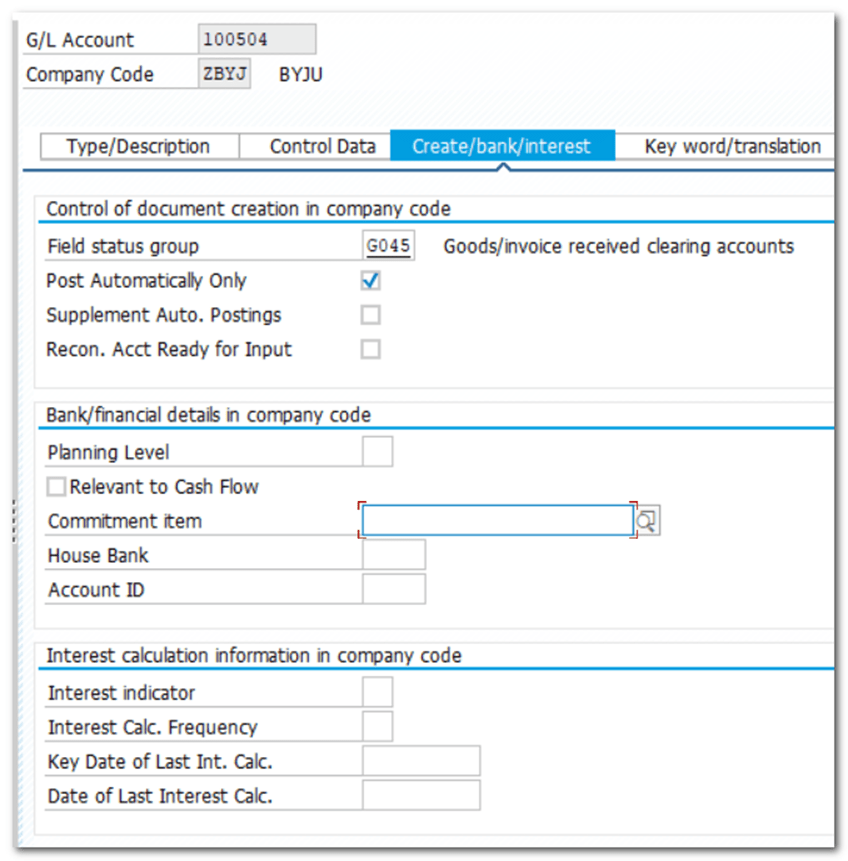
| 200114 RM Stock Local 200115 RM Stock Import 100504 GR/IR Clearing 400201 Price Difference 400000 RM Consumption Local 400001 RM Consumption Import |
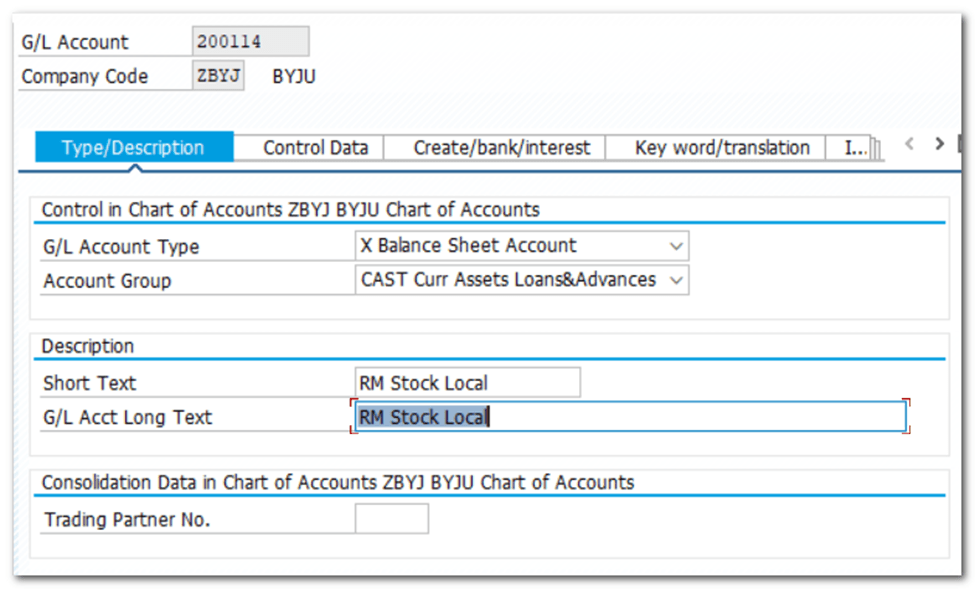
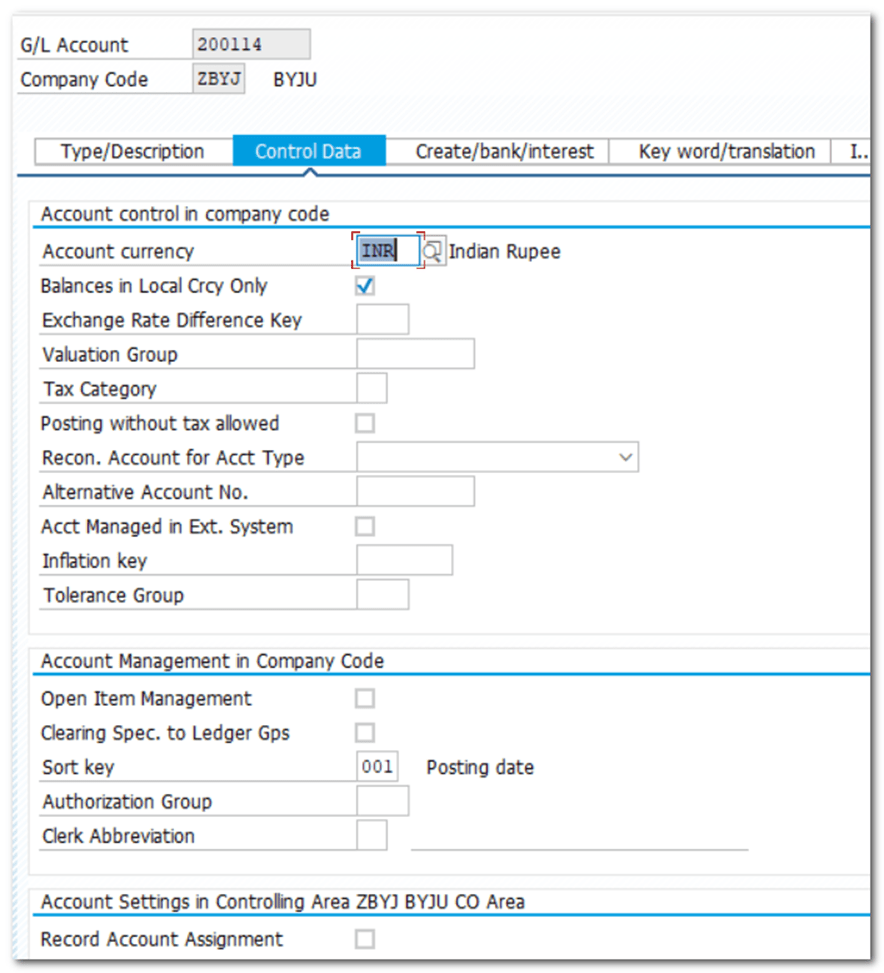
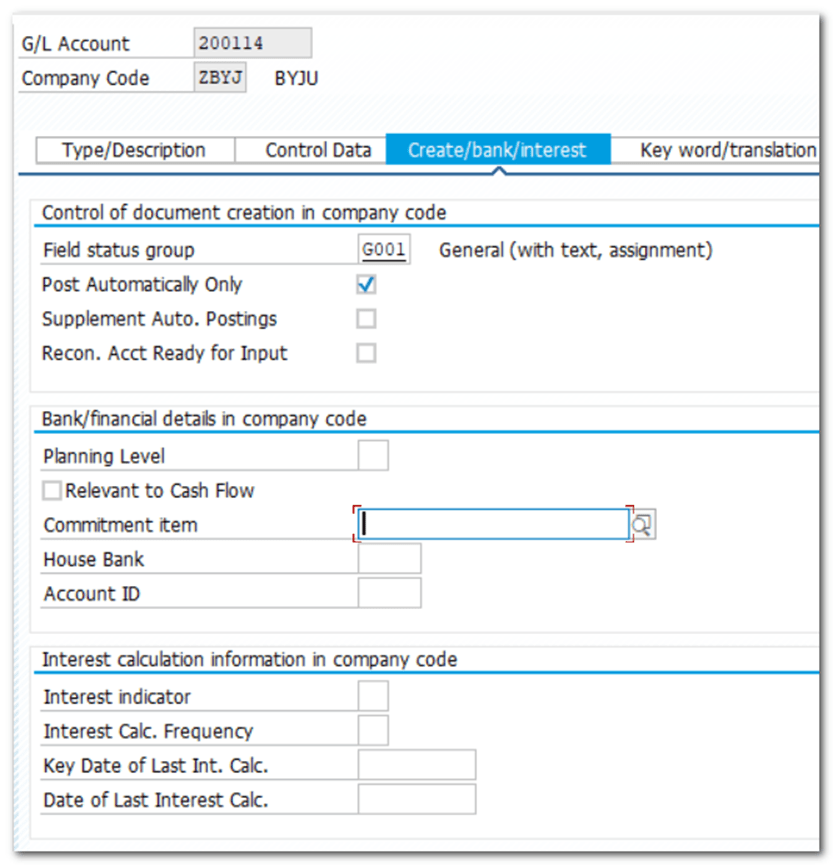
Raw Material Stock Import
GR/IR Clearing A/C

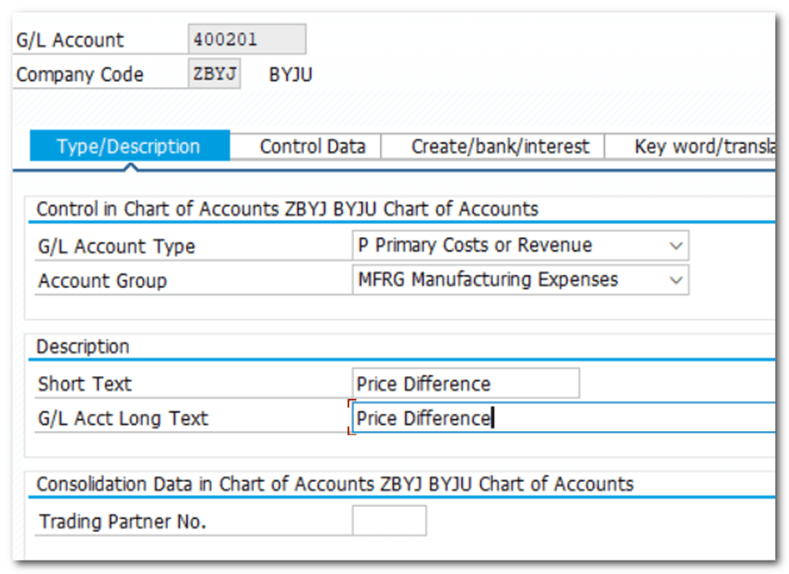
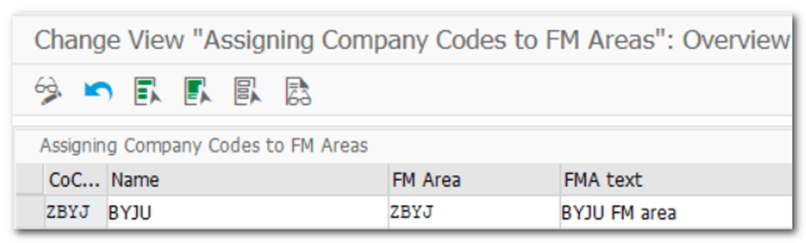
| Step 20 | Assign company code to financial management area |
| IMG | Enterprise Structure-Assignment-Financial Accounting-Assign company code to financial management area |
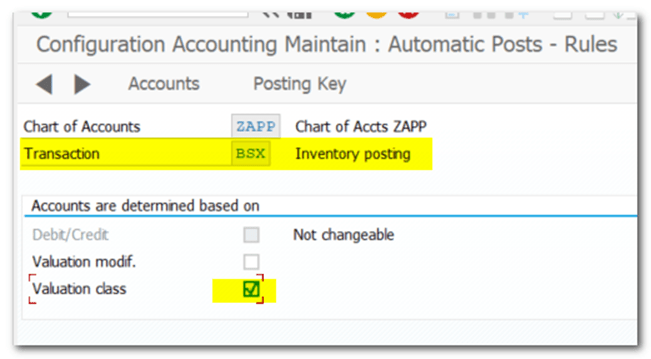
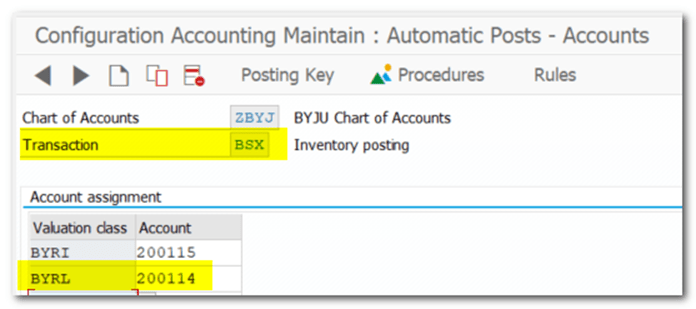
| Step 21 | Assignment of Accounts for Automatic Posting BSX |
| TCODE 200114 RM Stock Local 200115 RM Stock Import | Materials Management- Valuation and Account Assignment- Account Determination- Account Determination Without Wizard- Configure Automatic Postings OBYC |

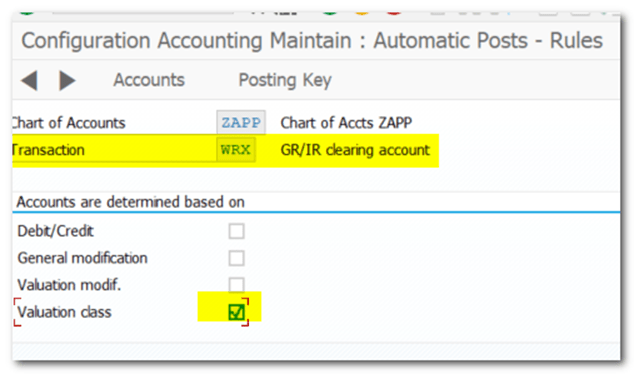
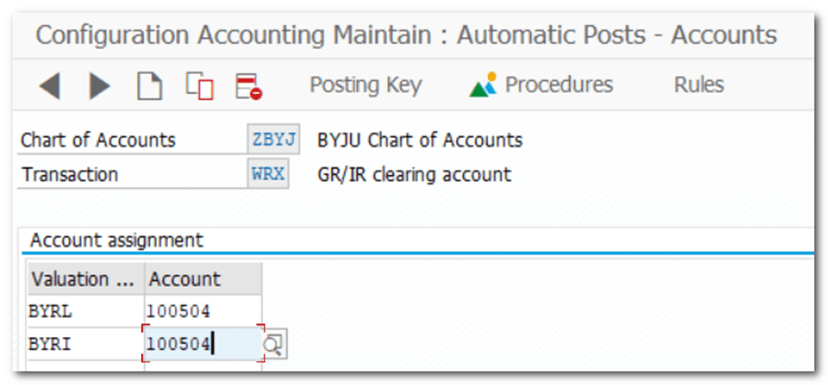
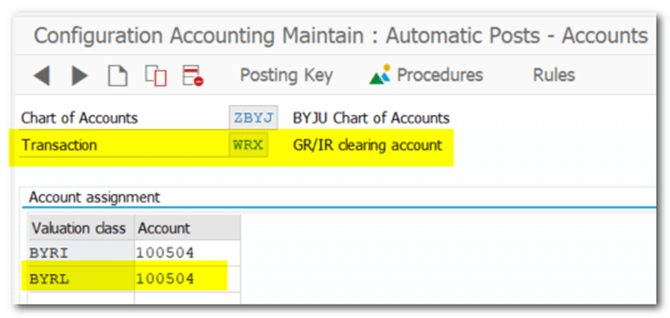
| Step 22 | Assignment of Accounts for Automatic Posting WRX |
| TCODE 100504 GR/IR Clearing | Materials Management- Valuation and Account Assignment- Account Determination- Account Determination Without Wizard- Configure Automatic Postings OBYC |
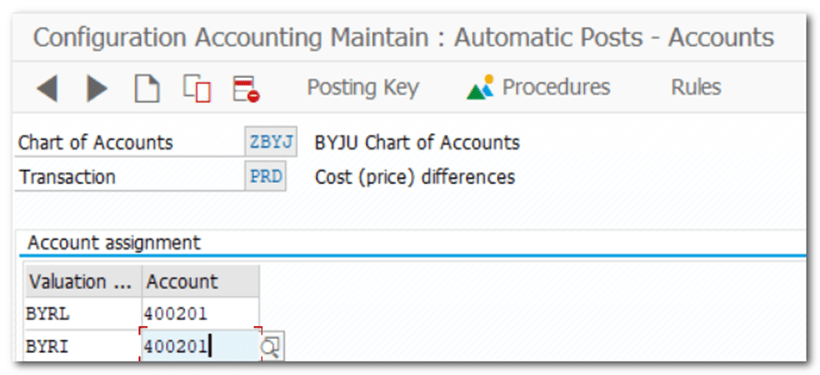
| Step 23 | Assignment of Accounts for Automatic Posting PRD |
| TCODE 400201 Price Difference | Materials Management- Valuation and Account Assignment- Account Determination- Account Determination Without Wizard- Configure Automatic Postings OBYC |

| Step 24 | Assignment of Accounts for Automatic Posting GBB |
| TCODE | Materials Management- Valuation and Account Assignment- Account Determination- Account Determination Without Wizard- Configure Automatic Postings OBYC 400000 RM Consumption Local 400001 RM Consumption Import |
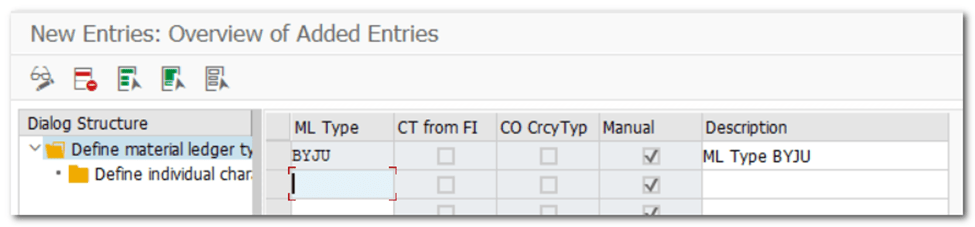
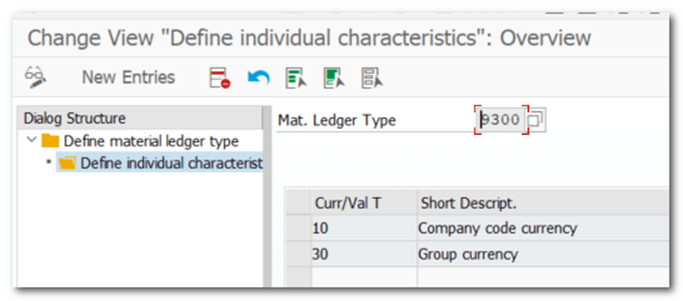
| Step 25 | To do MM Postings Material Ledger mandatory in S4 |
| TCODE | OMX2 |
| Step 26 | Assign ML to Valuation Area (Plant) |
| TCODE | OMX3 |

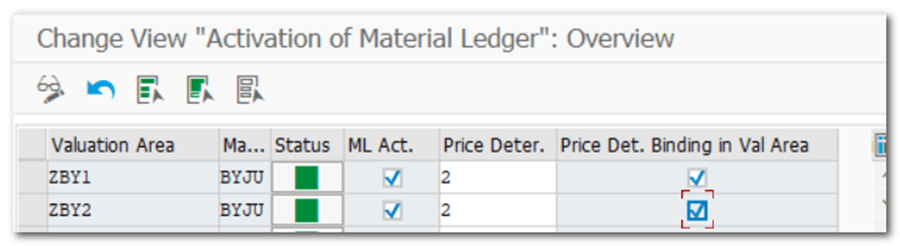
| Step 27 | Activation of Material Ledger |
| TCODE | OMX1 |
| Step 28 | Set Valuation Areas as Productive |
| TCODE | CKMSTART Material Master- Environment- Material Ledger- Environment- Production Startup- CKMSTART – Set Valuation Areas as Productive |

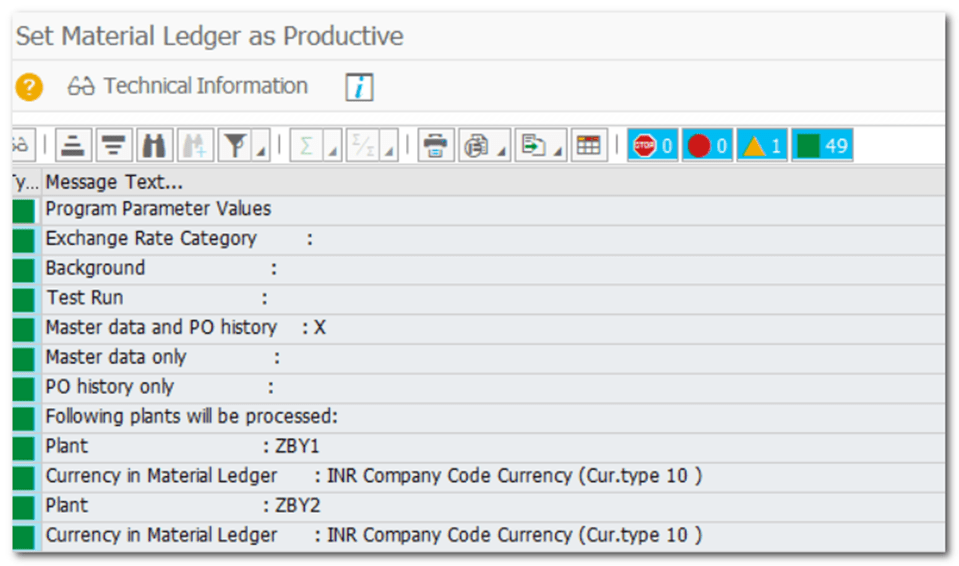
| Step 29 | Create Material Master |
| TCODE | MM01 |
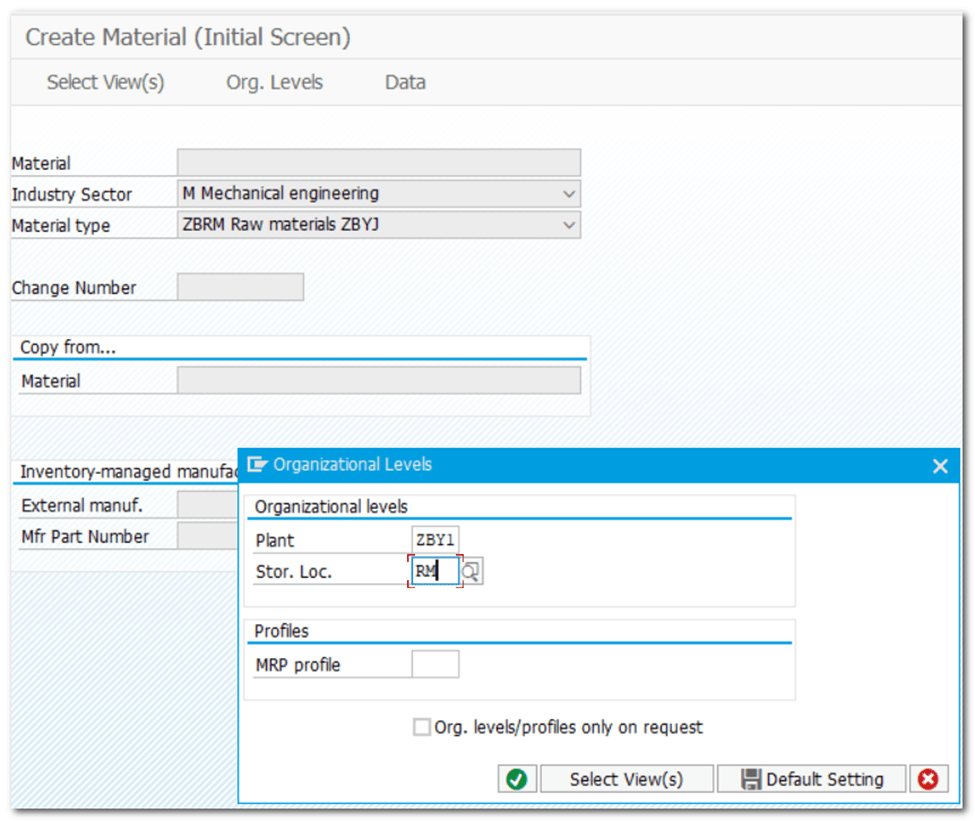
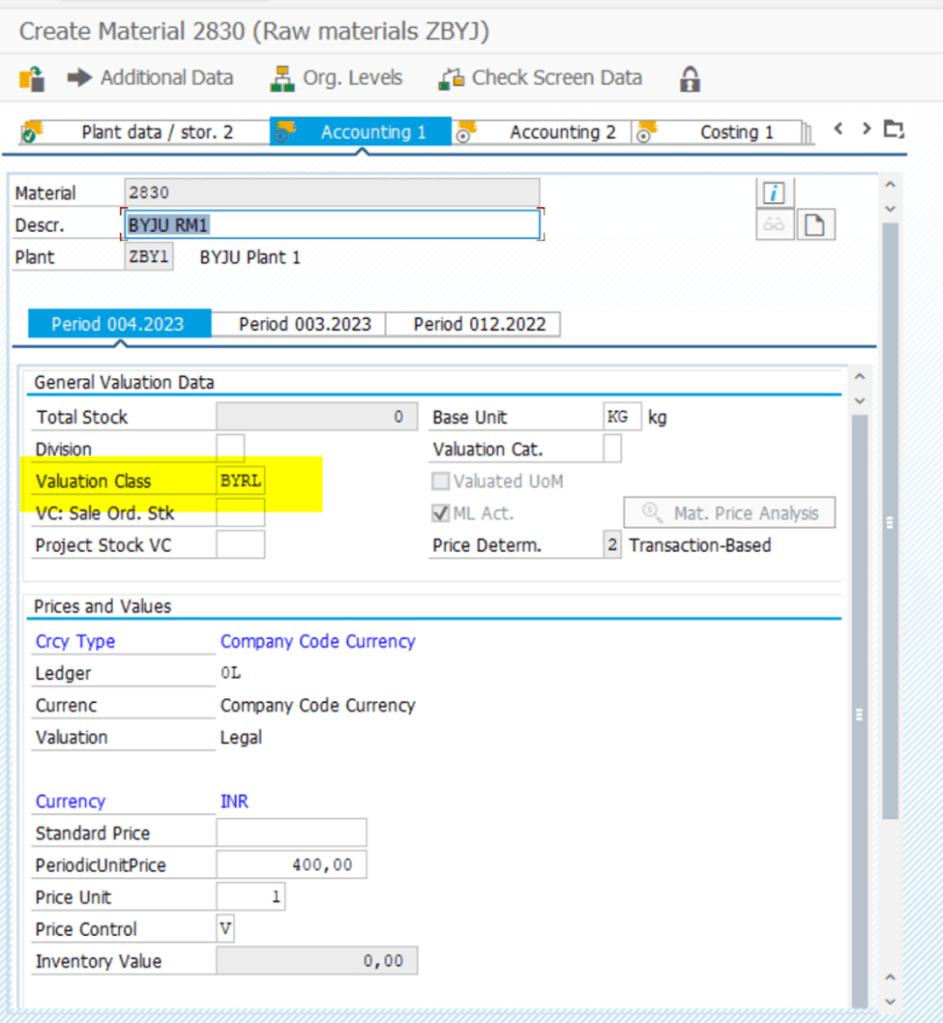
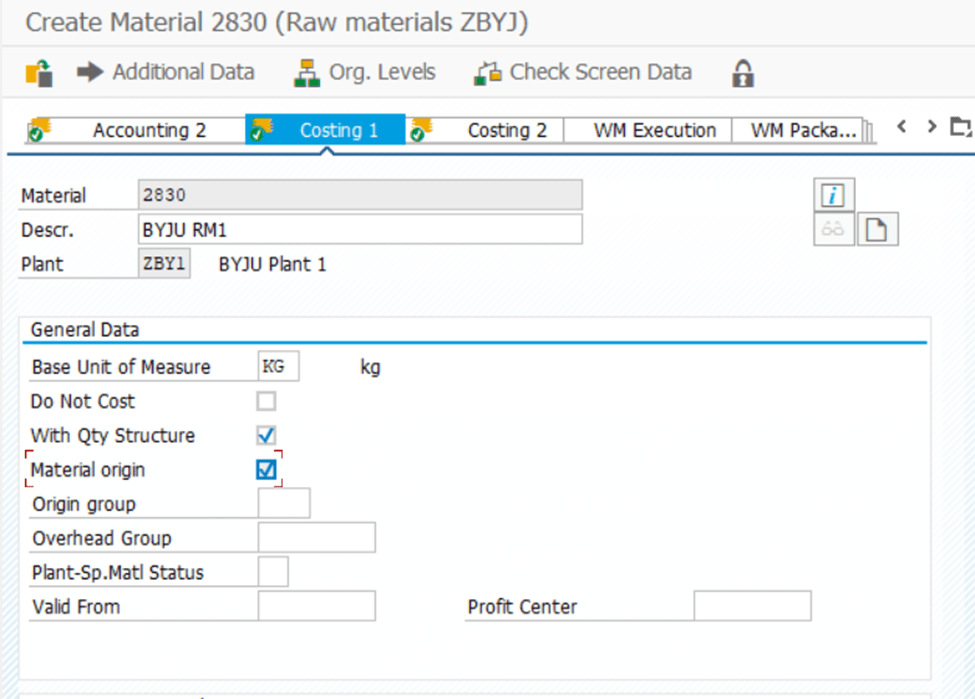
Material 2830 created
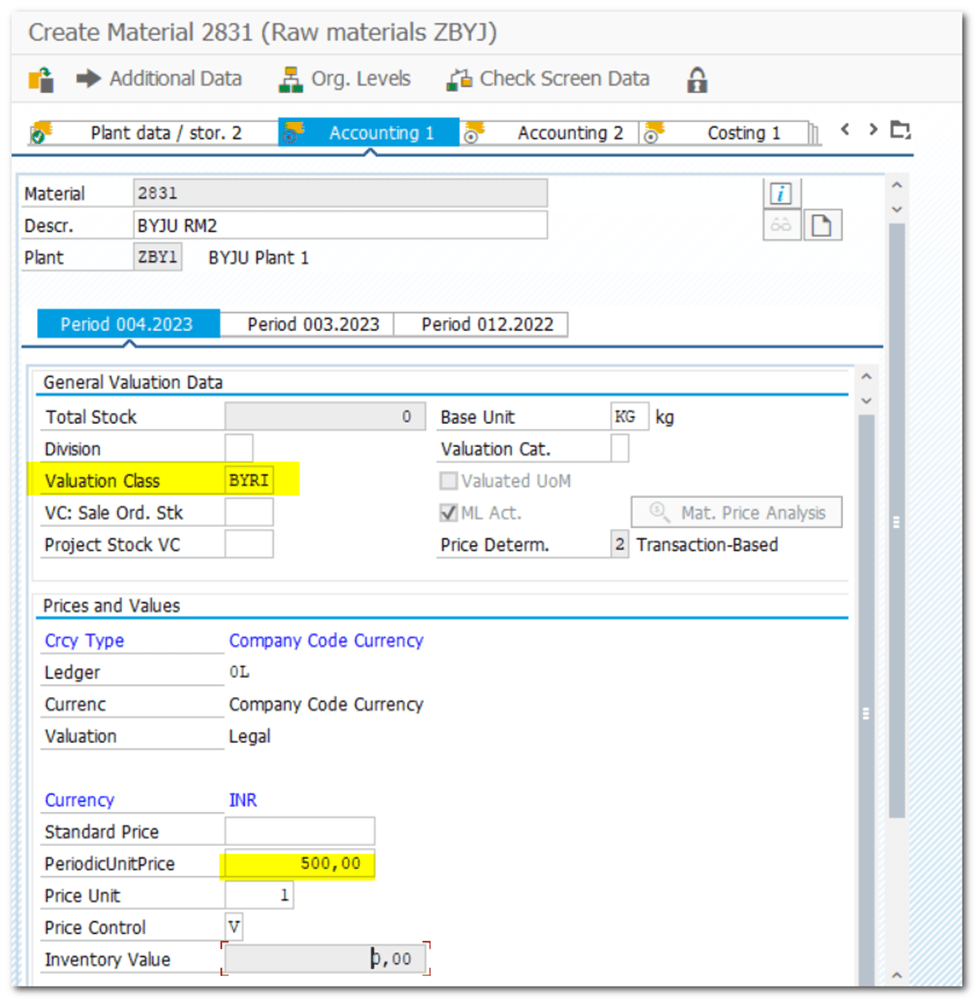
Material 2831 created
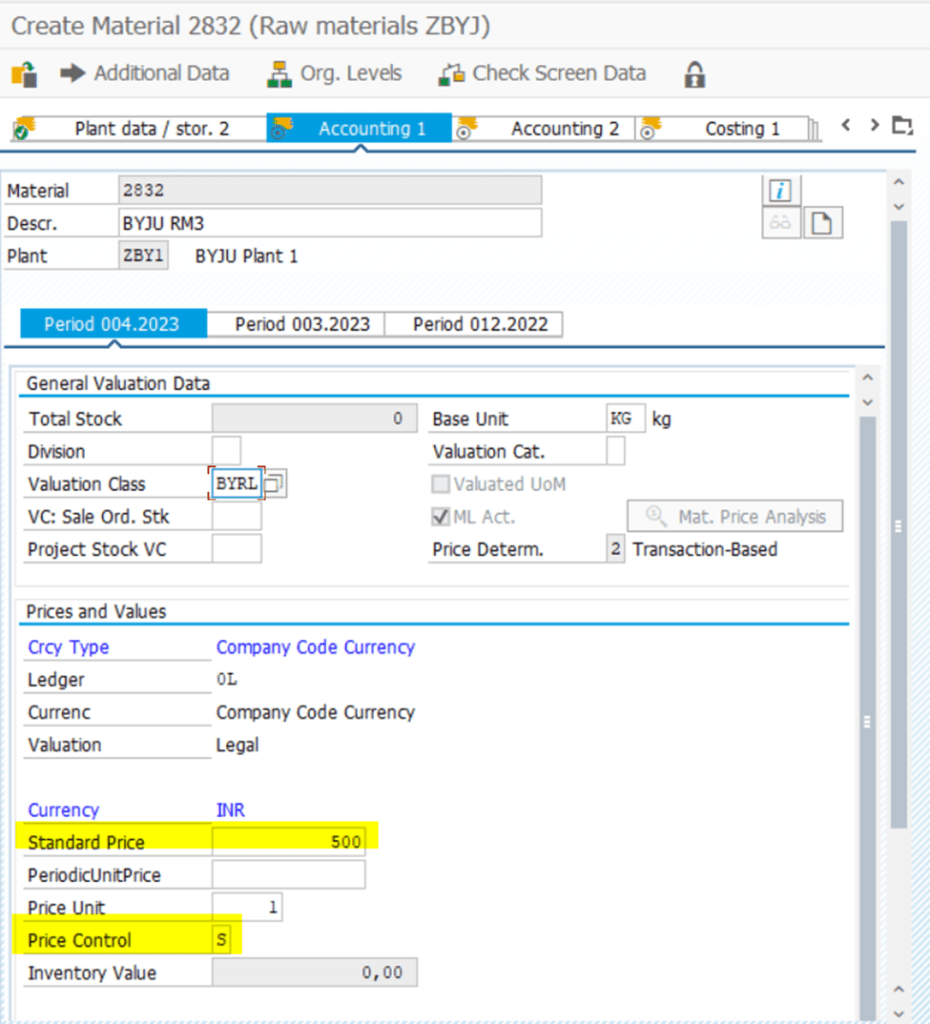
Material 2832 created
| Step 30 | Create Vendor Master |
| TCODE | XK01/BP |
| PAT |
LFA1 – GENERAL DATA
LFB1 – COMPANY CODE
LFM1- PURCHASING DATA
LFC1 – TRANSACTIONAL DATA
ACDOCA/MATTDOC – S4 TRANSACTONAL DATA
| Step 31 | Sundry Creditors |
| TCODE | FS00 |
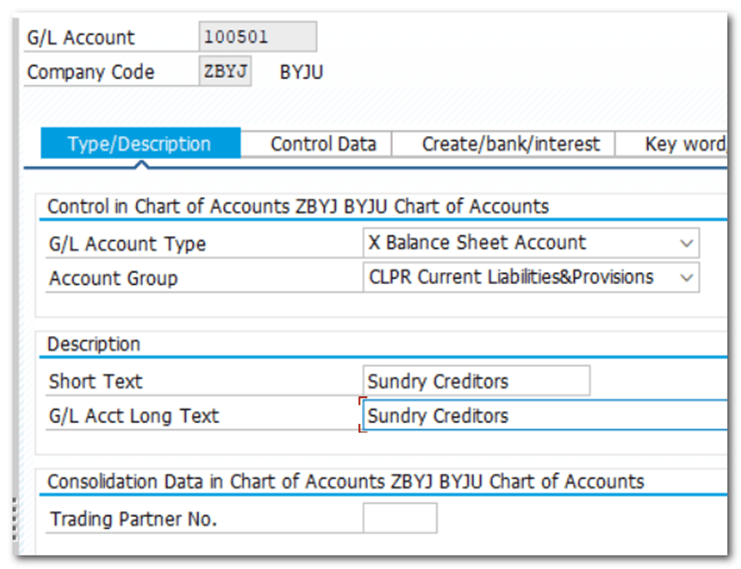

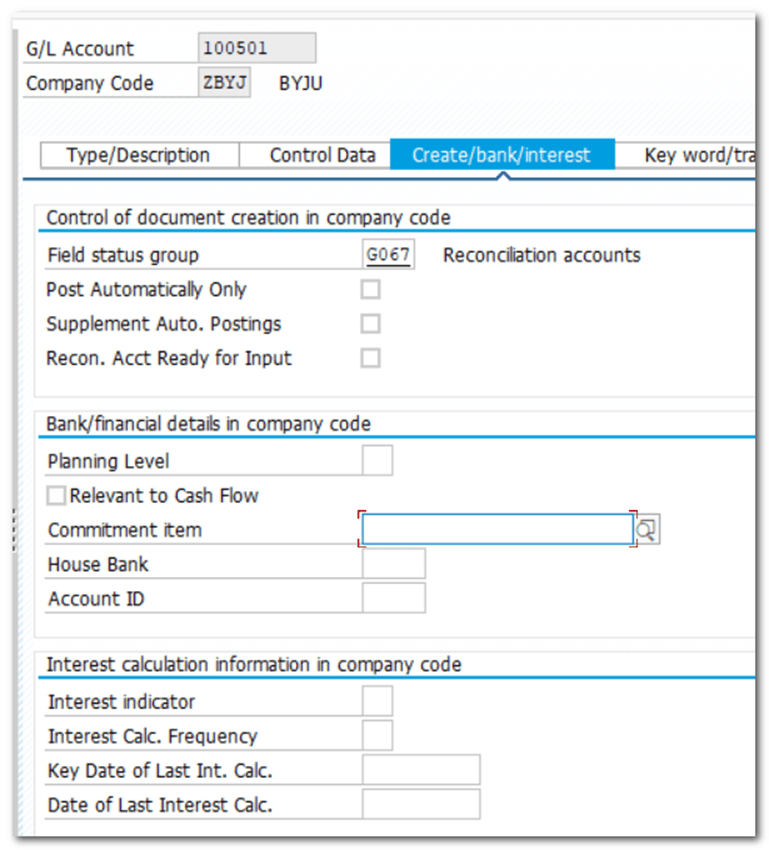
| Step 32 | Create PO |
| TCODE | ME21N |
| Vendor | PAT |
Standard PO created under the number 4500004775
| Step 33 | Maintain Number Range |
| IMG SNRO OBA7 | MM- Inventory Management and Physical Inventory- Define Number Assignment for Accounting Documents |
| WA – Goods Issue WE – Goods Receipt RE – Invoice Receipt |
Interval 50 does not exist for object RF_BELEG ZAPP FBN1
Maintained Number Range in SNRO
| Step 34 | Define Automatic Status Change |
| IMG SNRO | MM- Logistics Invoice Verification- Invoice Verification in Background- Define Automatic Status Change |
Table T169P: entry ZBYJ does not exist
Message No. M8100
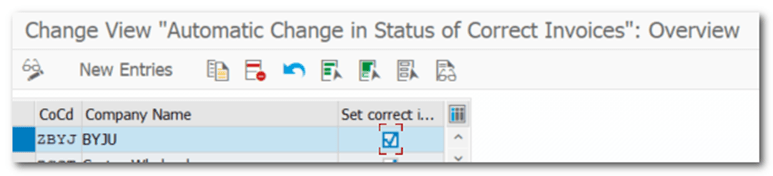
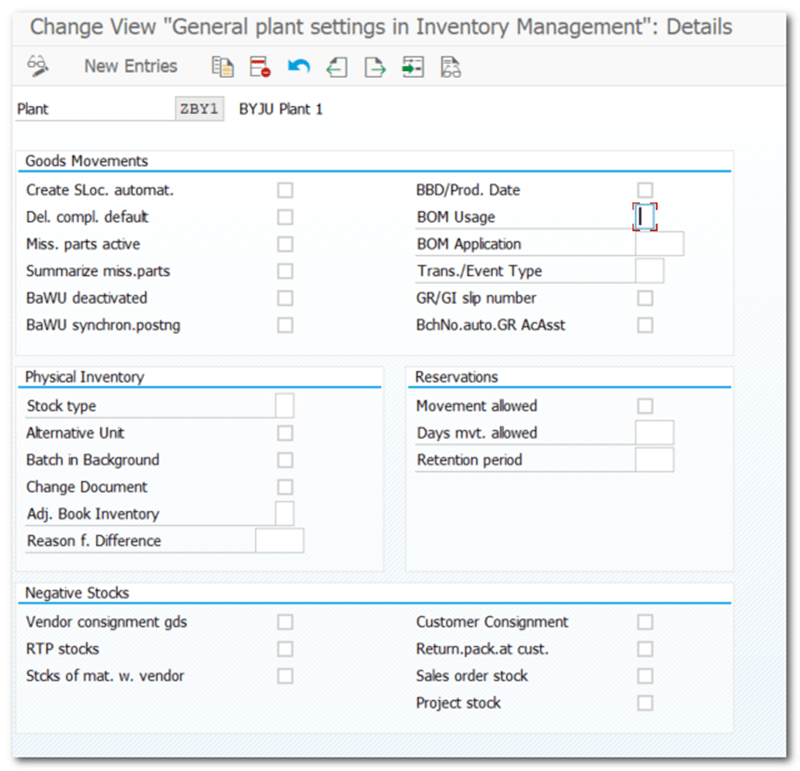
| Step 35 | Maintain Plant Parameters |
| IMG | MM- Inventory Management and Physical Inventory- Plant Parameters |
| Step 36 | Goods Receipt |
| TCODE | MIGO |
| w.r.f to PO doc | 4500004775 |
| RM Stock (Dr) GR/IR Clearing (Cr) | 100 (BSX) 100 (WRX) |
Material document 5000004121 posted
Message No. MIGO012
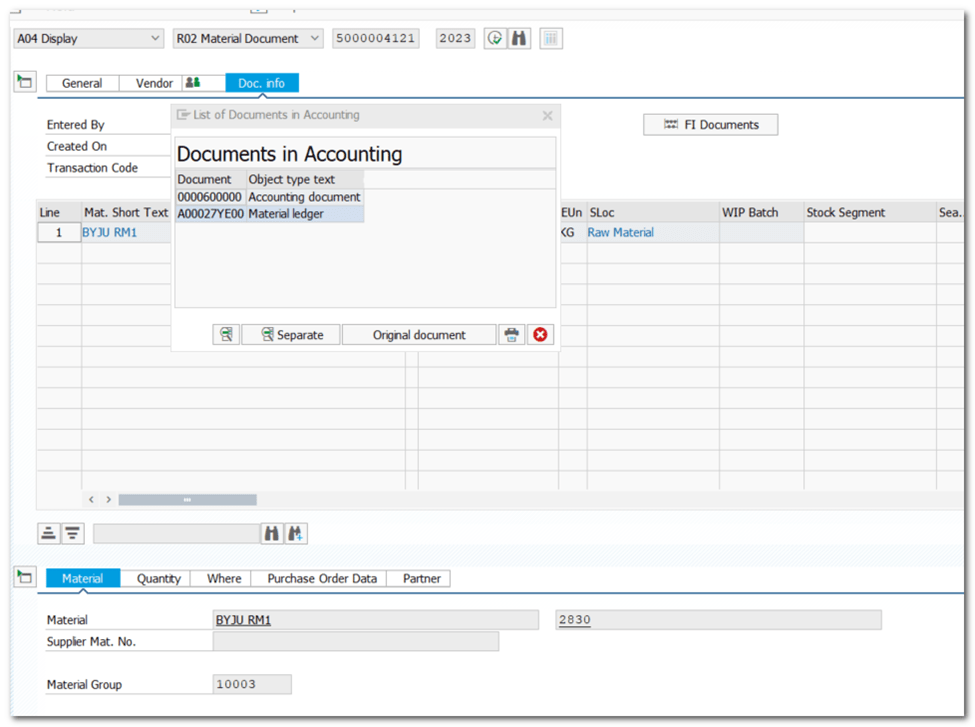
ML docs can be accessed from CKMS
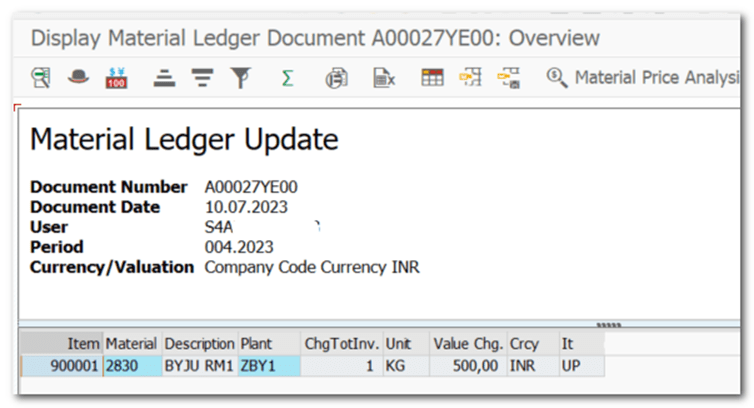
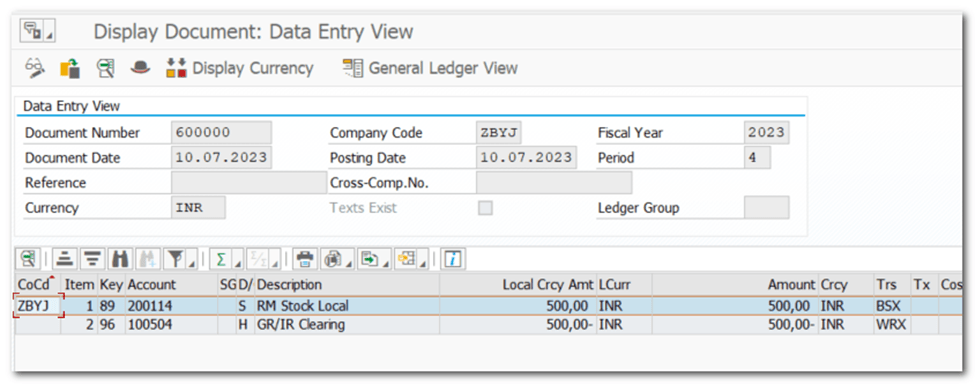
OBYC
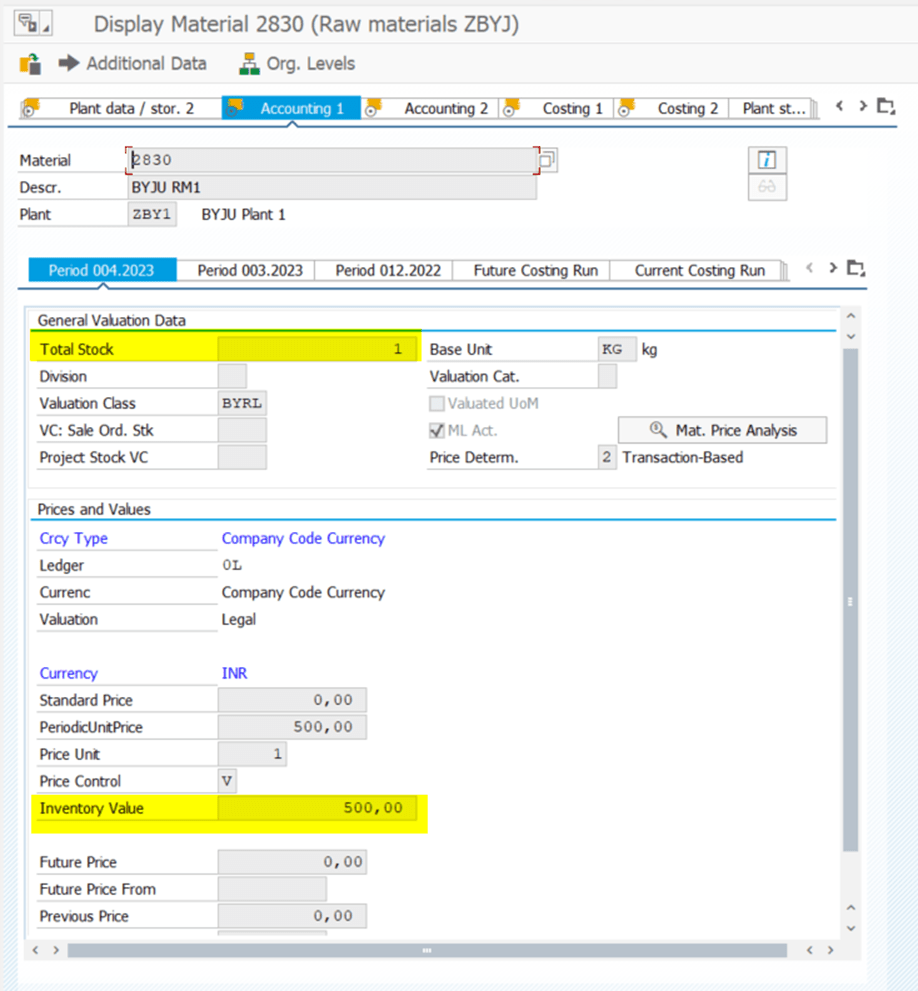
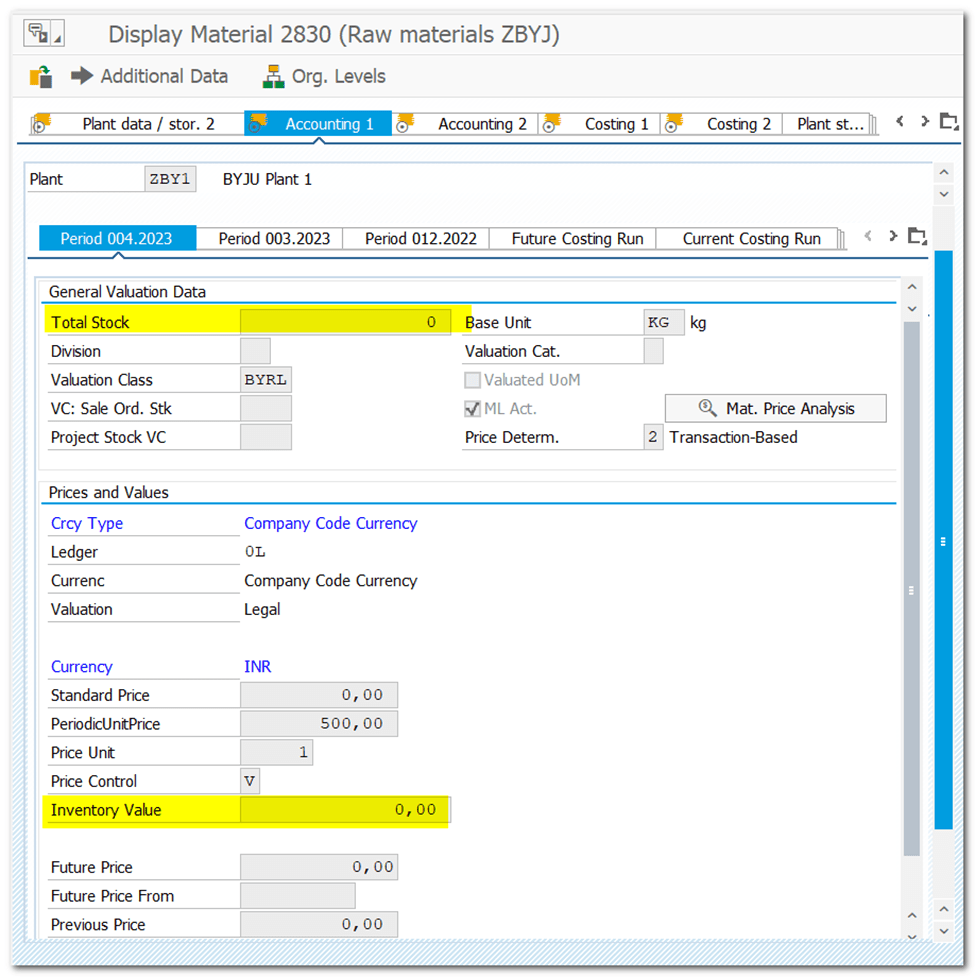
MM03: Check Valuation data (Total Stock, Inventory Value)
| Step 37 | Tax Procedure |
| IMG | Financial Accounting–Financial Accounting Global Settings-Tax on Sales/Purchases-Basic Settings- Check Calculation Procedure Assign Country to Calculation Procedure |
| Input Tax for Purchase Output Tax for Sales Account Key assigned to Condition Type Map G/L account for Account Key |
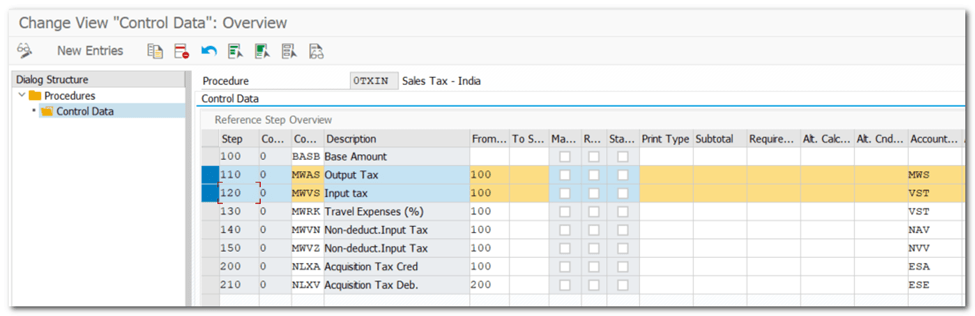
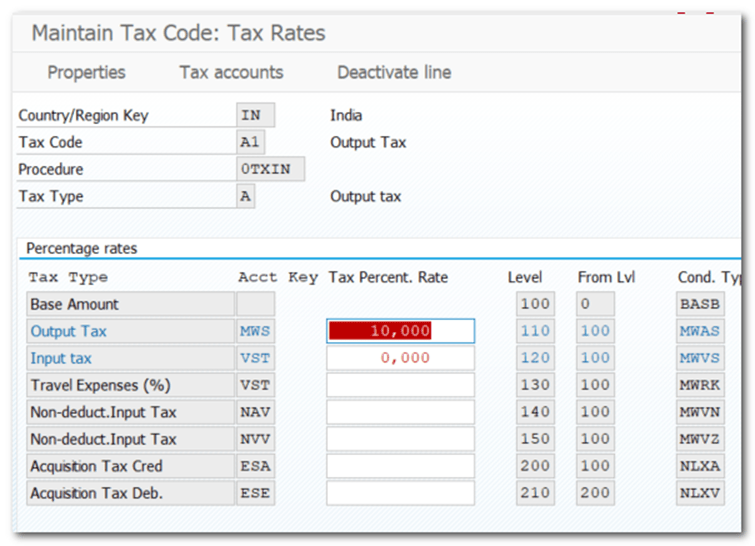
| Step 38 | Define Tax Codes for Sales and Purchases |
| TCODE | FTXP Financial Accounting–Financial Accounting Global Settings-Tax on Sales/Purchases- Calculation- Define Tax Codes for Sales and Purchases |
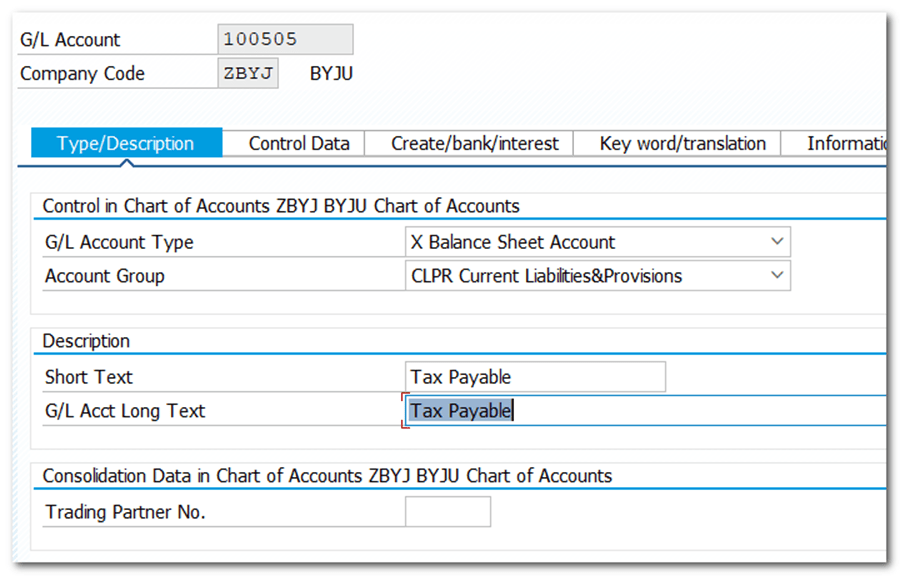
| Step 37 | Creation of Tax Payable Account |
| TCODE | FS00 |
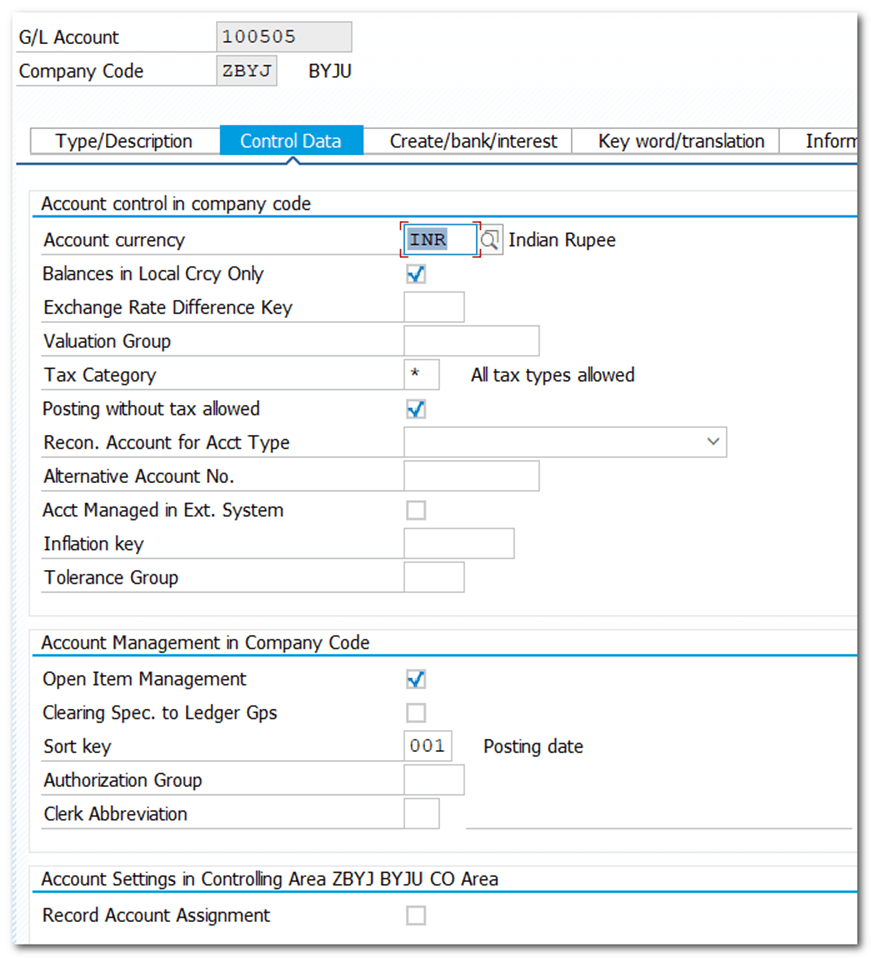
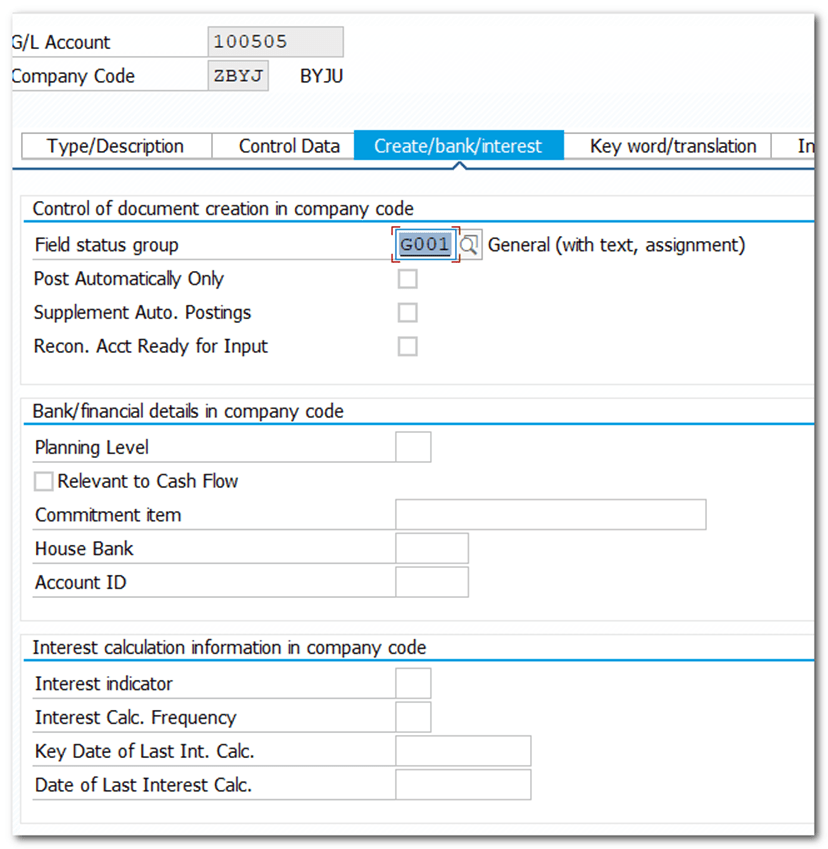
| Step 38 | Assignment of Account for Automatic Posting |
| TCODE | OB40 |
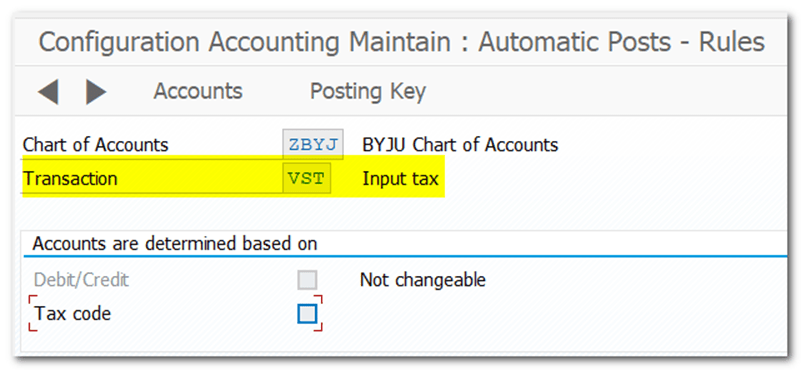
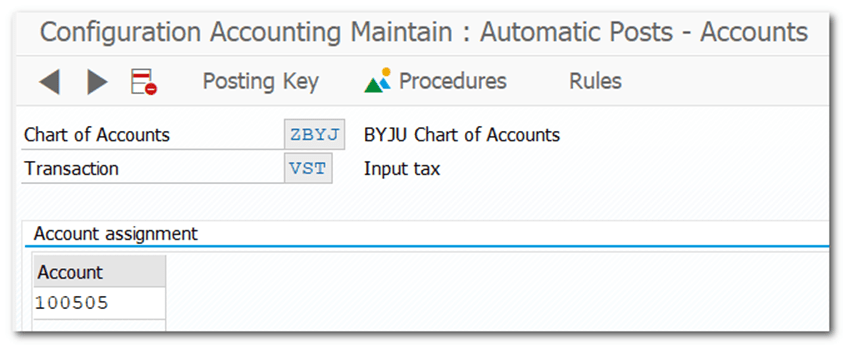
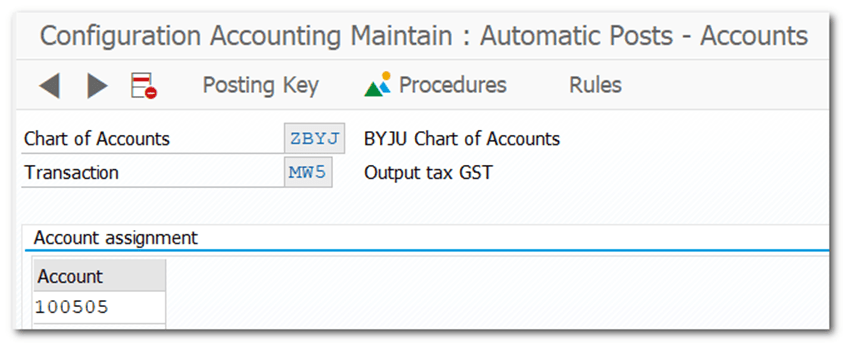
| Step 39 | Maintain Condition records |
| TCODE | FV11 |
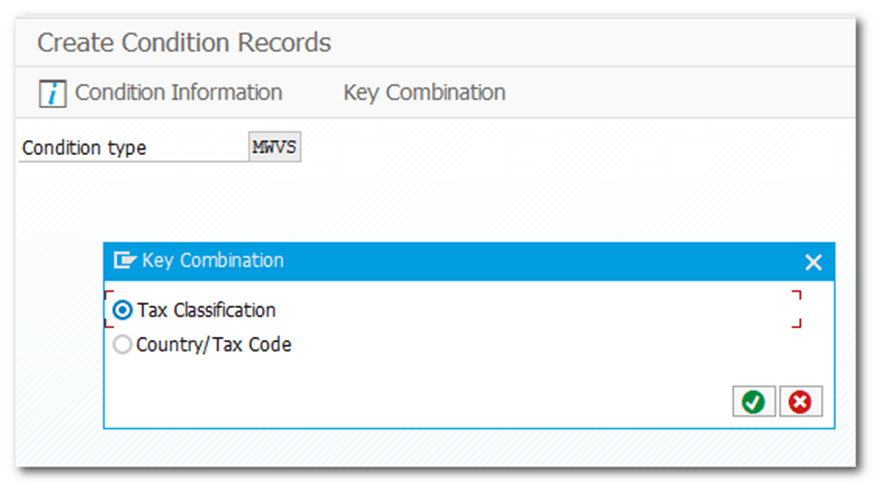

OBCN

| Step 40 | Invoice Verification |
| TCODE | MIRO |
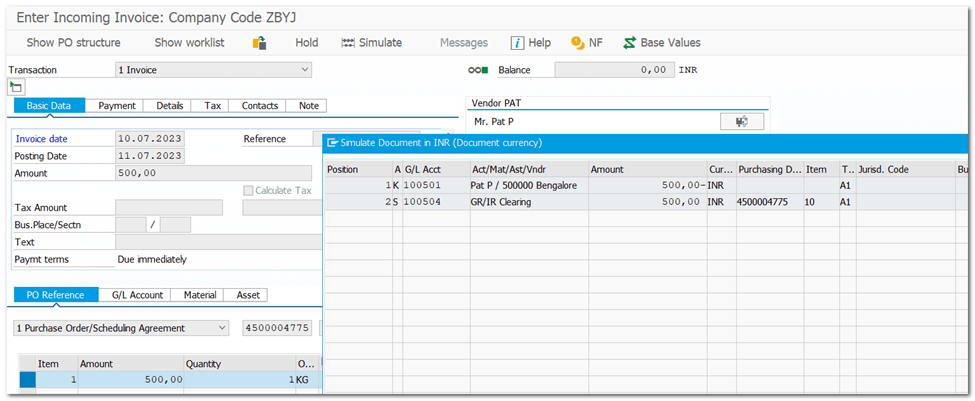
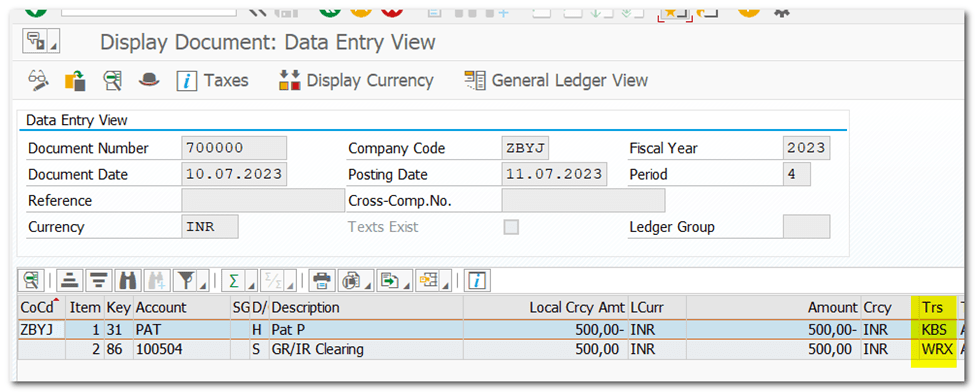
| Step 41 | Creation of Cost Center |
| TCODE | KS01 |
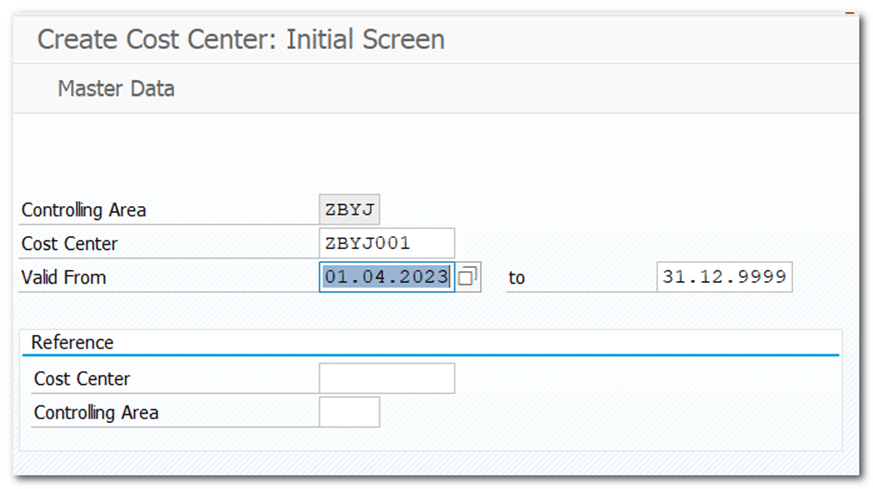
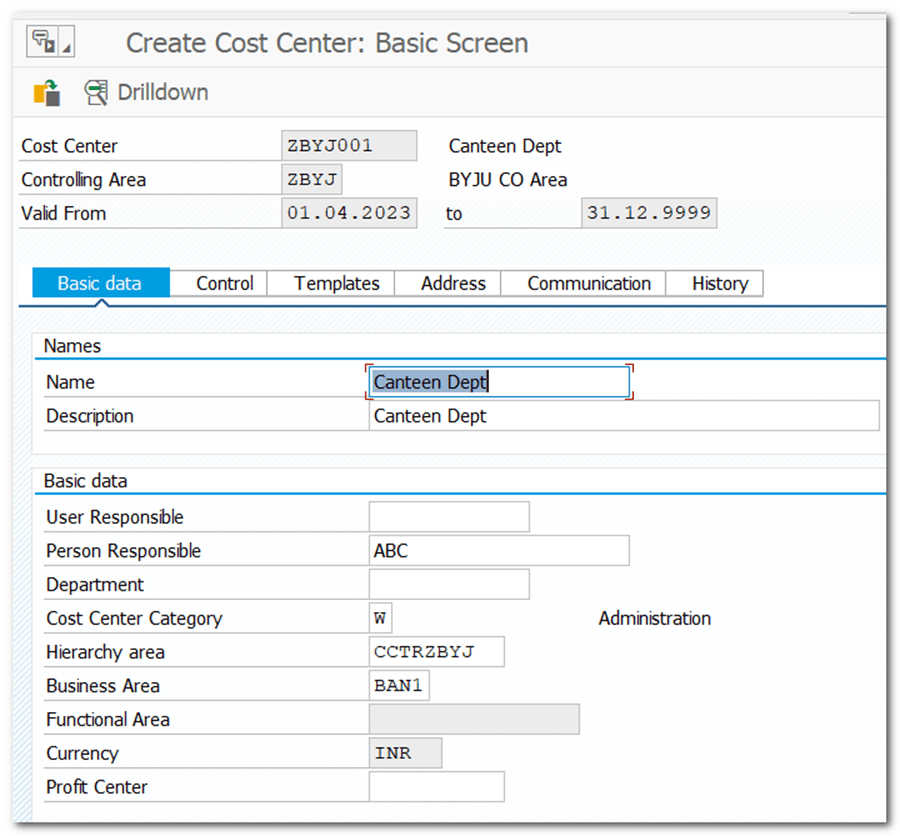
| Step 42 | Goods Issue to Cost Center |
| TCODE | MIGO |
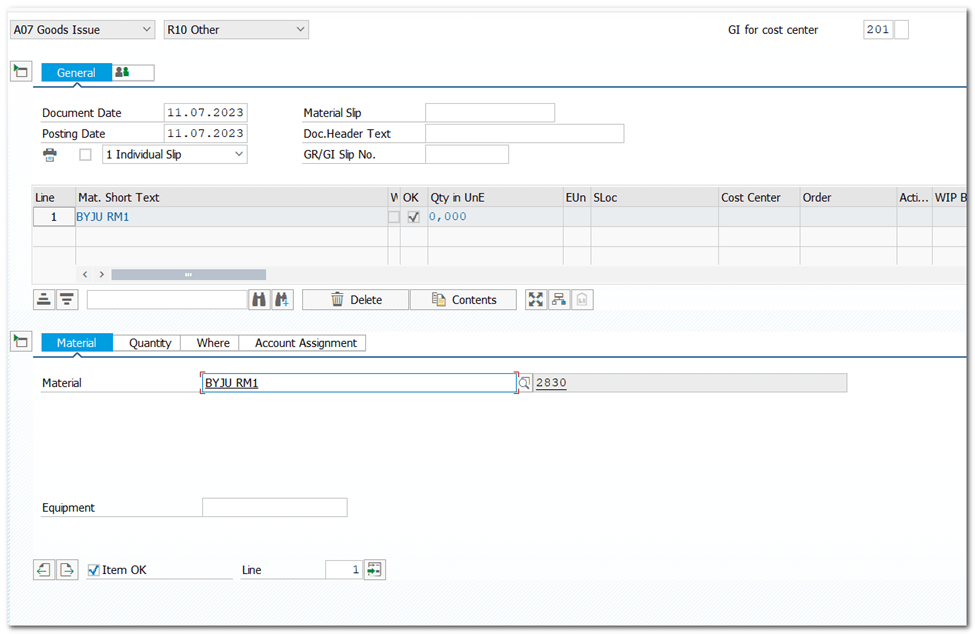
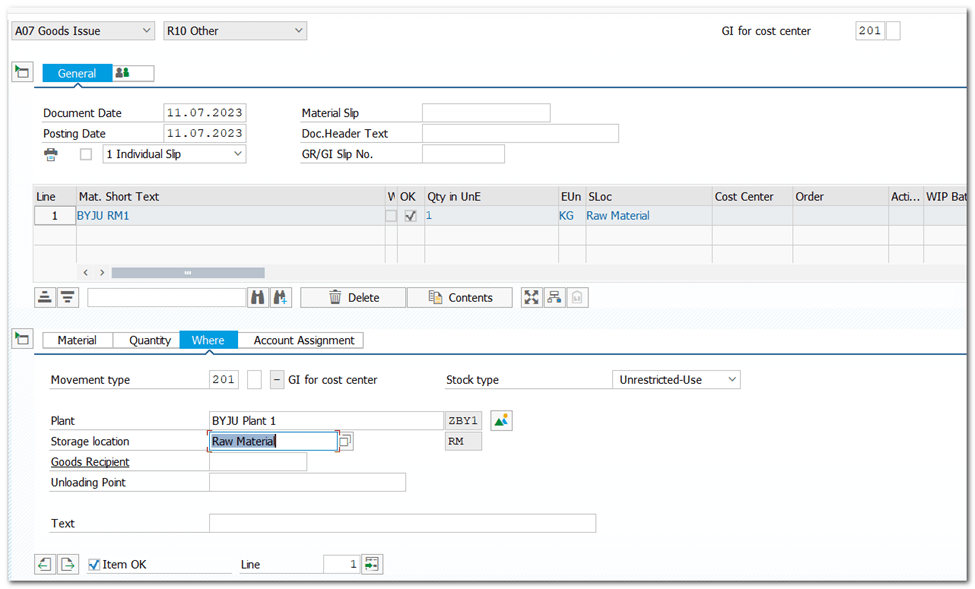
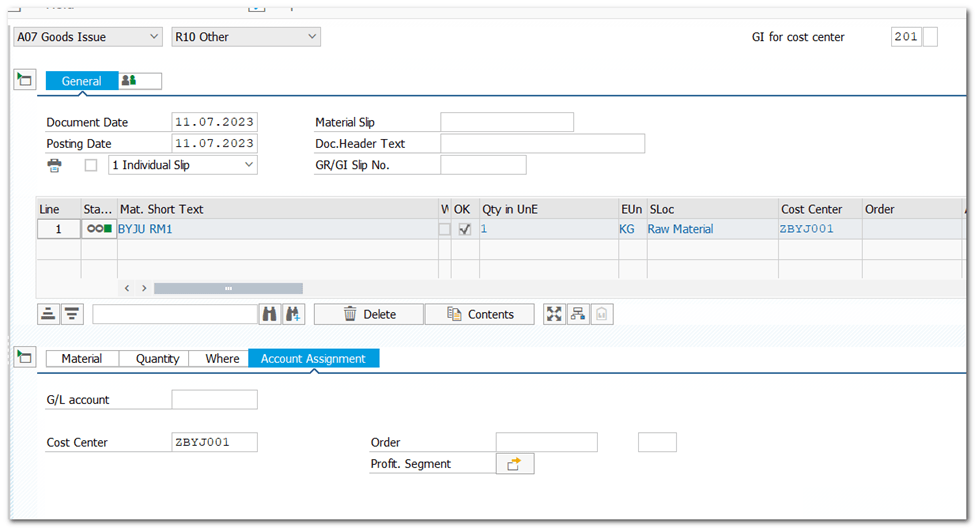

Accounting Doc
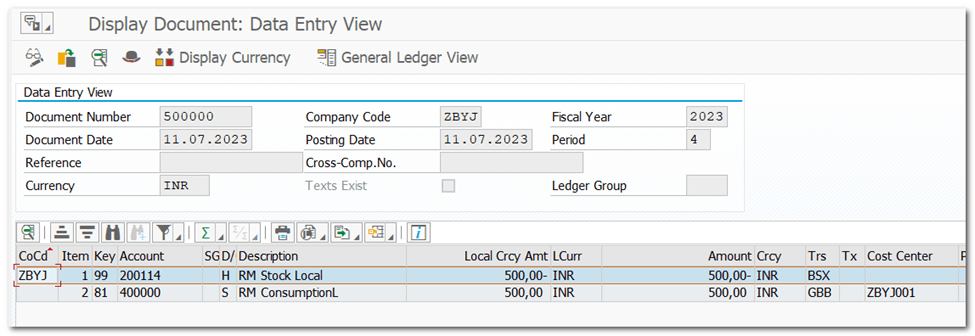
Controlling Doc

Material Ledger
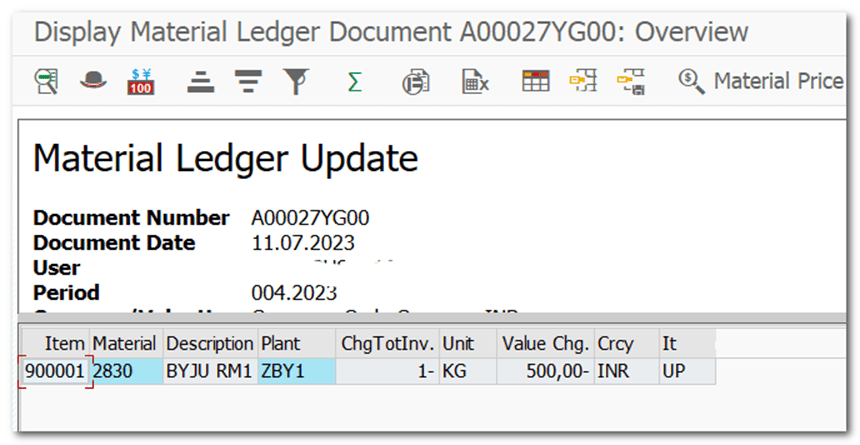
Material Valuation Data update
 SAP Quick Guide