YARD represents a physical location outside the warehouse that’s used for managing vehicles (TU) coming into and out of the warehouse.
YARD management helps to reduce the idle time of vehicles in the warehouse, thereby benefiting the carrier and optimizing the GR and GI processes for the organization.
It also helps route the vehicles in the yard before they’re docked to the door for loading and unloading goods in the warehouse.
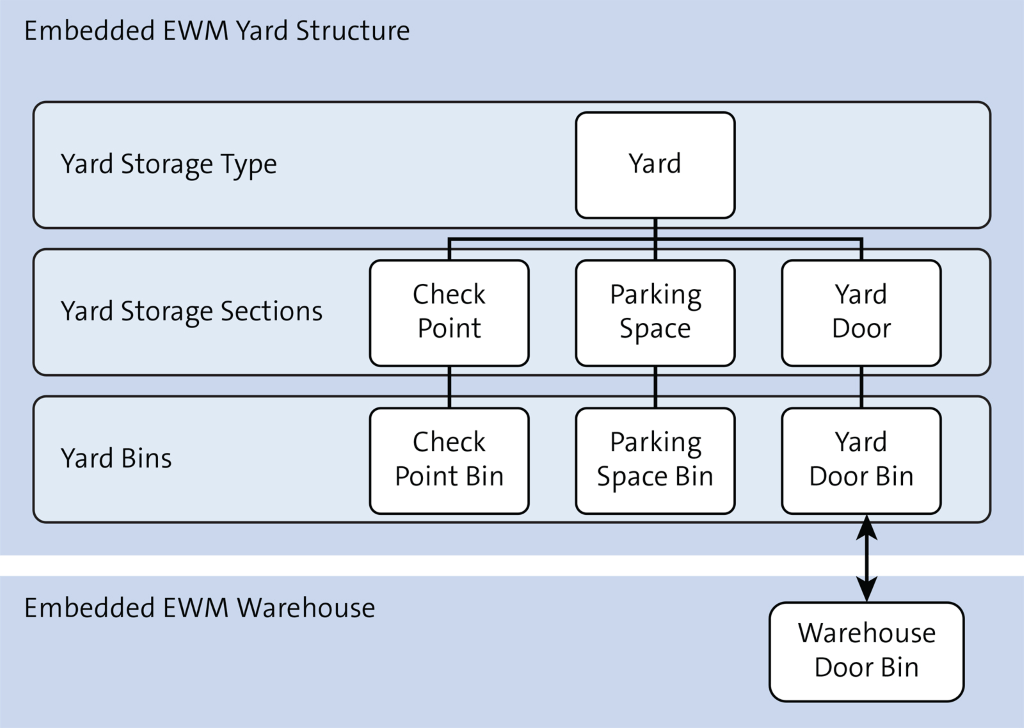
| Check Point | Checkpoints are entry and exit points of a yard in WH. Checkpoint serve as a place where shipping document verification and other security checks are performed by the gate operator before the TU enters or leaves WH |
| Parking Space | Area in yard where TUs are parked when door is not free for loading and unloading |
| Yard Door | Physical place in WH where the TU is docked. Stock is unloaded/loaded from the door to staging area or vice versa |
| Step 1. | Activate Yard Management for Warehouse |
| IMG | SCM-EWM-Cross-Process Settings-Shipping and Receiving-Yard Management |
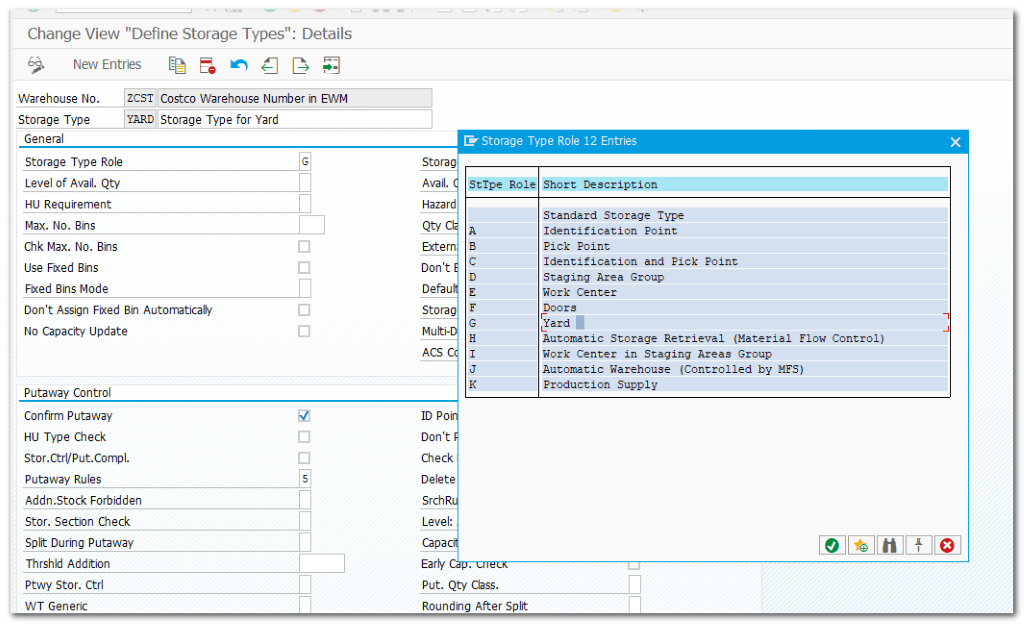
| Step 2. | Define Storage Type of YARD |
| IMG | SCM-EWM-Master Data-Define Storage Types |
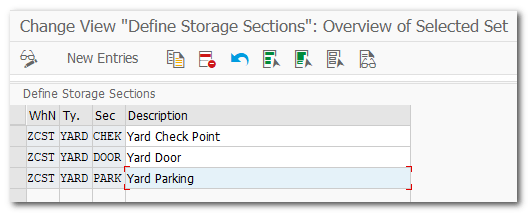
| Step 2.1. | Define Storage Sections for Storge Type YARD |
| IMG | SCM-EWM-Master Data-Define Storage Sections |
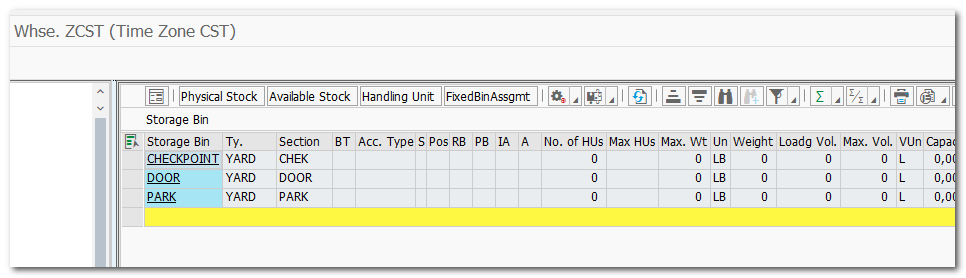
| Step 2.2. | Create Storage BIN(s) for each Storage Section |
| TCODE | /SCWM/LS01 |
| Step 2.3. | Define Yard settings for the Yard Storage Type |
| IMG | SCM-EWM-Master Data-Shipping and Receiving-Yard Management-Define Yard Using Storage Type |
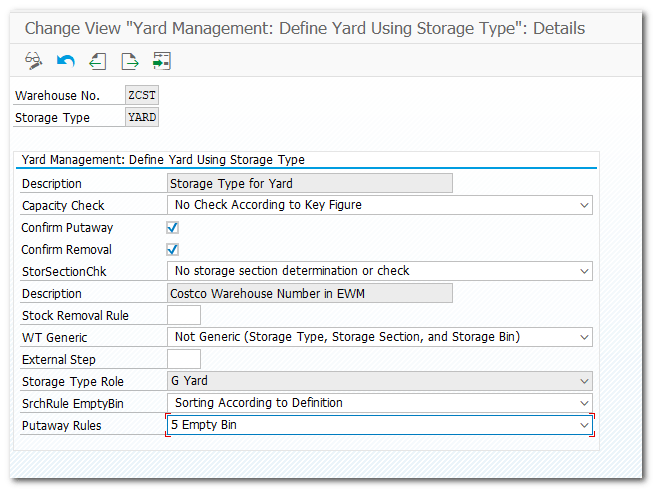
| Step 3. | Define Yard Checkpoints |
| IMG | SCM-EWM-Master Data-Shipping and Receiving-Yard Management-Define Checkpoints |
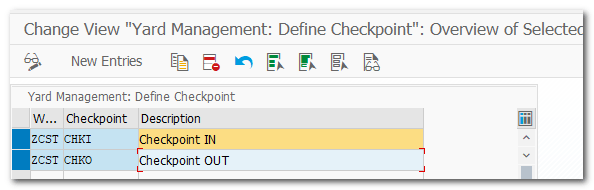
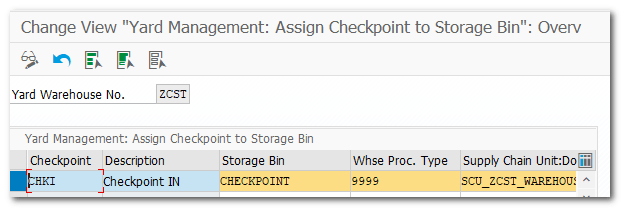
| Step 3.1 | Assign Checkpoint to Yard Bin / SCU |
| TCODE | Logistics –SCM-EWM-Master Data -Shipping and Receiving -Yard Management -Assign Checkpoint to Yard Bin and SCU (/SCWM/YM_CHKPT_BIN ) |
| Step 4. | Define Warehouse Door |
| IMG | SCM-EWM-Master Data-Warehouse Door-Define Warehouse Door |
| Step 4.1 | Assignments of Whse Door to SC Unit |
| TCODE | /SCWM/DOOR_SCU |
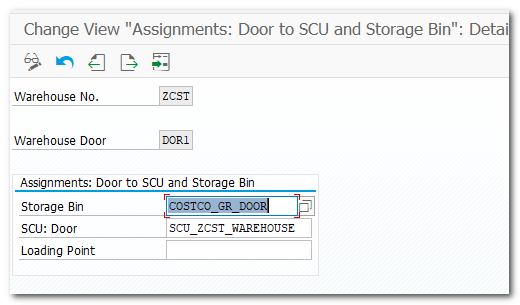
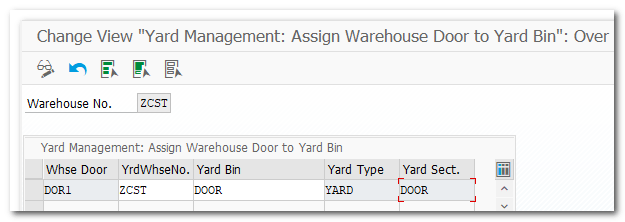
| Step 4.2. | Assign Warehouse Door to Yard Bin of Yard storage type |
| TCODE | Logistics –SCM-EWM-Master Data-Shipping and Receiving -Yard Management -Assign Warehouse Door to Yard Bin (/SCWM/YM_DOOR_BIN ) |
| Step 5. | Test Yard Management scenario |
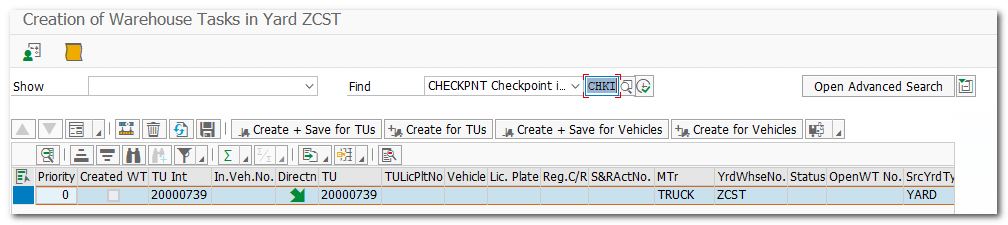
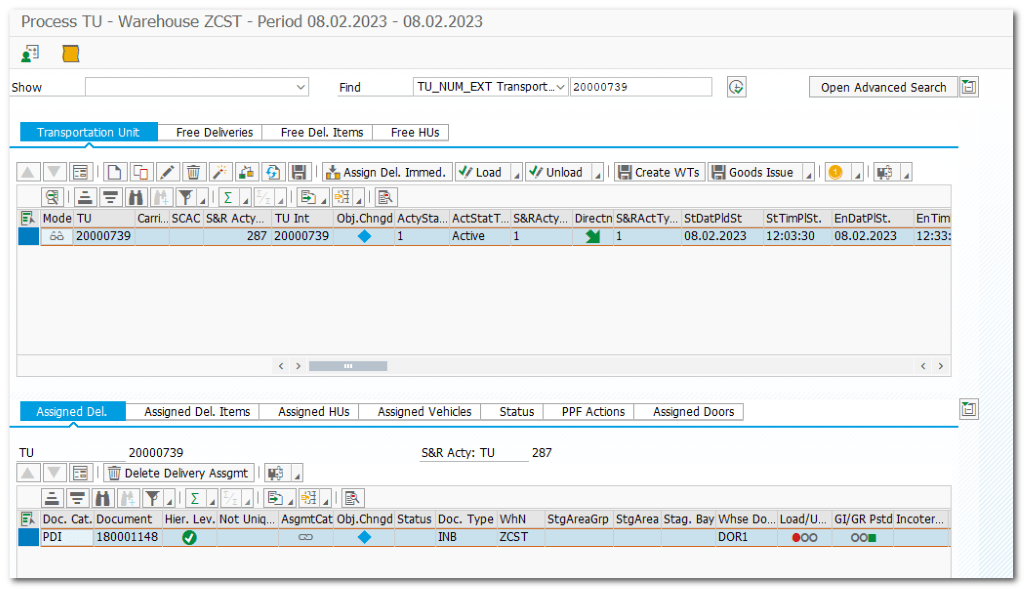
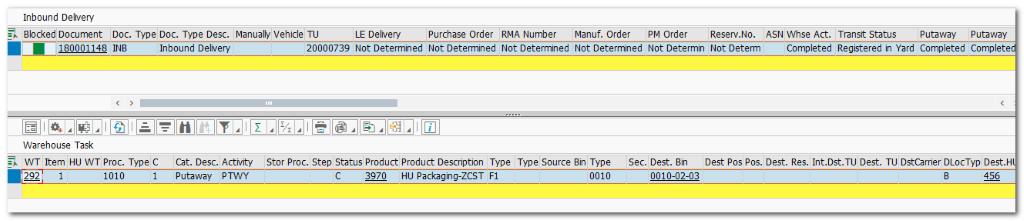
| VL31N /SCWM/PRDI /SCWM/TU /SCWM/CICO /SCWM/YMOVE | Create Inbound Delivery #180001148 INB distributed to EWM #180001148 Create TU for INB delivery #20000739 Arrive at/Departure from Checkpoint Move from Checkpoint to Parking |
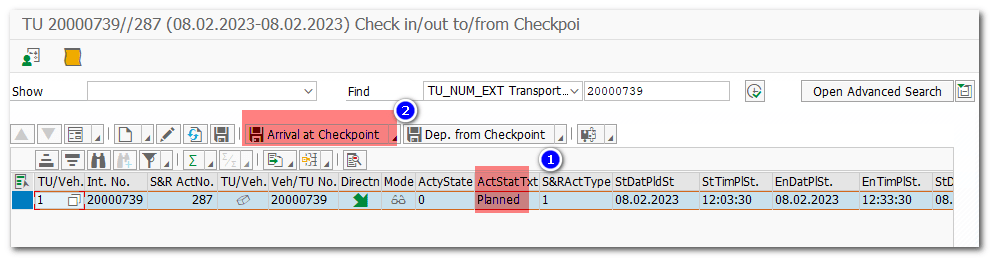
TU registered
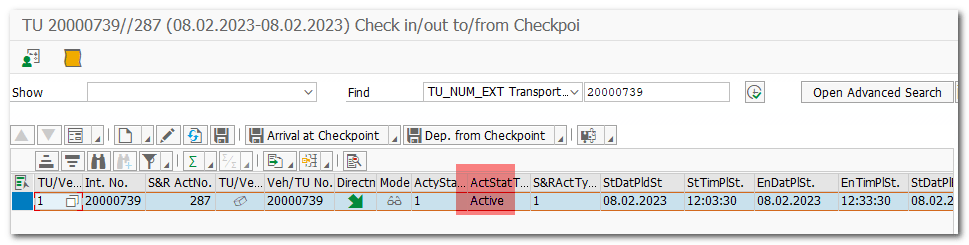
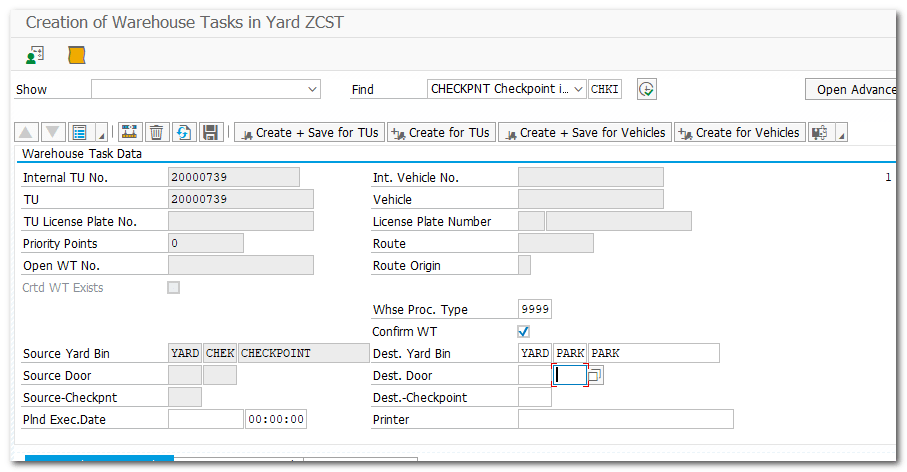
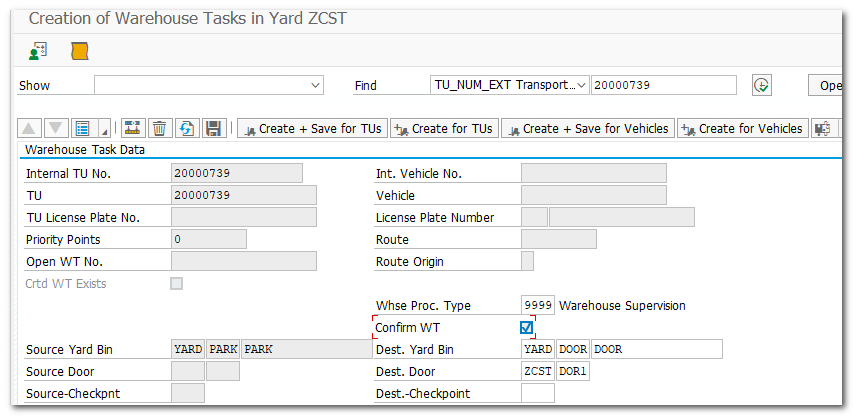
Move from Checkpoint->Parking->Door
 SAP Quick Guide