Value Added Services (VAS) are services that organizations carry out on the products they receive into or issue from a warehouse.
VAS processes can be carried out during inbound, outbound, or internal warehouser processes.
Examples : Kitting, Labeling, Packaging
| Step 1. | Define and Assign Number Range for VAS Order |
| IMG | SCM-EWM-Master Data- Define Number Range for VAS Order Assign Number Range for VAS Order |


| Step 1.1. | Define Order Types for VAS for Kit to Stock |
| IMG | SCM-EWM-Cross-Process Settings-Value-Added Services (VAS)-Define Order Types for VAS for Kit to Stock |

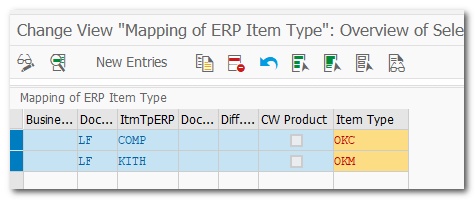
| Step 2. | Maintain Document Type and Item Type mapping |
| IMG | SCM-EWM-Interfaces-ERP Integration-Delivery Processing- Map Document Types from ERP System to EWM (Ex LF->OUTB) Map Item Types from ERP System to EWM |
| Pre-req | Maintain item type mapping in ERP integration |
| Step 2.1 | Warehouse Process Type (KTSO) |
| IMG | SCM-Cross-Process Settings-Warehouse Task-Define Warehouse Process Type |

| Step 2.2. | Warehouse Process Type Determination (KTSO) |
| IMG | SCM-Cross-Process Settings-Warehouse Task-Determine Warehouse Process Type |

Result : WPT determined as KTSO on EWM Outbound delivery

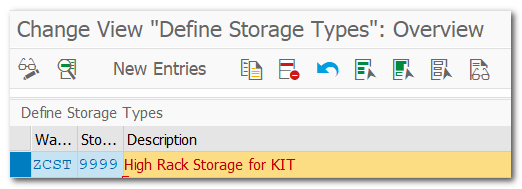
| Step 3. | Define Source Storage Type for GI (9999) |
| IMG | SCW-EWM-Master Data-Define Storage Types |
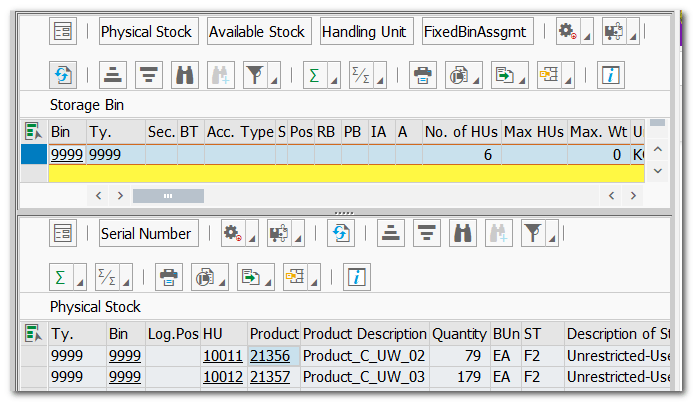
| /SCWM/LS01 | Create Storage Bin for Storage Type 9999 |
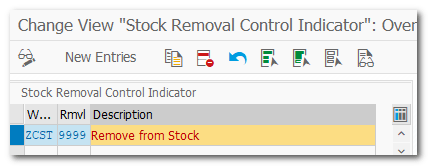
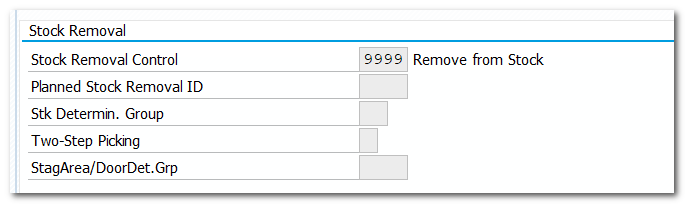
| Step 3.1. | Define Stock Removal Indicator Specify Storage Type Search Sequence Determine Storage Type Search Sequence for Stock Removal |
| IMG | SCW-EWM-Goods Issue Process-Strategies |


| Step 3.2. | Define Activity Area for Storage Type (9999) Assign Storage Bins to Activity Area Define Sort Sequence |
| IMG | SCW-EWM-Master Data-Activity Areas-Define Activity Areas |
| Note | Need activity Area in WO Rule |
Define Activity Area

Assign Storage Bins to Activity Area

| Step 3.3. | Assign Stock Removal Indicator for Master Data |
| TCODE | /SCWM/MAT1 |
| Stock Removal Indicator for Product 21356 & 21357 |
| Step 4.1. | Define Storage Type for Kitting (KTOR) |
| IMG | SCW-EWM-Master Data-Define Storage Types |
| /SCWM/LS01 | Create Storage Bin for Storage KTOR |
| /SCWM/TWORKST | Assign BIN to Work Center (Step 4.9.) |

| Step 4.2. | Define Storage Process and Assign Storage Process Steps (KTOP) Define POSC |
| IMG | SCW-EWM-Cross-Process Settings-Warehouse Task-Define Process-Oriented Storage Control |


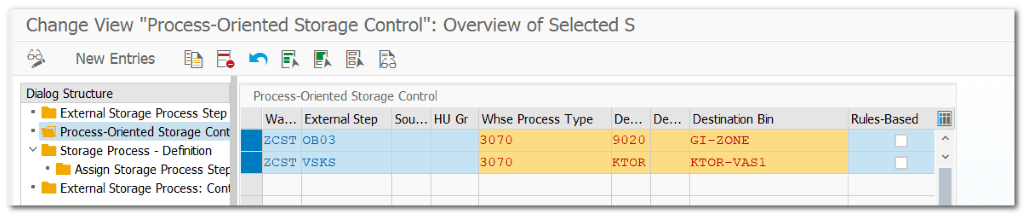
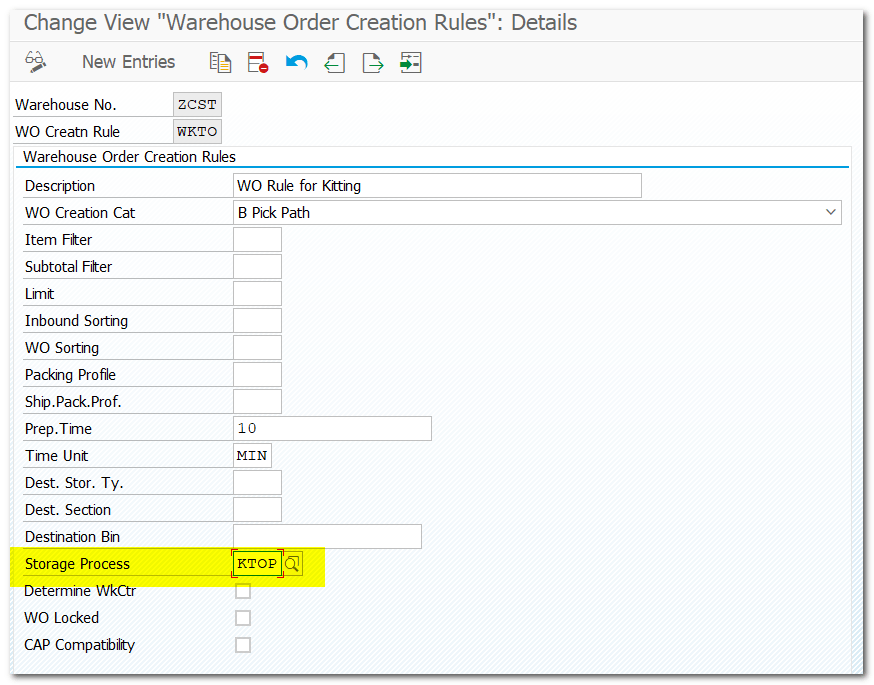
| Step 4.3. | Assign Storage Process to WO Creation Rule |
| IMG | SCW-EWM-Cross-Process Settings-Warehouse Order-Define Creation Rules for Warehouse Orders |
| Note | For outbound process we can’t assign Storage Process to Warehouse Process Type (KTSO) For outbound process, assign Storage Process to Warehouse Order Rule and WO Rule to WPT |
| Step 4.4. | Assign WO Rule to Warehouse Process Type (KTSO) |
| IMG | SCW-EWM-Cross-Process Settings-Warehouse Task-Define Warehouse Process Type |
| Note | For outbound process we can’t assign Storage Process to Warehouse Process Type (KTSO) For outbound process, assign Storage Process to Warehouse Order Rule and WO Rule to WPT |

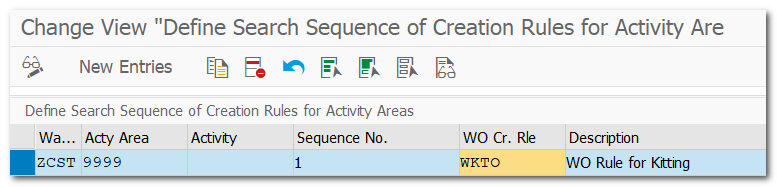
| Step 4.5. | Define Search Sequence of Creation Rules for Activity Areas |
| IMG | SCW-EWM-Cross-Process Settings-Warehouse Order-Define Search Sequence of Creation Rules for Activity Areas |
| Pre-Req | Define Activity Area (Step 3.2.) |
| Note | Assign Activity Area to Warehouse Order Creation Rule |
| Step 4.6. | Specify Work Center Layout for Kitting (KITO) |
| IMG | SCW-EWM-Master Data-Work Center-Specify Work Center Layout |

| Step 4.7. | Define Work Center (KITO) |
| IMG | SCW-EWM-Master Data-Work Center-Define Work Center |
| Pre-Req. | External Step (Step 4.2.) Storage Type (Step 4.1.) Layout (Step 4.6.) |

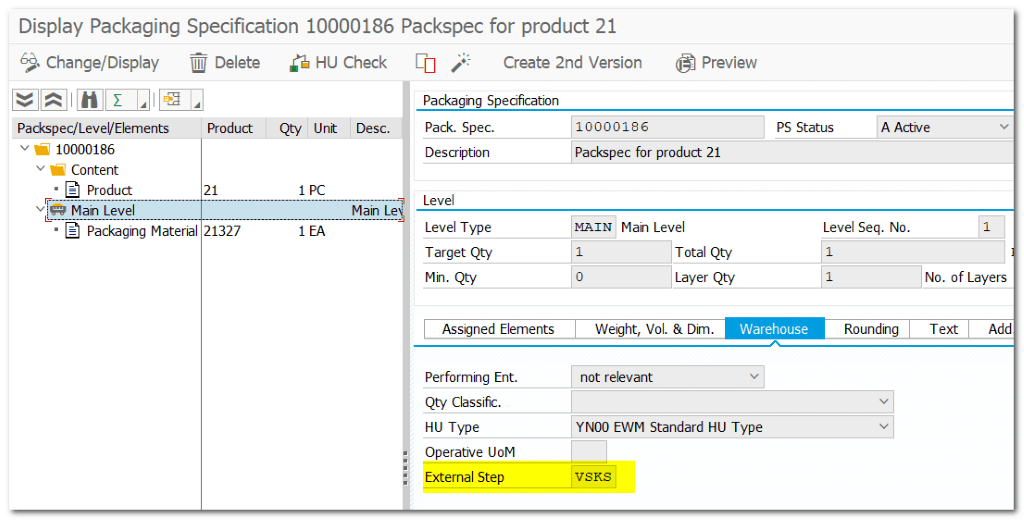
| Step 4.8. | Assing External Step VSKS to Package Specification for VAS |
| TCODE | /SCWM/PACKSPEC |
| Note | External Step VSKS assigned to WC, Storage Process and Pack Spec |
| Step 4.9. | Assign Kitting BIN to Work Center |
| /SCWM/TWORKST | Assign BIN to Work Center |

| Step 5. | Test VAS Scenario |
| CS01 VA01 VL01N /SCWM/PRDO /SCWM/VAS | Created Sales BOM Created Sales Order with Sales BOM Created Outbound Delivery Outbound Replicated to EWM VAS Order Created by System Create Warehouse Task from Outbound Delivery in EWM |
| Note | External Step VSKS assigned to WC Layout, Storage Process and Pack Spec |
Sales BOM
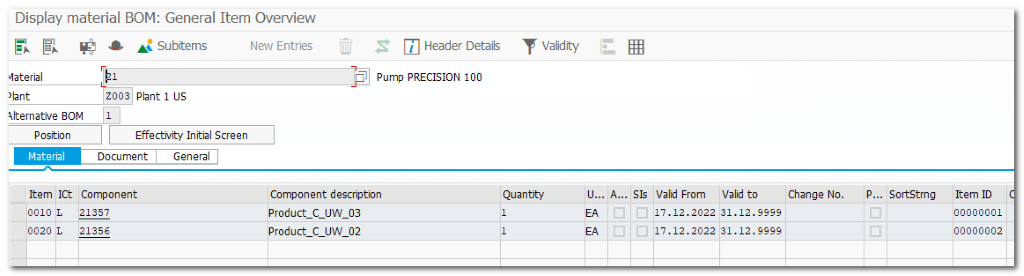
Sales Order with BOM

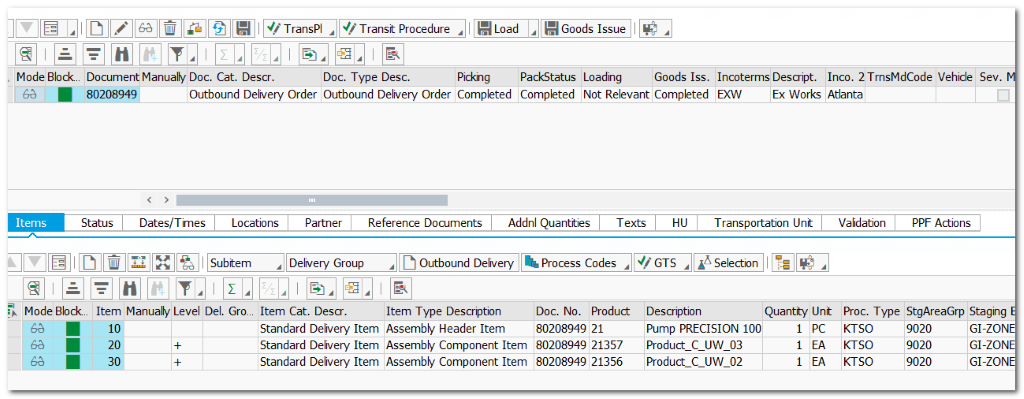
Created outbound delivery#80209016, which distributed to EWM

Outbound Delivery in EWM
Check VAS Order

VAS Order #26 (Pre req: Based on Pack Spec)

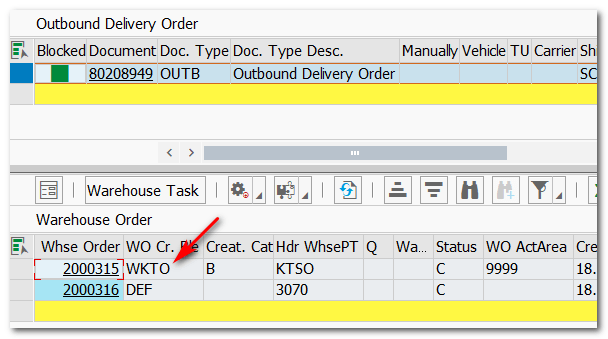
Warehouse Order Created based on WO Creation Rule
| Step 5.1. | Perform Kitting activity on VAS ORDER |
| TCODE | /SCWM/VASEXEC |
| Note | Similar steps like DECONSOLIDATION 9999->KTOR->9020 |
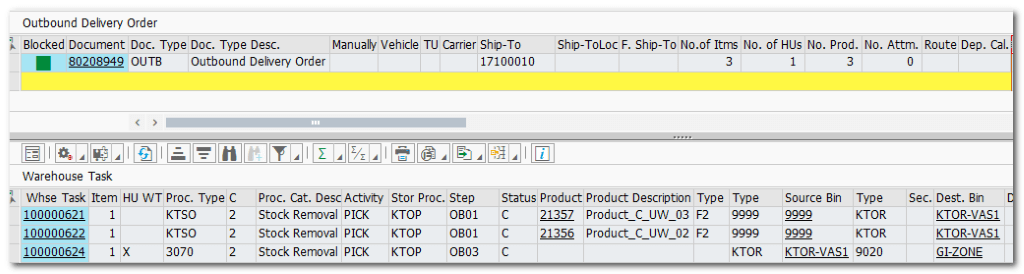
| Step 5.2. | Material document generated for Kitting activity (GR w/o Production) |
| TCODE | VLO3N |
| Note | Once GI is done on EWM, material document will be updated on Delivery with movement type 521. |
| Pre-req | Activate KIT Structure and GR movement Type for Header BOM Logistics Execution-Extended Warehouse Management Integration-Outbound Process-Kit to Order-Set Goods Receipt Movement Type for Kit Headers |


 SAP Quick Guide