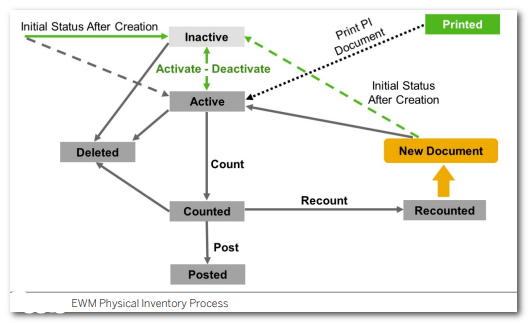
- Physical inventory process in warehouse process keeps count of physical stock.
- Physical inventory helps maintain stock balance in the warehouse and manage balance sheet correctly
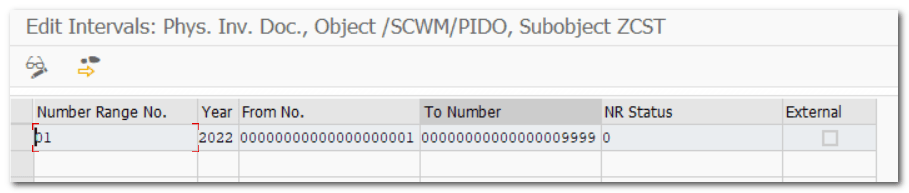
| Step 1. | Define Number Range for Physical Inventory Documents |
| IMG | SCM Extended Warehouse Management- EWM-Internal Warehouse Processes-Physical Inventory-Warehouse-Number-Specific Settings |
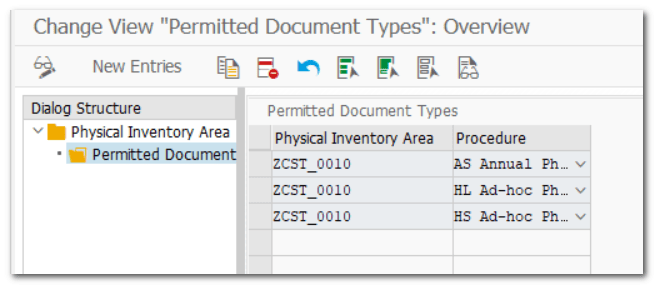
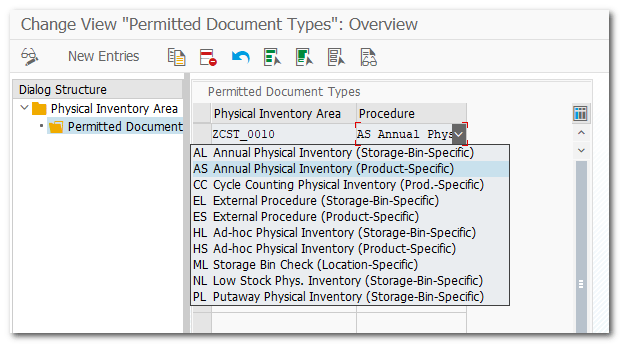
| Step 2. | Define Physical Inventory Area |
| IMG | SCM Extended Warehouse Management- EWM-Internal Warehouse Processes-Physical Inventory-Physical-Inventory-Area-Specific Settings |

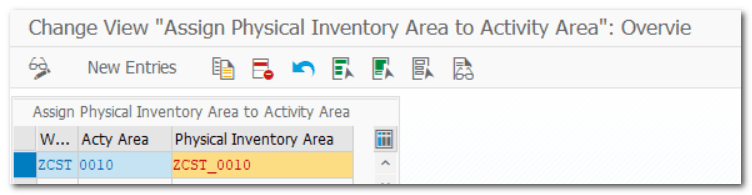
| Step 2.1. | Assign Physical Inventory Area to Activity Area |
| IMG | SCM Extended Warehouse Management- EWM-Internal Warehouse Processes-Physical Inventory-Warehouse-Number-Specific Settings |
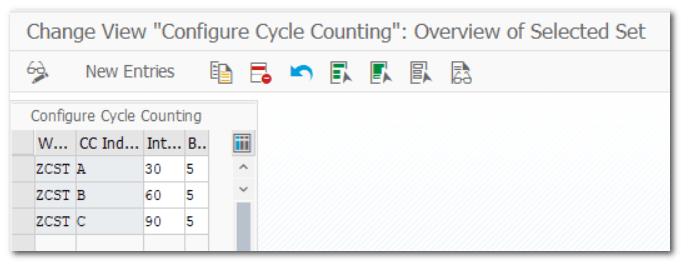
| Step 3. | Configure Cycle Counting |
| IMG | SCM Extended Warehouse Management- EWM-Internal Warehouse Processes-Physical Inventory-Warehouse-Number-Specific Settings |
Example
Configure cycle counting indicator A to have an interval of 30 working days between each cycle count and a buffer of 5 working day.
This means that products in your warehouse using cycle counting indicator A should be counted every 30-36 working days
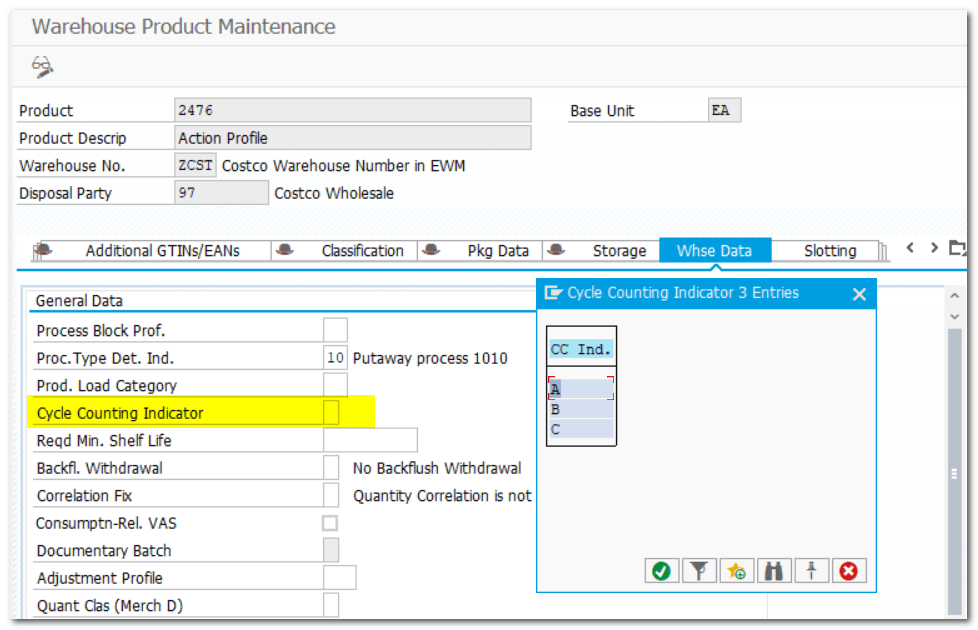
| Step 3.1. | Master Data Maintenance |
| TOCDE | SCWM/MAT1 |
| Step 3.2. | Create Physical Inventory Document (Cycle Counting) |
| TOCDE | /SCWM/PI_CC_CREATE |

| Step 4. | Define Tolerance Group for Difference Analyzer |
| IMG | SCM Extended Warehouse Management- EWM-Internal Warehouse Processes-Physical Inventory-Warehouse-Number-Specific Settings-Define Tolerance Groups- |
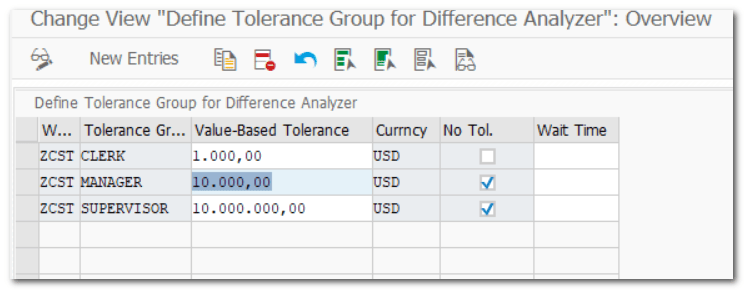
| Step 4.1. | Assign Users to Tol. Group for Diff. |
| TCODE | /SCWM/PI_USER_DIFF |
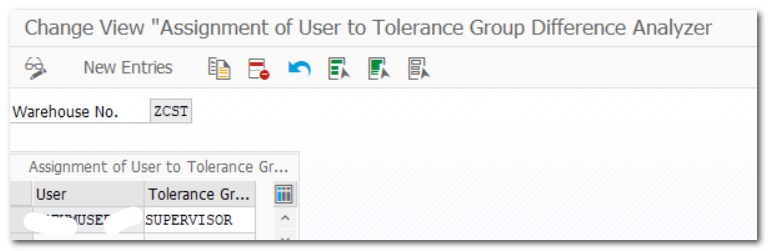
| Step 5. | Define Tolerance Group for Posting Differences (EWM level) |
| IMG | SCM Extended Warehouse Management- EWM-Internal Warehouse Processes-Physical Inventory-Warehouse-Number-Specific Settings-Define Tolerance Groups- |

| Step 5.1. | User Maint. Tolerance Gr. Phys.Inv. |
| TCODE | /SCWM/PI_USER |
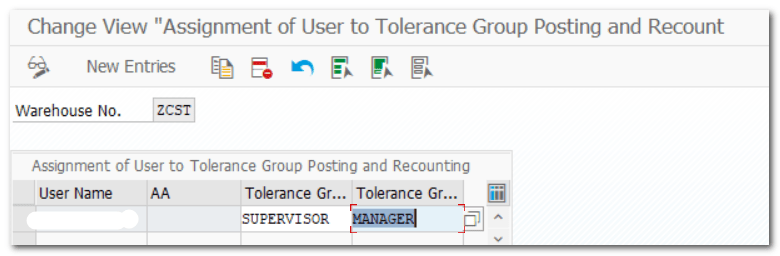
| Step 6. | Specify Physical-Inventory-Specific Settings in the Warehouse |
| IMG | SCM Extended Warehouse Management- EWM-Internal Warehouse Processes-Physical Inventory-Warehouse-Number-Specific Settings Example, Assign Fiscal Year Variant |

| Step 7. | Define Priorities |
| IMG | SCM Extended Warehouse Management- EWM-Internal Warehouse Processes-Physical Inventory-Warehouse-Number-Specific Settings-Reason and Priority |
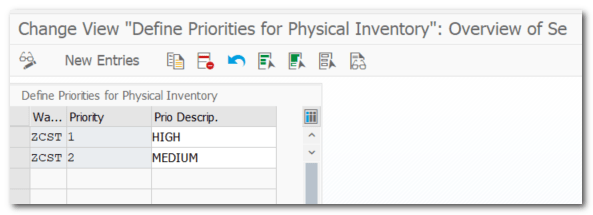
| Step 7.1. | Define Reason for Physical Inventory |
| IMG | SCM Extended Warehouse Management- EWM-Internal Warehouse Processes-Physical Inventory-Warehouse-Number-Specific Settings-Reason and Priority |
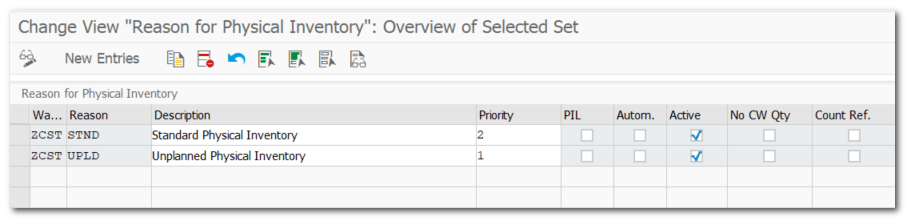
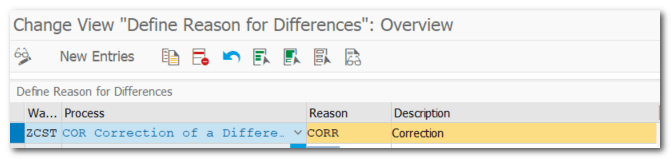
| Step 8. | Define Reason for Differences |
| IMG | SCM Extended Warehouse Management- EWM-Internal Warehouse Processes-Physical Inventory-Warehouse-Number-Specific Settings-Reason and Priority |
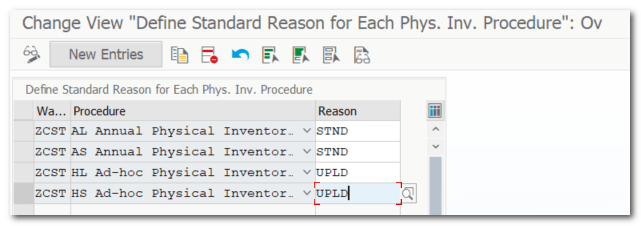
| Step 9. | Define Standard Reason for Each Phys. Inv. Procedure |
| IMG | SCM Extended Warehouse Management- EWM-Internal Warehouse Processes-Physical Inventory-Warehouse-Number-Specific Settings-Reason and Priority |
| Step 10. | Test Scenario: Create Physical Inventory Document |
| TCODE | /SCWM/PI_CREATE Logistics-SCM Extended Warehouse Management- EWM-Physical Inventory |
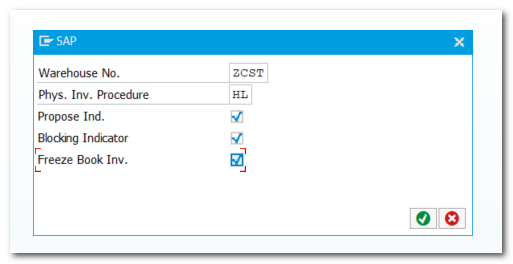
Note: Physical Inventory @ Activity Area, Storage Bin, Product
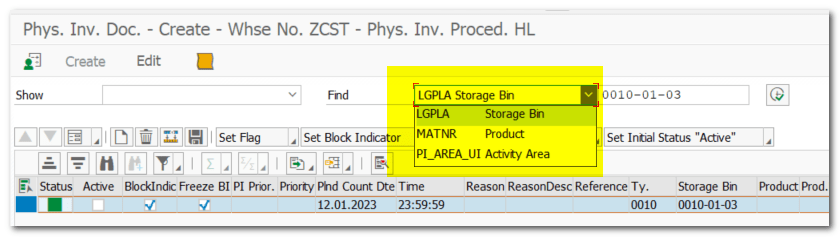
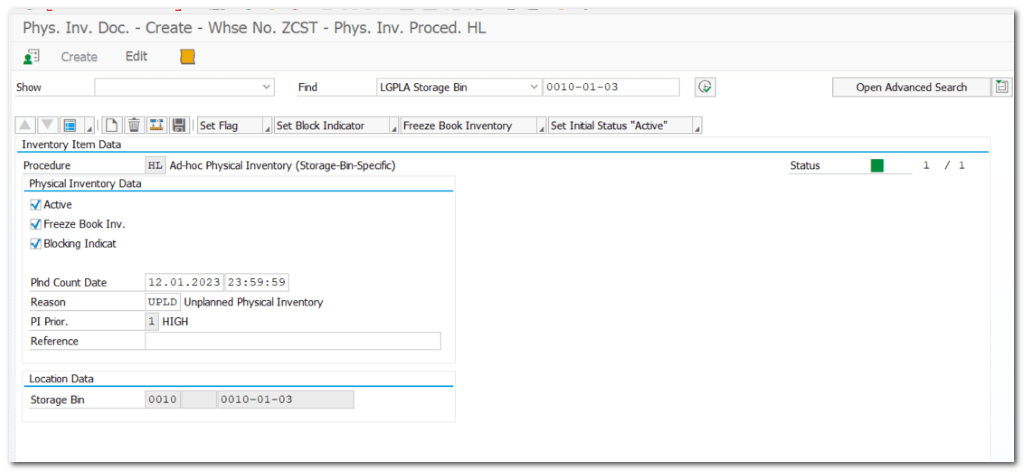
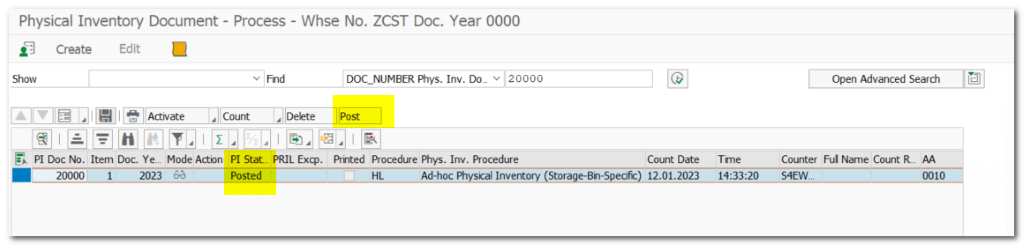
| Step 10.1. | Process Physical Inventory Document |
| TCODE | /SCWM/PI_PROCESS Logistics-SCM Extended Warehouse Management- EWM-Physical Inventory Click on Count |
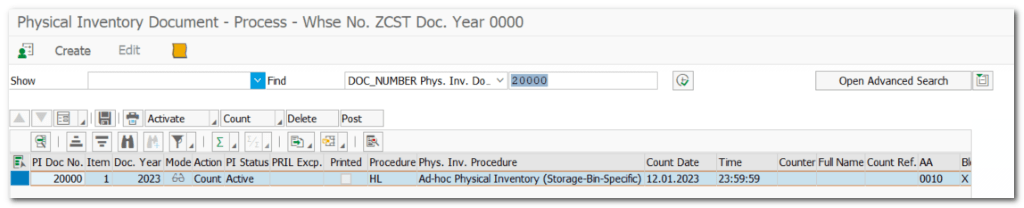
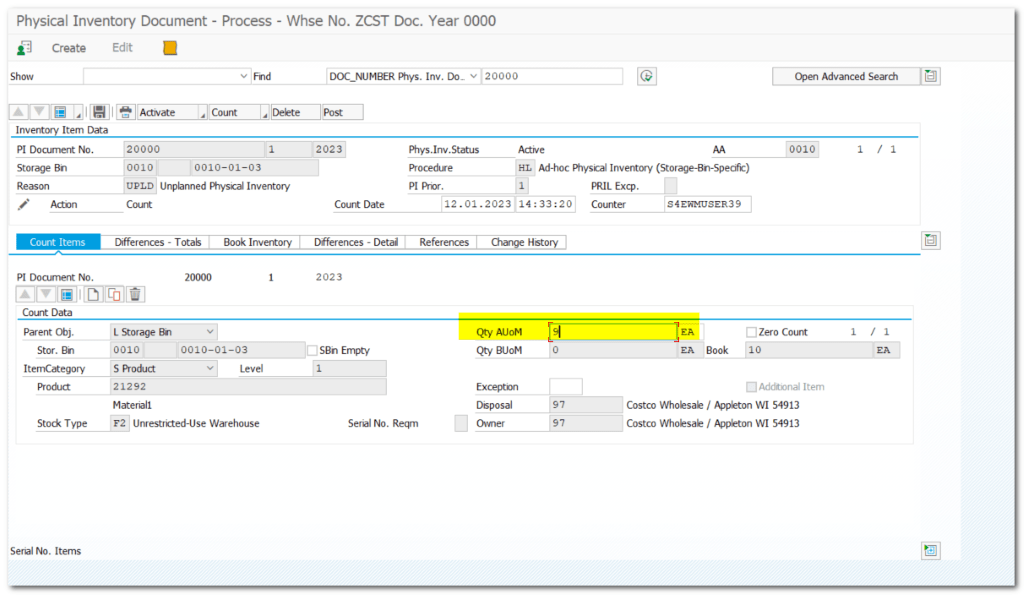
Status updated to Counted
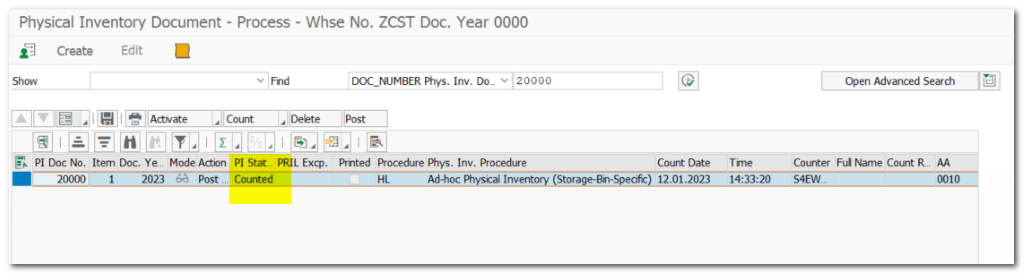
Click on Post
| Step 10.2. | Difference Analyzer (EWM will update difference to IM ) |
| TCODE | /SCWM/DIFF_ANALYZER Logistics-SCM Extended Warehouse Management- EWM-Physical Inventory Click on Post |
Post difference

| Step 10.3. | Check Material Document in S/4HANA(IM) |
| TCODE | MB51 |
 SAP Quick Guide