Wave management improves picking process in the warehouse.
Warehouse requests generated for outbound delivery order can be combined into waves based on customer, route, activity area, and so on, and we can plan the creation of warehouse picking tasks for these warehouse requests simultaneously.
These tasks are then grouped into warehouse orders that are assigned to resources, which helps to optimize the picking process.
Grouping of Warehouse Request Items into Waves

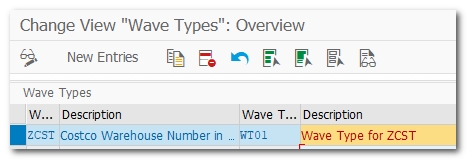
| Step 1. | Maintain Wave Types (ZCST-WT01) |
| IMG | SCM Extended Warehouse Management-EWM-Goods Issue Process-Wave Management-General Settings- Maintain Wave Types |
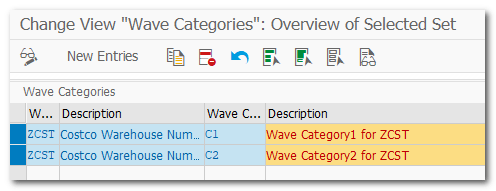
| Step 2. | Maintain Wave Category (ZCST-C1) |
| IMG | SCM Extended Warehouse Management-EWM-Goods Issue Process-Wave Management-General Settings- Maintain Wave Categories |
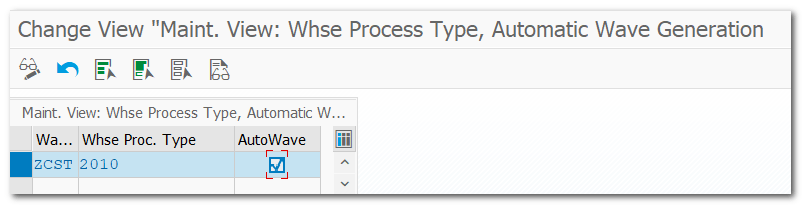
| Step 3. | Automatic Wave Generation for Warehouse Process Type (ZCST-2010) |
| IMG | SCM Extended Warehouse Management-EWM-Goods Issue Process-Wave Management-General Settings- Set Automatic Wave Generation for Warehouse Process Type |
wave
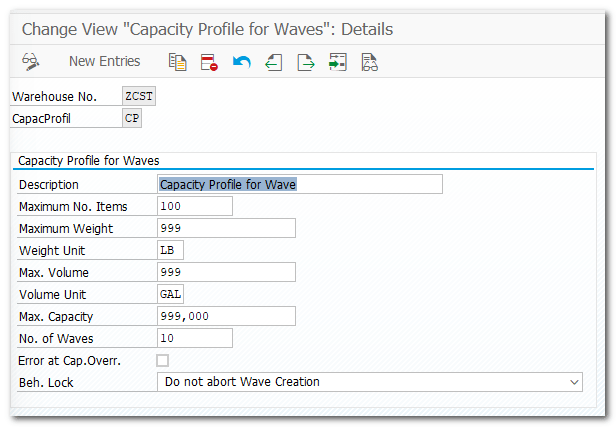
| Step 4. | Maintain Wave Capacity Profile |
| IMG | SCM Extended Warehouse Management-EWM-Goods Issue Process-Wave Management-General Settings-Maintain Wave Capacity Profiles |
| Step 5. | Maintain Wave Template for Warehouse (ZCST) |
| TCODE | /SCWM/WAVETMP |
| Wave Method (Automatic, Immediate, Manual) Define Time Attribute |


| Step 6. | Wave Template Determination |
| IMG | SCM Extended Warehouse Management-EWM-Goods Issue Process-Wave Management-Wave Template Determination |
| Define Determination Procedure Assign Procedure to Document type (Condition Technique) |
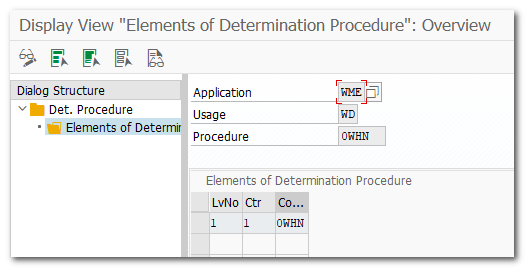

| Step 6.1 | Maintain Condition Maintenance Group |
| IMG | SCM Extended Warehouse Management-EWM-Goods Issue Process-Wave Management-Wave Template Determination -Define Condition Maintenance Group |

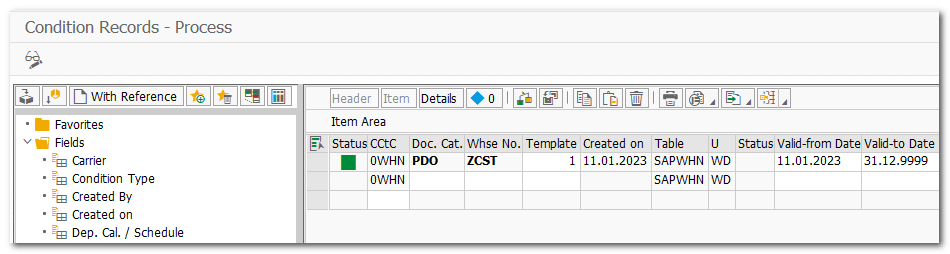
| Step 7. | Maintain Condition Record for Wave Template |
| TCODE | /SCWM/WDGCM EA-EWM-Work Scheduling-Wave Management-Maintain Conditions for Determining Wave Templates |
| Condition record example, Warehouse Number, Document Category and Template combination |
| Step 8. | Create Wave manually (Optional) |
| TCODE | /SCWM/WAVE |
| Assign Wave Template Assign Outbound Deliveries in Warehouse Requests Save and Release Wave System will generate warehouse tasks |
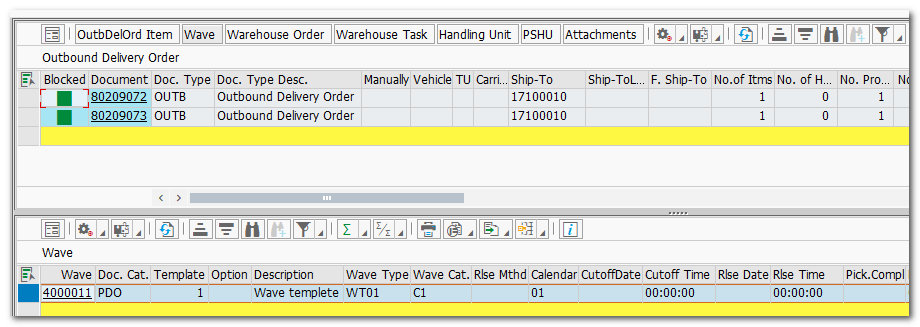
| Step 9. | Test Wave Scenario |
| VA01 VL01N /SCWM/PRDO /SCWM/MON | Created Sales Order Created multiple outbound deliveries Outbound delivery documents replicated to EWM Wave #400011 Created for 2 outbound deliveries |
 SAP Quick Guide