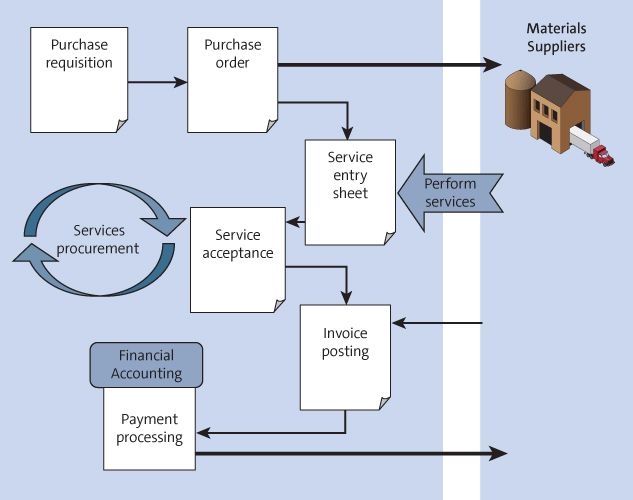
For planned and unplanned services
- User creates a Purchase Requestion for the services required
- Assumption, requested services are procured from a regular service provider
- Purchase requisition is then converted into a Purchase Order.
- Service provider performs services, and these services are maintained in Service Entry Sheets
- Invoice verification takes place against the Service Entry Sheets.
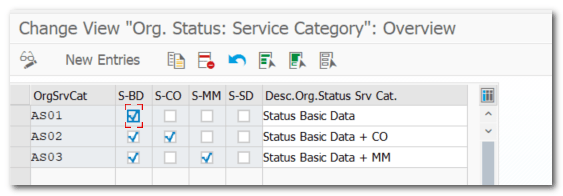
| Step 1. | Define Org Status Service Categories |
| IMG | MM-External Services Management-Service Master-Define Organizational Status for Service Categories |
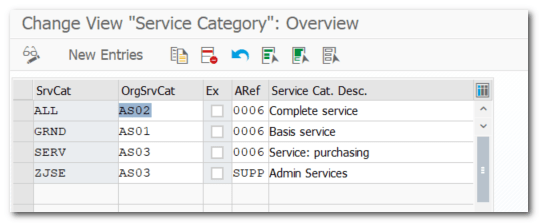
| Step 2. | Define Service Category and assign OrgSRVCat |
| Pre-req | Step 1. |
| IMG | MM-External Services Management-Service Master- Define Service Category |
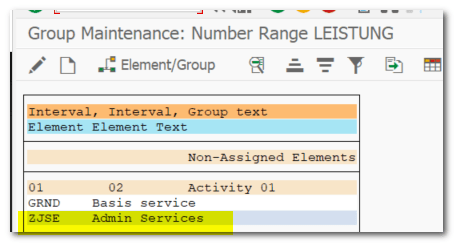
| Step 3. | Define Number ranges for the service master record |
| IMG | MM-External Services Management-Service Master-Define Number Ranges |
| Step 4. | Define Material Group (SERVICES) |
| IMG | Logistics General-Material Master-Setting for Key Fields-Define Material Group |
| Available to pick on PO Available to pick on service master record |
| Step 5. | Service Master Record |
| TCODE | Logistics-MM-Service Master-Service (AC03) |
| Activity Master (1000030) |
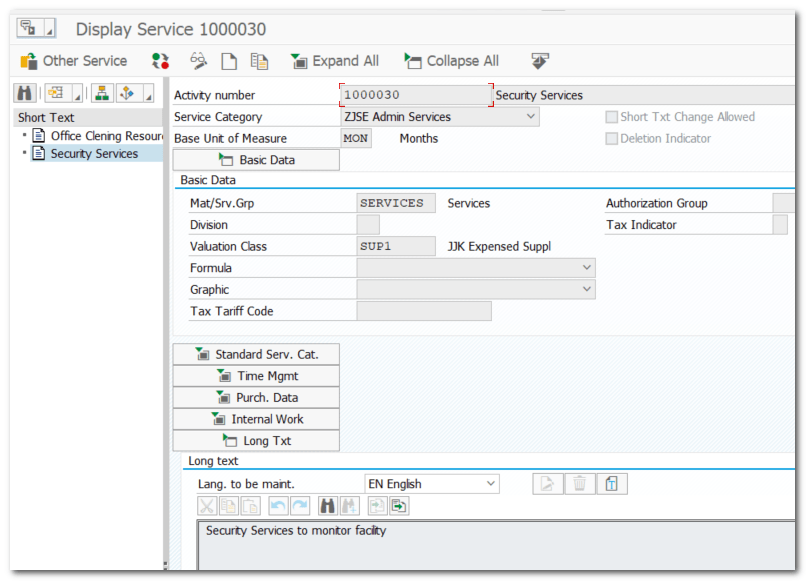
| Note | Services List to see all service master records |
| TCODE | Logistics-MM-Service Master-Service List (AC06) |
| Step 6. | Document Type for Service (ZJSE) |
| IMG | Logistics-MM-Purchasing-Purchase Order- Define Document Type |
| Define Document Type (Allowed Item Categories – Services D) Define Number Range and Assign to Doc Type Field Selection Key (Optional) and Assign to Doc Type |
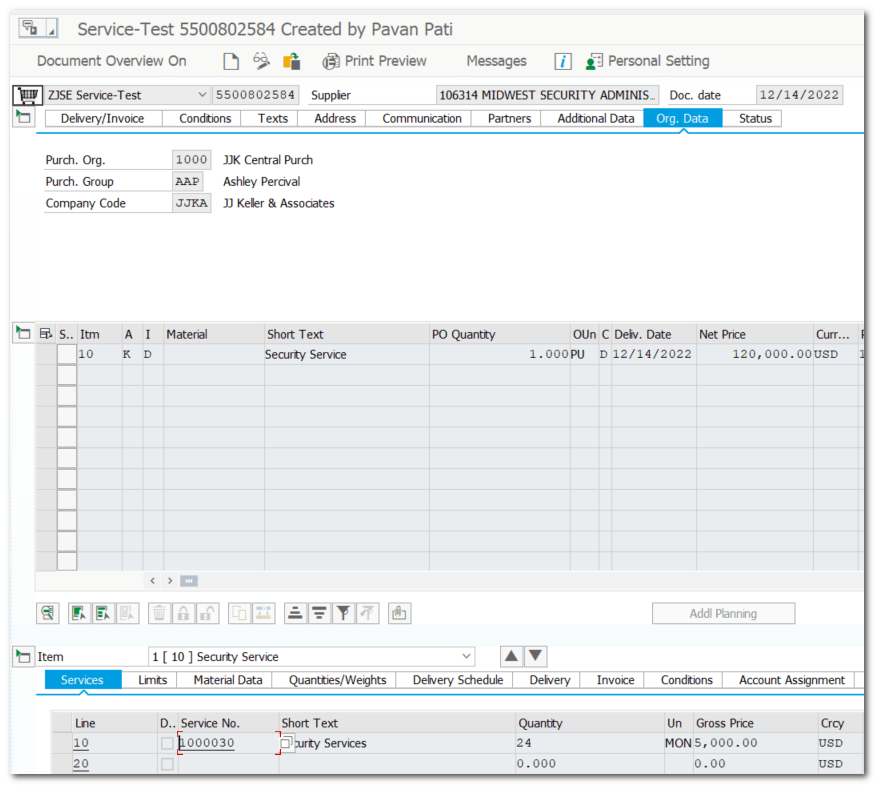
| Step 7. | Test Data Create PO for Service (5500802584) |
| TCODE | Logistics-MM (ME21N) Validity Period (Start and End Date) Acct Assgnt Categ – Cost Center or Project Item Category – D Material Short Text – Ex, Security Service Material Group –Services Item details of Services tab, maintain Service Master Records, Qty, Price |
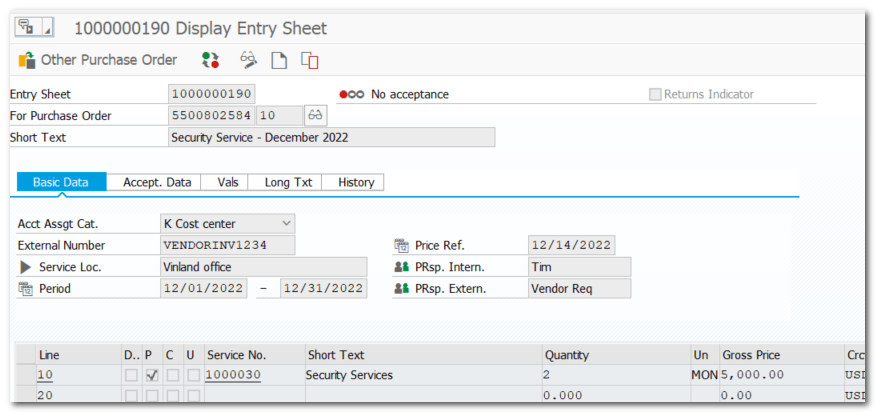
| Step 7.1. | Create Service Entry Sheet (1000000190) |
| TCODE | Logistics-MM-Service Entry Sheet (ML81N) |
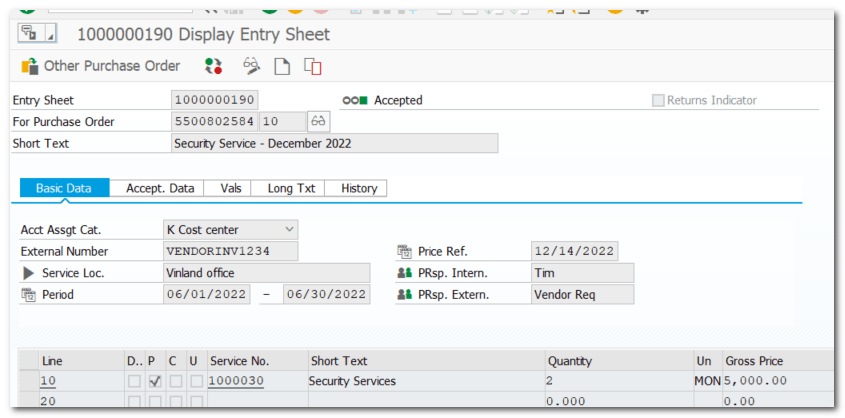
| Create Service Entry Sheet Approve Service Entry Sheet |
Accepted
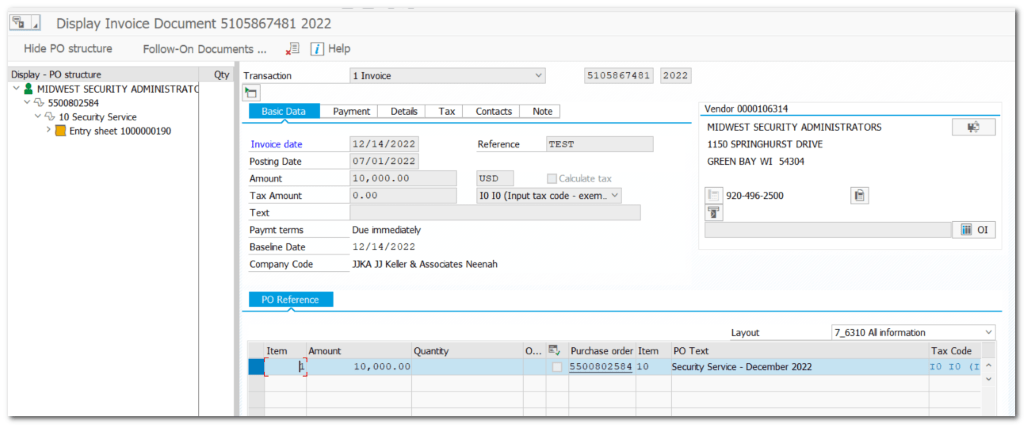
| Step 7.2. | Create Invoice Document (5105867481) |
| TCODE | MIRO |
| Create invoice document for Service Entry Sheet |
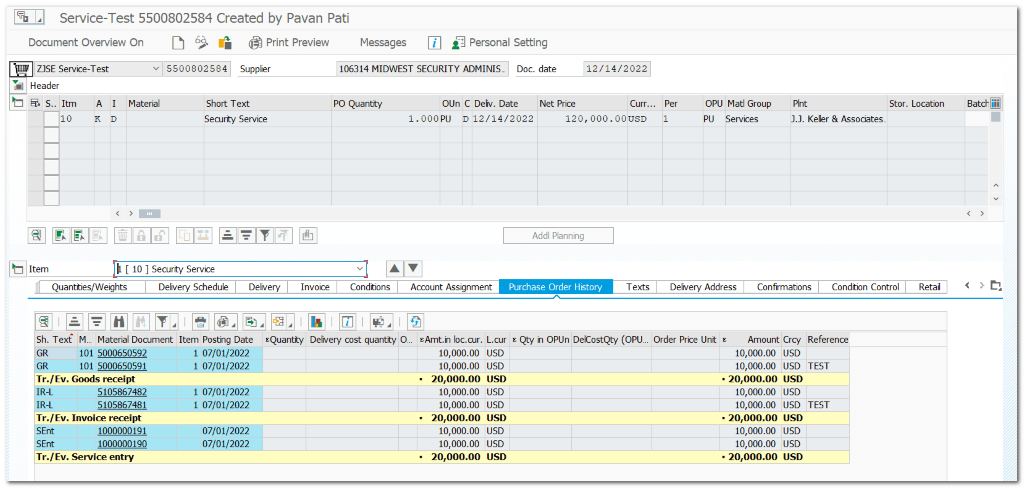
| Step 7.3. | Purchase Order History |
| TCODE | ME23N |
| Service Entry Sheet will get updated in PO History Material Document with 101 movement type will get updated once Service Entry Sheet entry is “Accepted” Invoice Document will get updated in PO History |
 SAP Quick Guide