Logistics Execution-Extended Warehouse Management-Basic Settings of Connectivity-Generate the distribution model for Transaction Data Transfer to SAP EWM
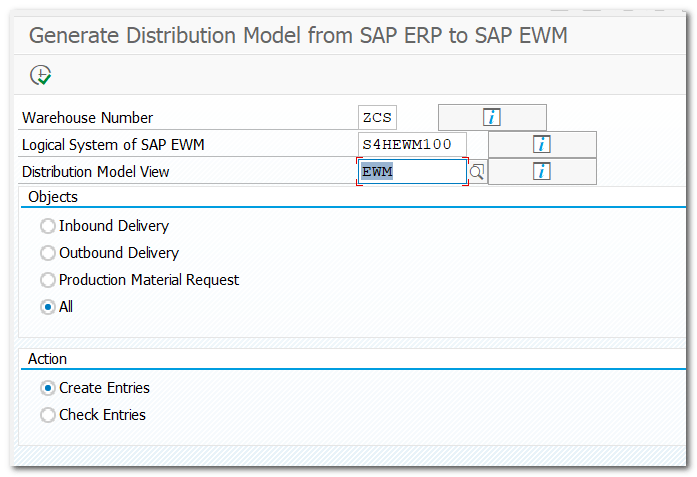
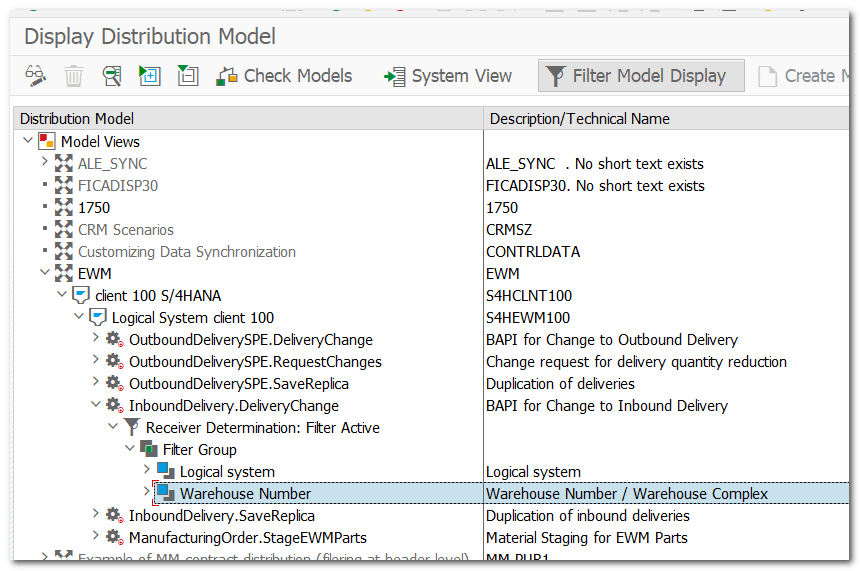
Generate the distribution model that determines how objects are transferred from a central SAP S/4HANA system to SAP EWM systems by qRFC
Warehouse number should be assigned to each Method/Object
Step 9.
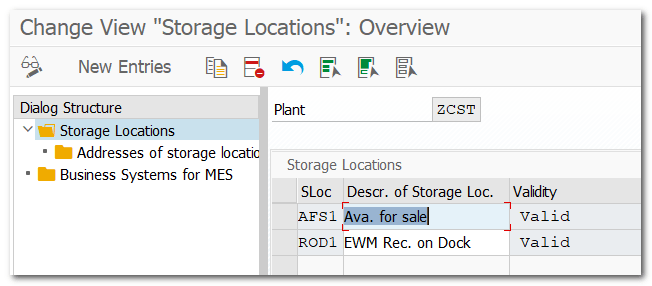
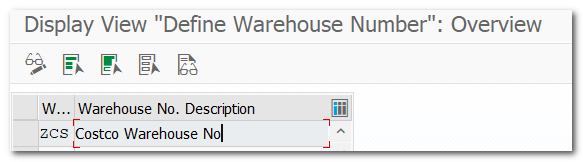
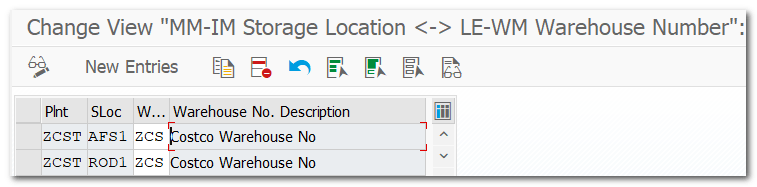
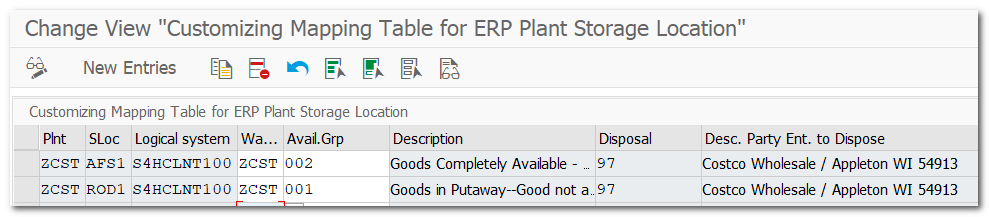
Map S/4HANA Storage Locations with EWM Availability Group
Pre-req
NA
IMG
IMG-SCM Extended Warehouse Management-EWM-Interfaces-ERP Integration-Goods movements-Map storage locations from ERP system to EWM
Step 9.1.
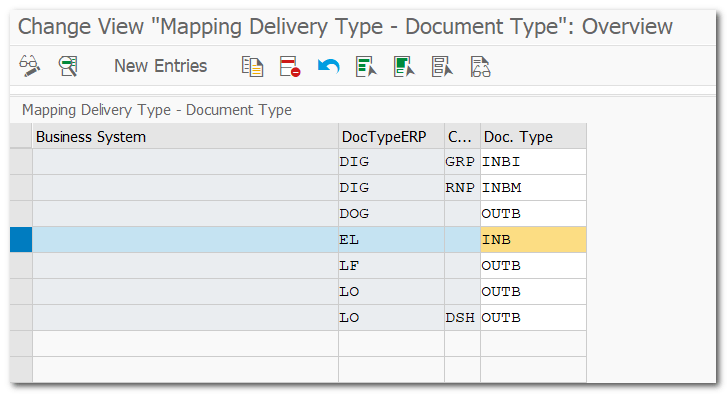
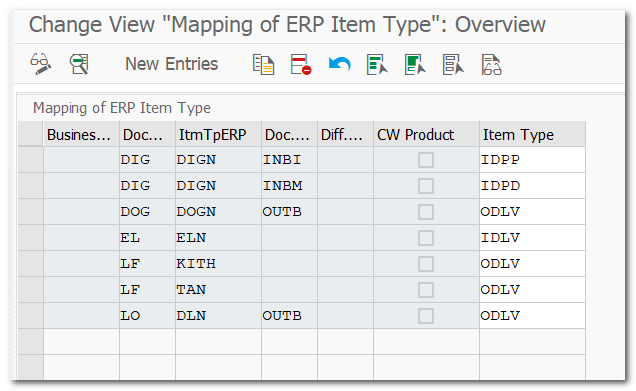
Doc Type & Item mapping between S/4HANA Inbound Delivery with S/4HANA EWM Inbound Deliver
Pre-req
Complete Document and Item config
IMG
SCM Extended Warehouse Management-EWM-Interfaces-ERP Integration-Delivery Processing-Map document types from ERP system to EWM Map Item types from ERP system to EWM
Step 10.
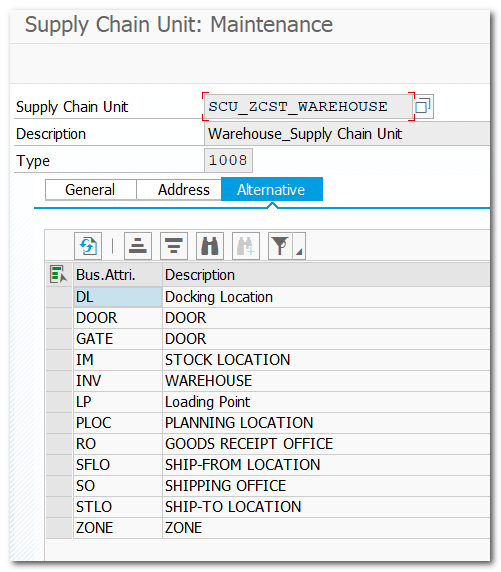
Define Supply Chain Unit
Pre-req
NA
TCODE
/n/scmb/scumain
Step 10.1.
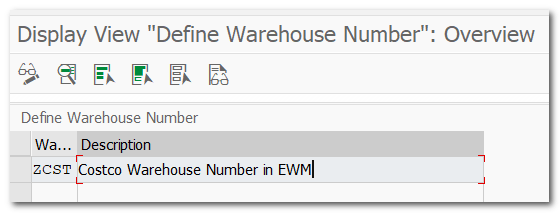
Assign Supply Chain Unit to Warehouse Number
Pre-req
Step 5 & 10
IMG
SCM Extended Warehouse Number-EWM-Master Data-Assign Warehouse Number
Step 11.
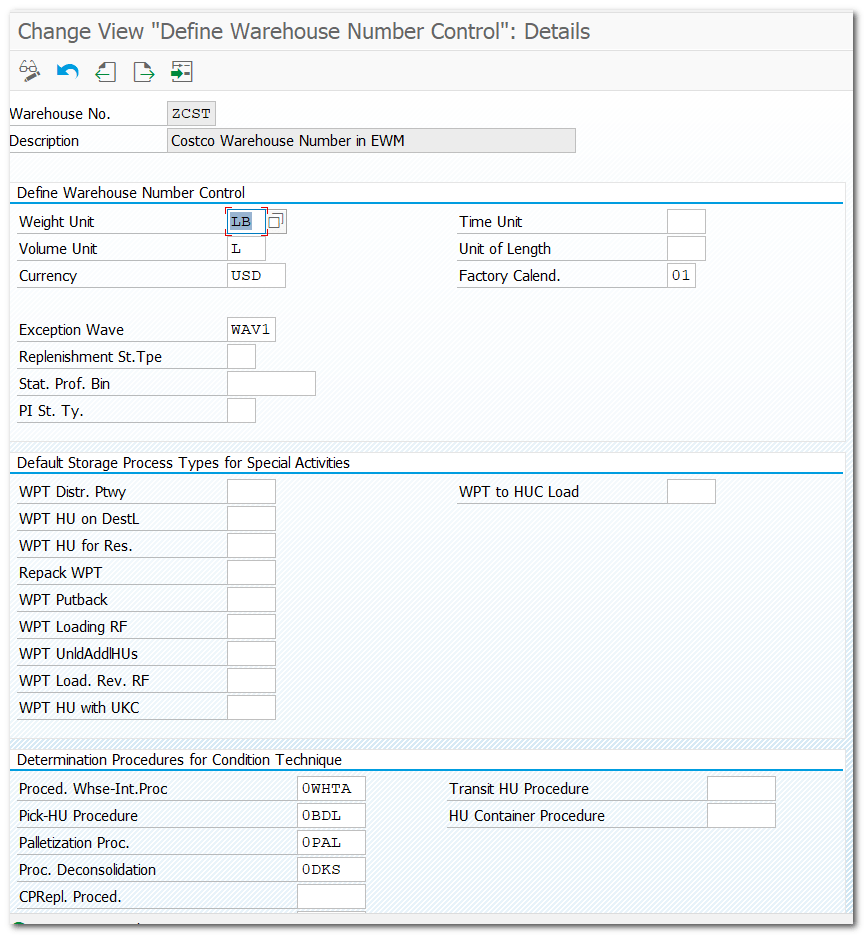
Define Warehouse Number Control
Pre-req
Step 5 & 10
IMG
SCM Extended Warehouse Number-EWM-Master Data-Define Warehouse Number control
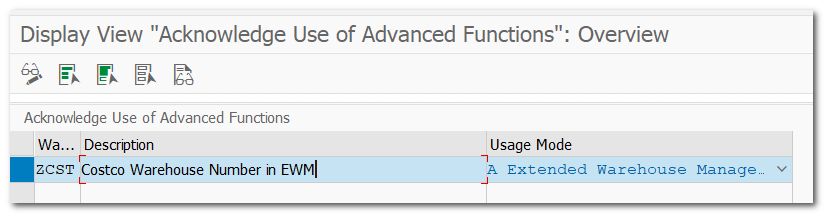
SCM Extended Warehouse Number-EWM-Master Data-Acknowledge Use of Advanced Functions
Use
In this Customizing activity, you can acknowledge the usage mode of warehouse management according to product software licenses purchased for the warehouses. This usage acknowledgement plus the actual usage of warehousing features are subject to a license audit. You can use /SCWM/RP_COMPLIANCE_CHECK report to check compliance information on the high level.
You can’t use this Customizing activity in decentralized EWM.
You can choose to acknowledge the following usage modes:
Basic Warehouse Management
Extended Warehouse Management
Inventory Management, including handling units Inbound Processing (for example, Deconsolidation) Outbound Processing Internal Warehouse Movements Connecting to External Warehouse Control Systems Physical Inventory Reporting, for example, warehouse management monitor and analytics Resource Management Integration to Production and Quality Management
Inventory Management Optimization (for example, Slotting) Inbound Process Optimization Outbound Process Optimization (for example, Waves) Goods Distribution with Distribution Equipment Material Flow Control Yard Management (for example, TU handling, Dock Appointment Scheduling) Labor Management Value Added Services Kitting Cross Docking Warehouse Billing Cartonization Planning Transit Warehousing TM Integration using Transportation Units Decentralized EWM Stock Transfer for Just-In-Time Processing Packing with Package Building
Step 13.
Define and Assign Number Ranges
Pre-req
Step 5
IMG
SCM Extended Warehouse Number-EWM-Master Data-Define Number Ranges
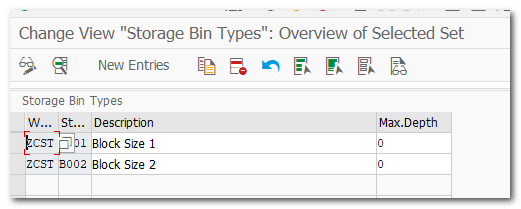
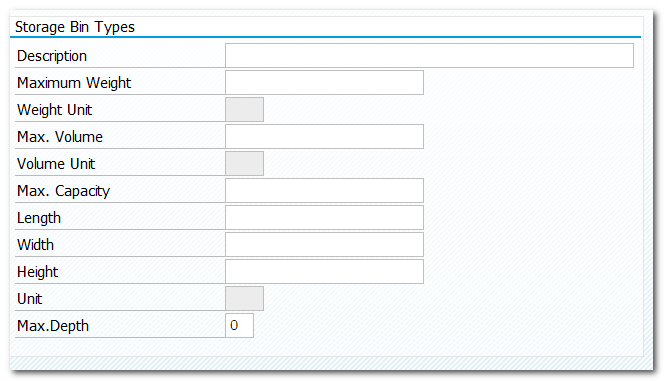
A warehouse number is divided up into various storage types. A storage type is defined by its spatial or organizational attributes (for example, high rack storage area, bulk storage, goods receipt zones).
Step 15.
Define Availability Group
Pre-req
Step 5
IMG
SCM Extended Warehouse Management-EWM-Goods Receipt Process-Configure Availability Group for Putaway-Define Availability Group
Step 16.
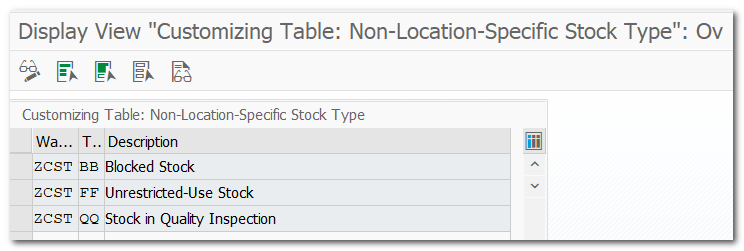
Define Stock Type
Pre-req
Step 5
IMG
SCM Extended Warehouse Management-EWM-Goods Receipt Process-Configure Availability Group for Putaway-Define Non-Location-Dependent Stock Type
Step 17.
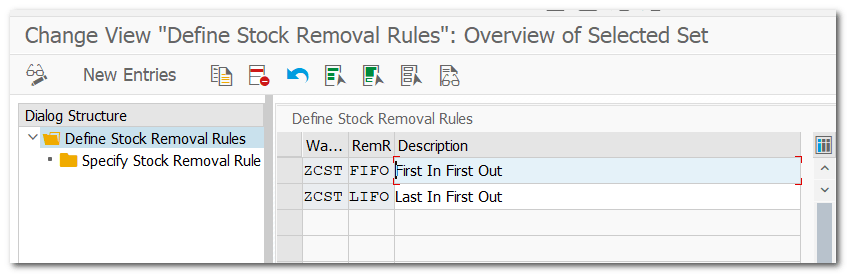
Configure Stock Type
Pre-req
Step 5
IMG
SCM Extended Warehouse Management-EWM-Goods Receipt Process-Configure Availability Group for Putaway-Configure Stock Type
Warehouse Number Stock Type Availability Group Non-Dep. Stock Type
Step 18.
Assign Availability Group to Storage Type
Pre-req
Step 5 & Step 14
IMG
SCM Extended Warehouse Management-EWM-Goods Receipt Process-Configure Availability Group for Put-away-Assign Availability Group to Storage Type
Example Assign availability group for storage type. Example 001 for Not available for sale and 002 available for sale
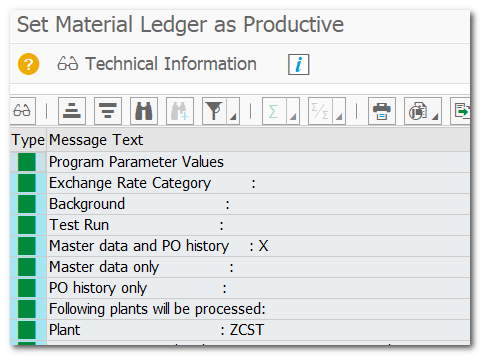
Activation of Material Ledger OMX1 Production Startup of Material Ledger CKMSTART
Step 25.
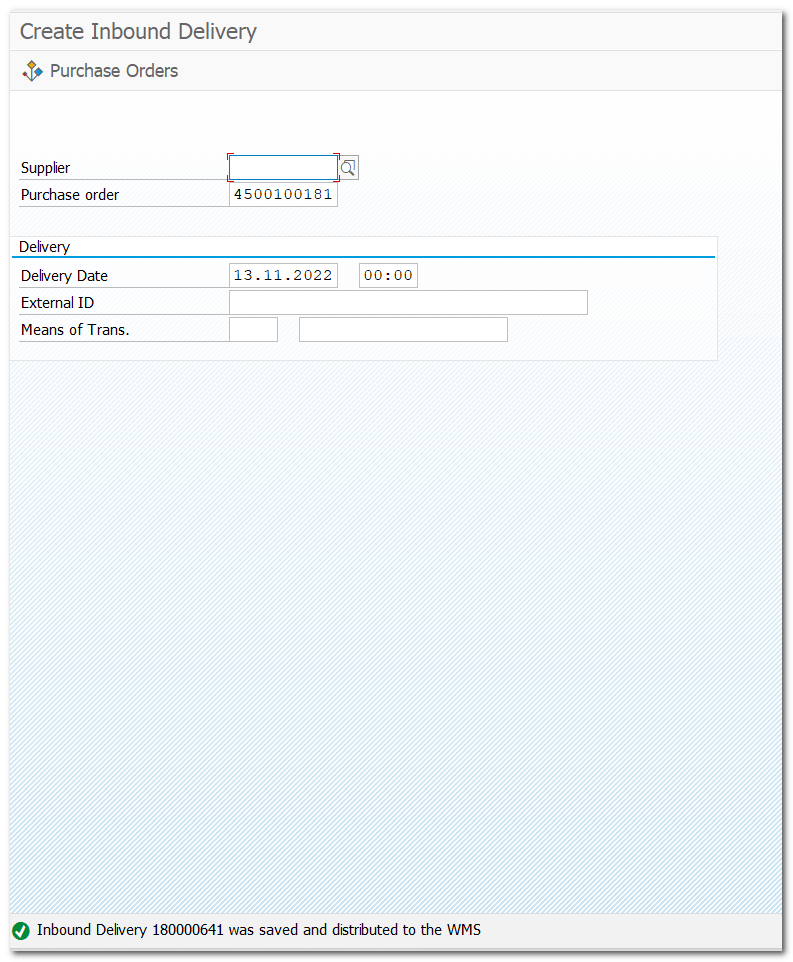
Test Inbound Delivery flow from S/4HAN to S/4HANA EWM
TCODE
Create Material Master (MM01) Create Purchase Order with above Material (ME21N) Create Inbound Delivery w.r.t PO (VL31N) Inbound Delivery 180000641 was saved and distributed to the WMS Check Inbound Delivery Doc 180000641 in EWM (/N/SCWM/PRDI)
One thought on “1. Embedded EWM Basic System Setup in S/4HANA”
Actually, I was looking for how to embed EWM Basic System Setup in S/4 HANA, and Pavan you really helped me a lot, as I am also doing SAP Training from Adduce which is one of the Best SAP Training Institute In Jamshedpur…So, I often go through your latest articles on your website for my any query related to SAP…















 SAP Quick Guide
Actually, I was looking for how to embed EWM Basic System Setup in S/4 HANA, and Pavan you really helped me a lot, as I am also doing SAP Training from Adduce which is one of the Best SAP Training Institute In Jamshedpur…So, I often go through your latest articles on your website for my any query related to SAP…
LikeLike