Quality Management : Check product quality before receiving or issuing the product.
| Step 1. | Define Warehouse Process Type for Quality Inspection (ZCQA) |
| IMG | SCM Extended Warehouse Management- EWM-Cross Process Settings–Warehouse Task-Define Warehouse Process Type |
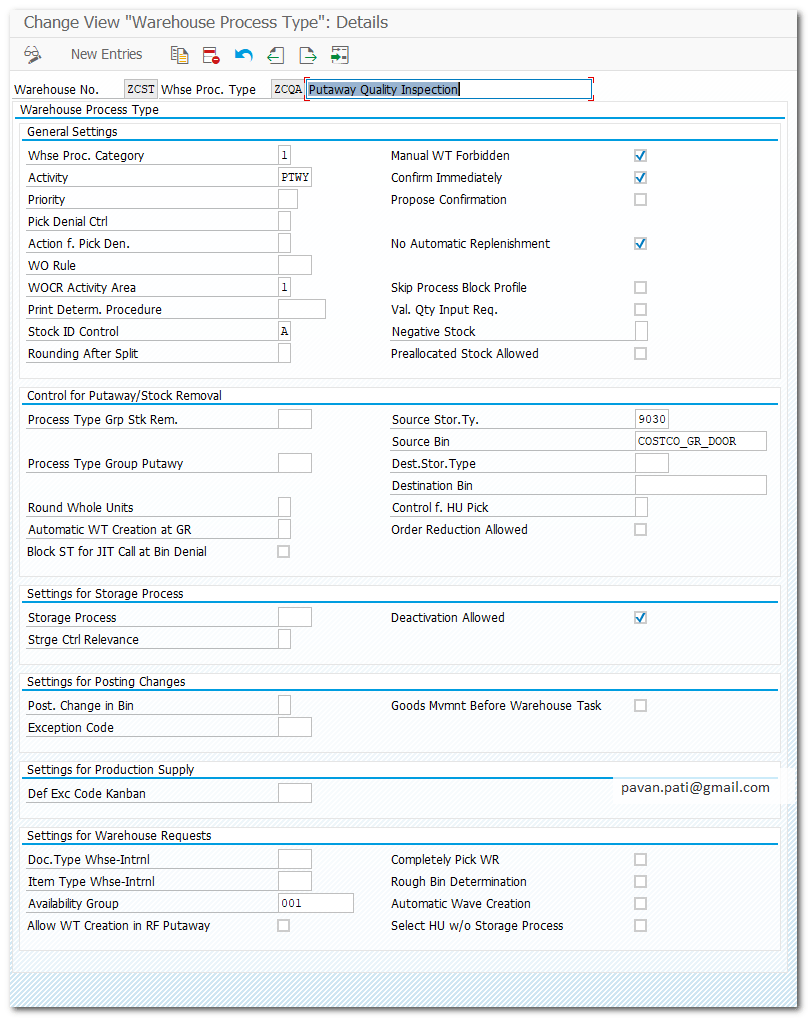
| Step 2. | Define Process Oriented Storage Control for QA |
| IMG | SCM Extended Warehouse Management- EWM-Cross Process Settings–Warehouse Task-Define Process Oriented Storage Control |
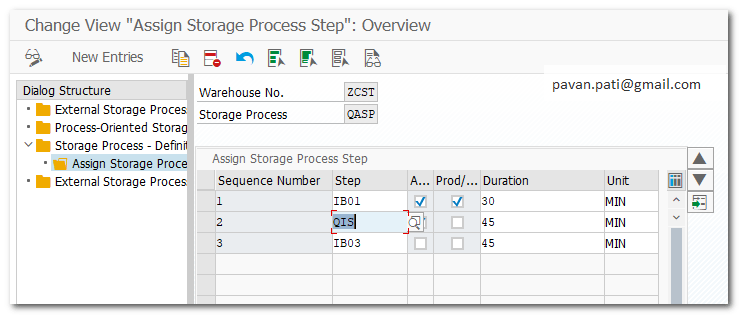
| Step 2.1. | Define Process Oriented Storage Control for QA |
| Pre-req Define QA POSC(Step 2)and Destination Storage Type/BIN(Step 3.1.) | |
| IMG | SCM Extended Warehouse Management- EWM-Cross Process Settings–Warehouse Task-Define Process Oriented Storage Control |
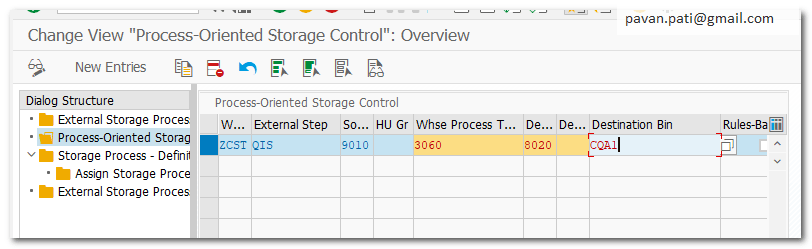
| Step 3. | Define Destination Storage Type (8020) |
| IMG | SCM Extended Warehouse Management- EWM-Master Data-Define Storage Types |
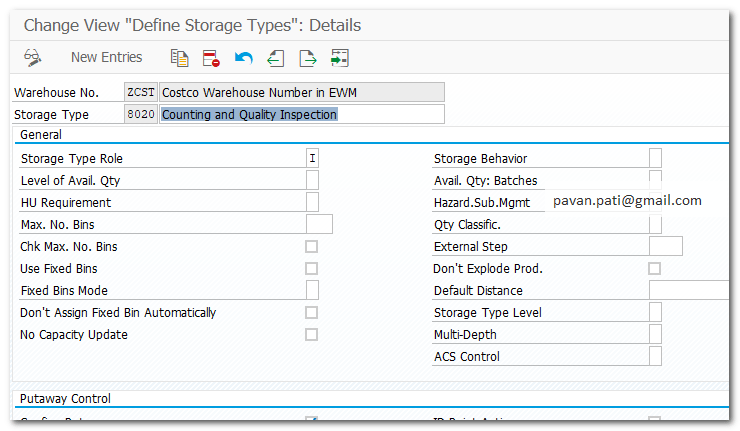
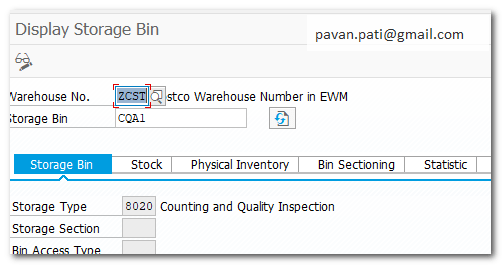
| Step 3.1. | Define Destination BIN for storage type 8020 (CQA1) |
| Pre-Req Step3 | |
| TCODE | /N/SCWM/LS01 |
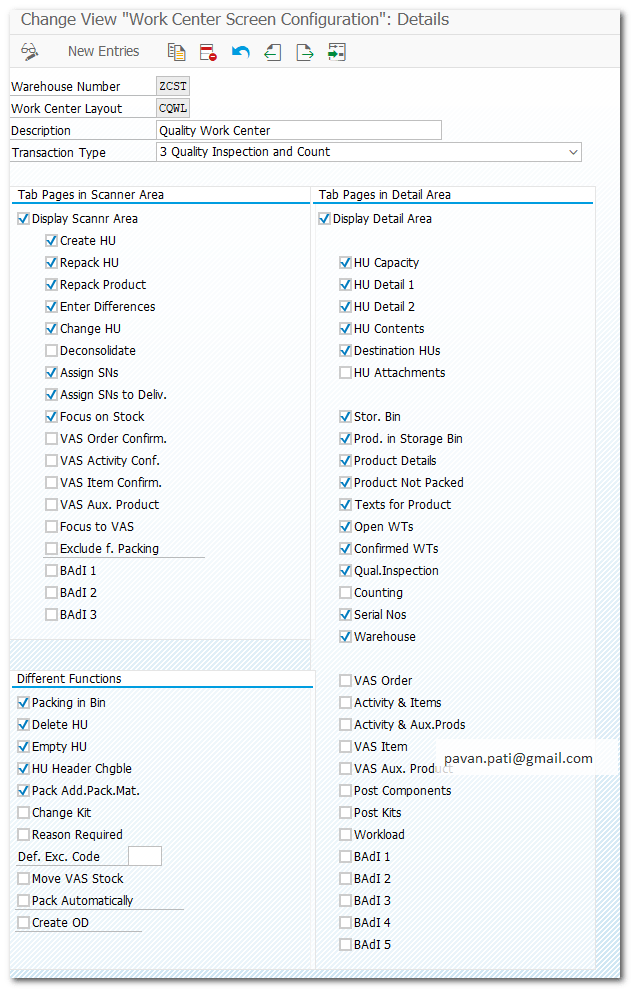
| Step 4. | Define Work Center Layout for Quality inspection(CQWL) |
| IMG | SCM Extended Warehouse Management- EWM-Master Data-Work Center-Specify Work Center Layout |
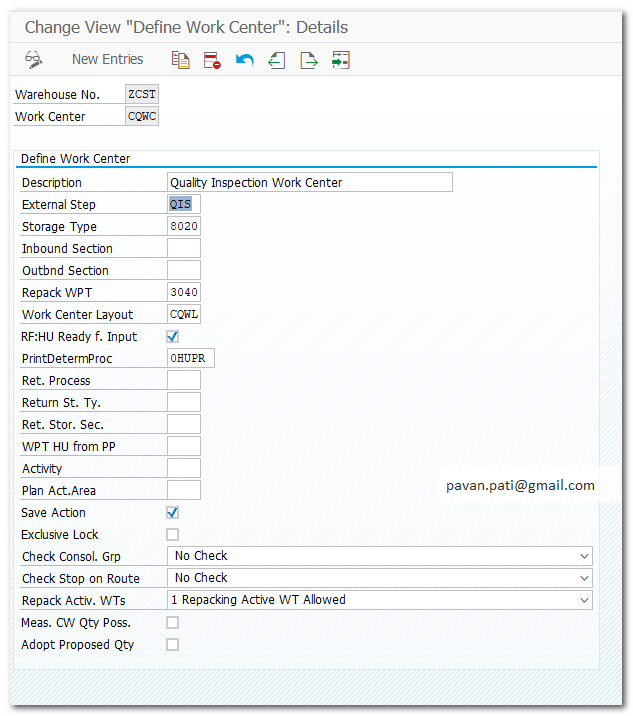
| Step 4.1. | Define Work Center for Quality inspection(CQWC) |
| Pre-req | Step 4 Layout Step 2 External Steps Step 3 Storge Type |
| IMG | SCM Extended Warehouse Management- EWM-Master Data-Work Center-Define Work Center |
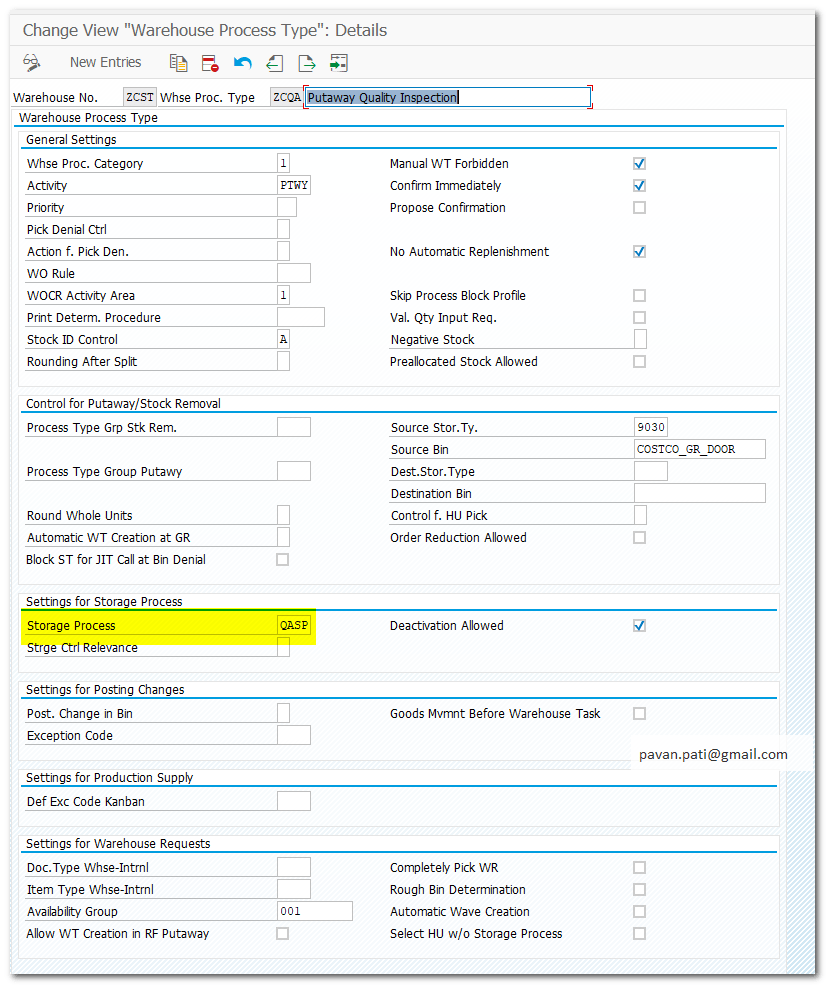
| Step 5. | Maintain Storage Process Type for Warehouse process Type (ZCQA) |
| Pre-req | Step 1 Step 2 |
| IMG | SCM Extended Warehouse Management- EWM-Cross-Process Setting-Warehouse Task-Define Warehouse Process Type |
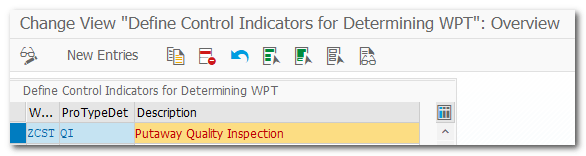
| Step 6. | Define Control Indicator for Determining Warehouse Process Type(ZCQA) |
| IMG | SCM Extended Warehouse Management- EWM-Cross-Process Setting-Warehouse Task-Define Control Indicators for Determining Warehouse Process Types |
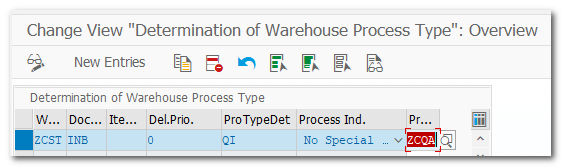
| Step 6.1. | Determination of Warehouse Process Type (ZCQA) |
| Pre-req | Step 1, Step 6 |
| IMG | SCM Extended Warehouse Management- EWM-Cross-Process Setting-Warehouse Task-Determine Warehouse Process Type |
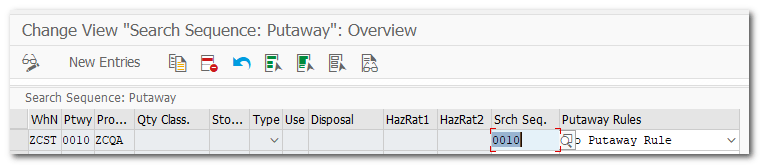
| Step 7. | Storage Type Determination |
| Pre-req | Step6 |
| IMG | SCM Extended Warehouse Management- EWM-Goods Receipt Process-Strategies-Storage Type Search-Specify Storage Type Search Sequence for Putaway |
| Step 8. | Configure Stock Type |
| IMG | IMG-SCM Extended Warehouse Management- EWM-Goods Receipt Process-Configure Availability Group for Put-away-Configure Stock Type |

QM Config
| Step 9. | Bundle code groups and codes that are allowed for a specific purpose at plant level |
| IMG | Quality Management-Quality Inspection-Inspection Lot Completion-Edit Selected Sets for Usage Decisions |

| Step 9.1. | QM-Maintain Settings at Plant Level |
| IMG | Quality Management-Basic Settings–Maintain Settings at Plant Level |
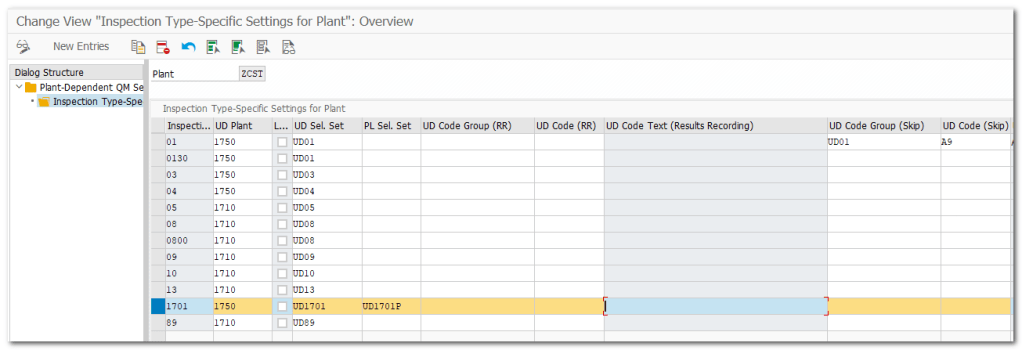
| Step 9.2. | Generate Inspection Object Types Version(One time activity) |
| IMG | SCM Extended Warehouse Management- EWM-Cross-Process Settings-Quality Management-Basics and Integration-Generate Inspection Object Types Version |
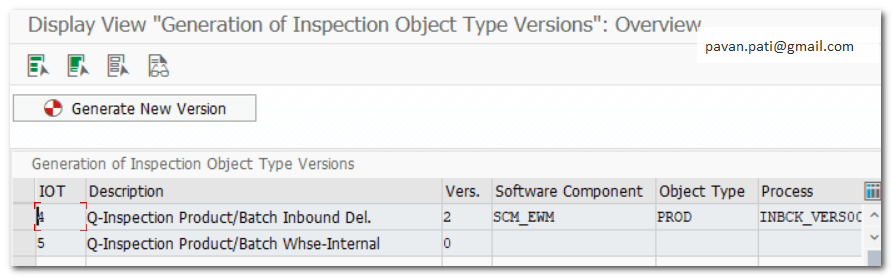
| Step 9.3. | Maintain Inspection Object Types Version |
| IMG | SCM Extended Warehouse Management- EWM-Cross-Process Settings-Quality Management-Basics and Integration-Maintain Inspection Object Types Version |
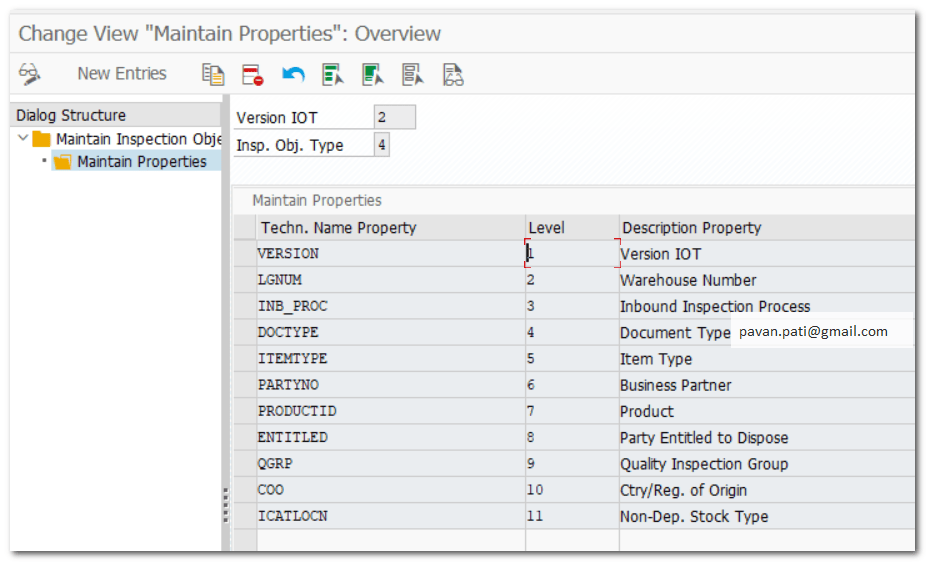
| Step 9.4. | Define and Activate Warehouse-Dependent IOTs |
| IMG | SCM Extended Warehouse Management- EWM-Cross-Process Settings-Quality Management-Basics and Integration-Define and Activate Warehouse-Dependent IOTs |


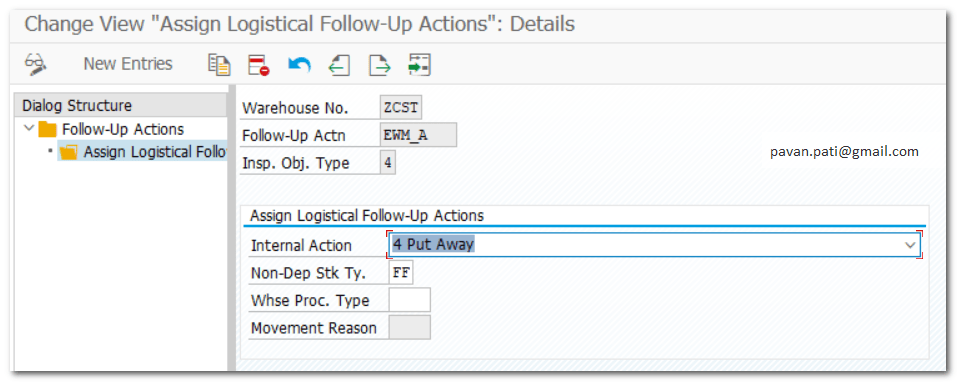
| Step 9.5. | Assign Logistical Follow-Up Actions to Warehouse Number |
| IMG | SCM Extended Warehouse Management- EWM-Cross-Quality Management-Inspection Results-Maintain Follow-up Actions-Assign Logistical Follow-Up Actions |
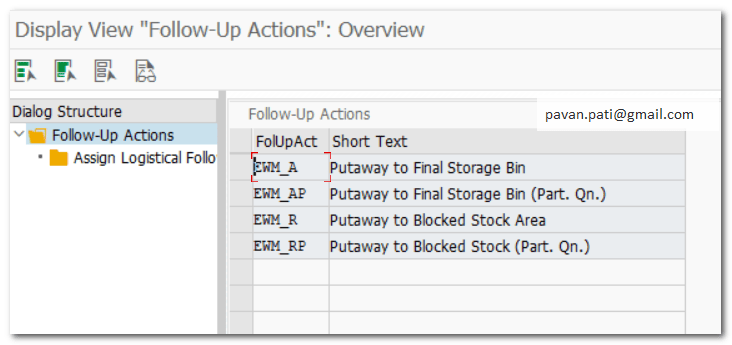
Example Follow-up action EWM_A is assigned to Warehouse No ZCST
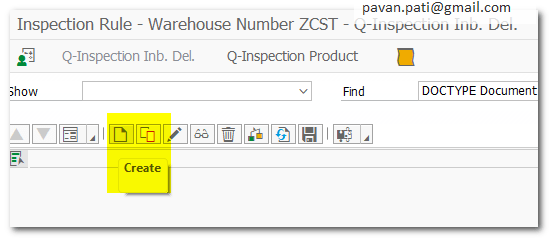
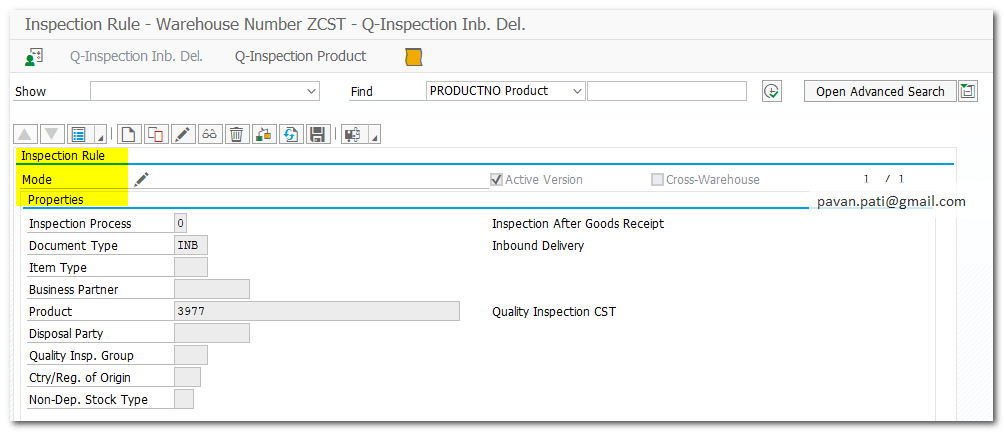
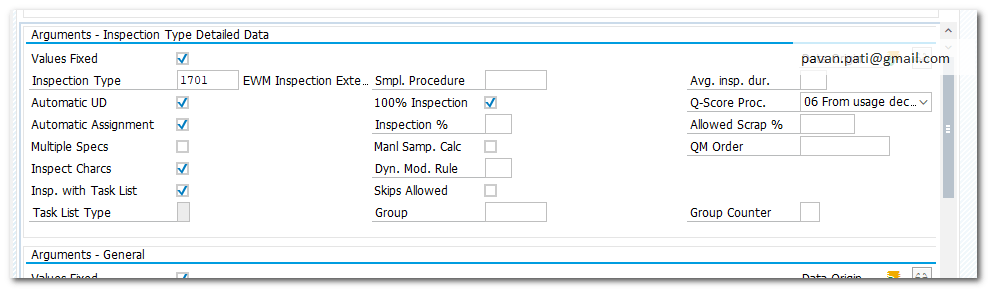
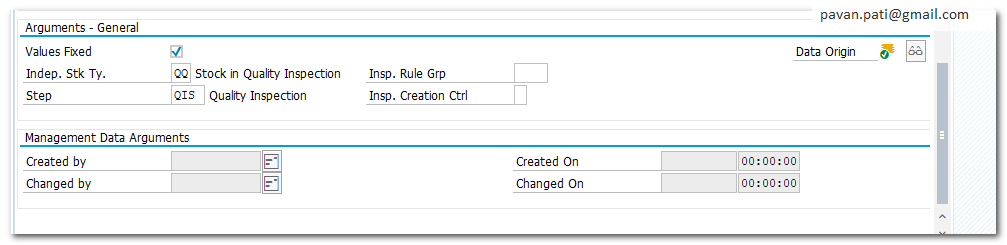
| Step 10. | Inspection Rule Maintenance |
| TCode | /N/SCWM/QRSETUP |
| Step 11. | Set up Master Data and Run Scenario |
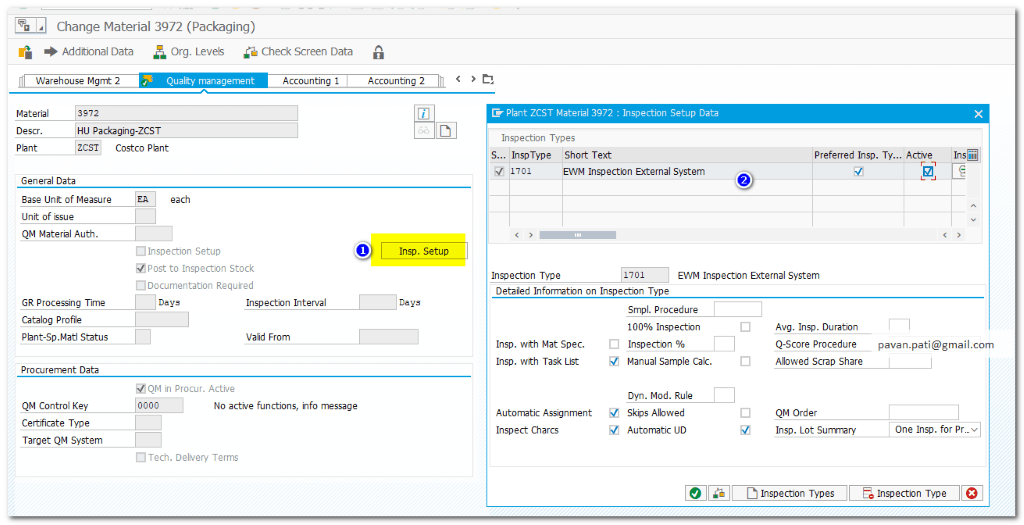
| MM01 | Created Material Master in S/4HANA (ERP) – Material #3977 Maintain Inspection Setup in QM tab of Material Master |
| scwm/mat1 | Assigned Proc. Type Det Ind and Put-away control for above material in EWM |
| ME21N | Created PO #4500100243 with Material #3977 |
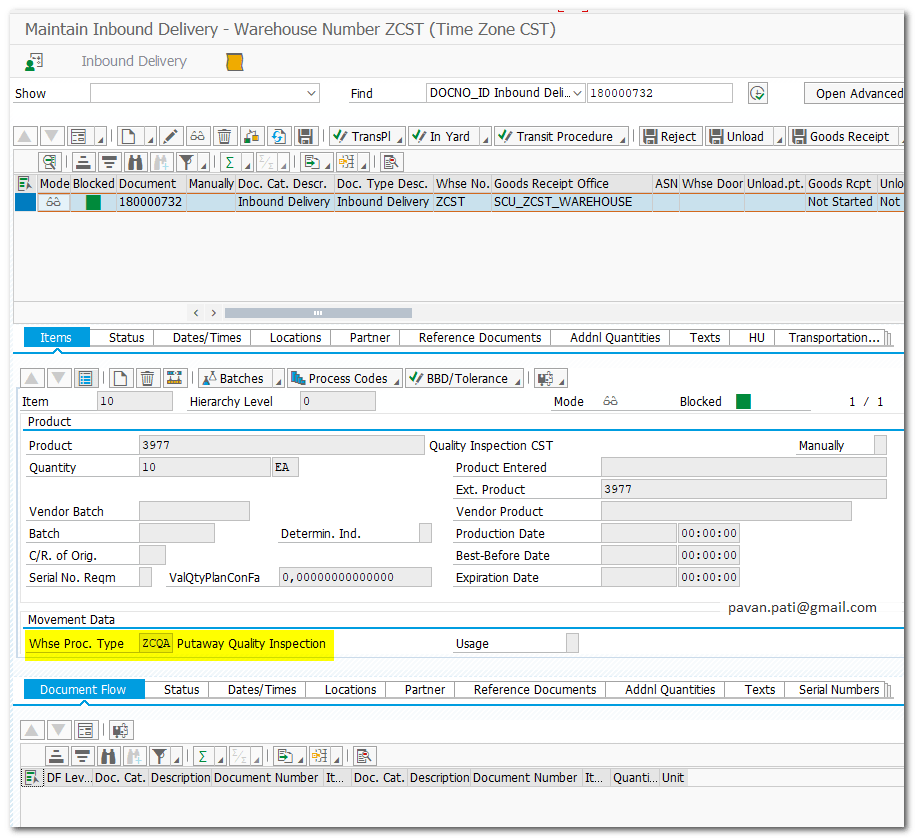
| VL31N | Created Inbound Delivery # 180000732 |
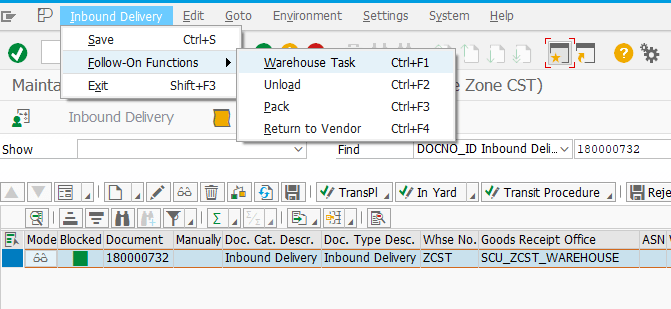
| /SCWM/PRDI | Inbound Delivery Replicated to EWM # 180000732 Check EWM Inbound Delivery for WPT ZCQA which will go through QI process Create follow up Warehouse Task |
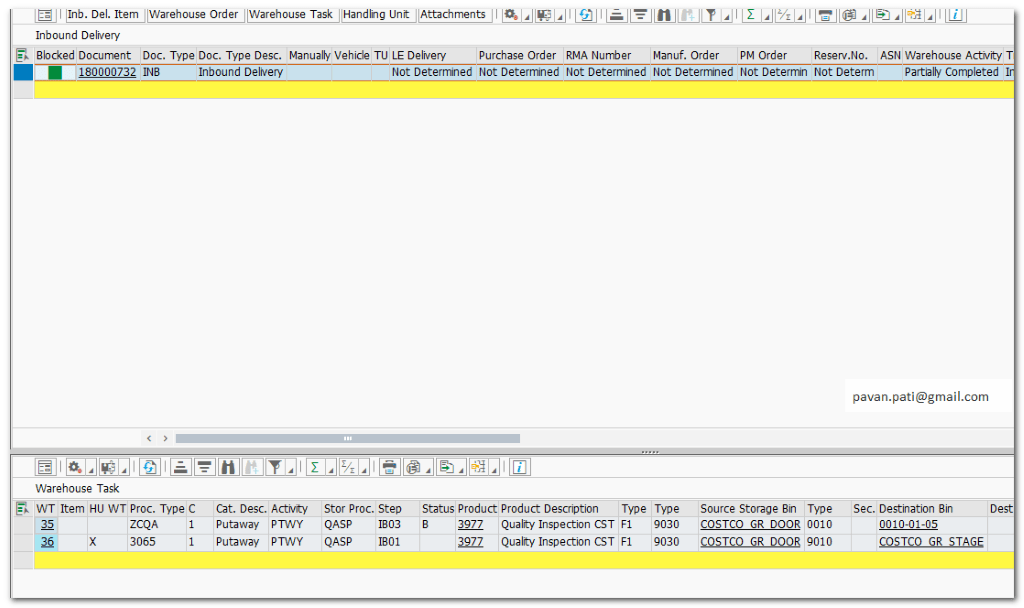
| /N/SCWM/MON | Check created Warehouse Task from Monitor |
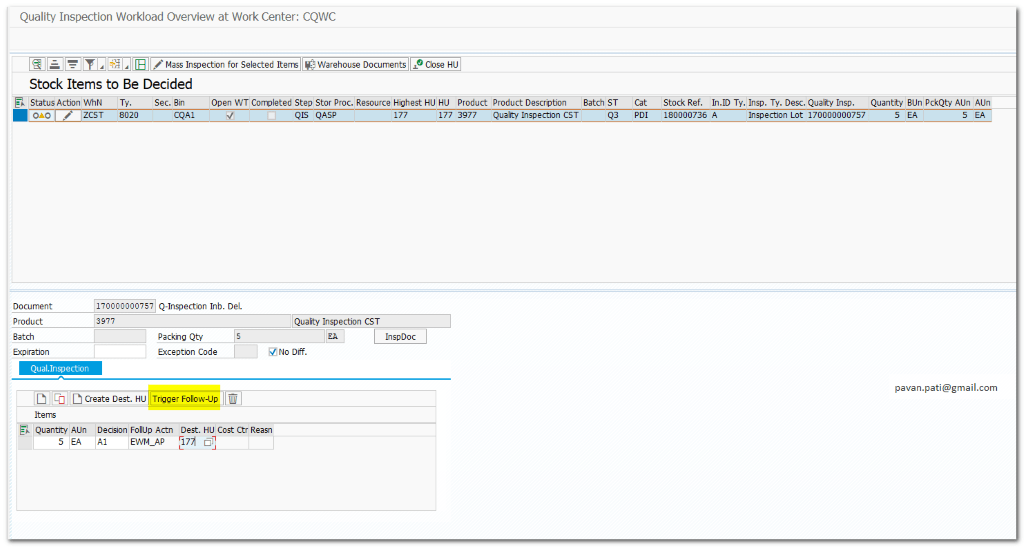
| /SCWM/QINSP_S4 | Quality Inspection workload |
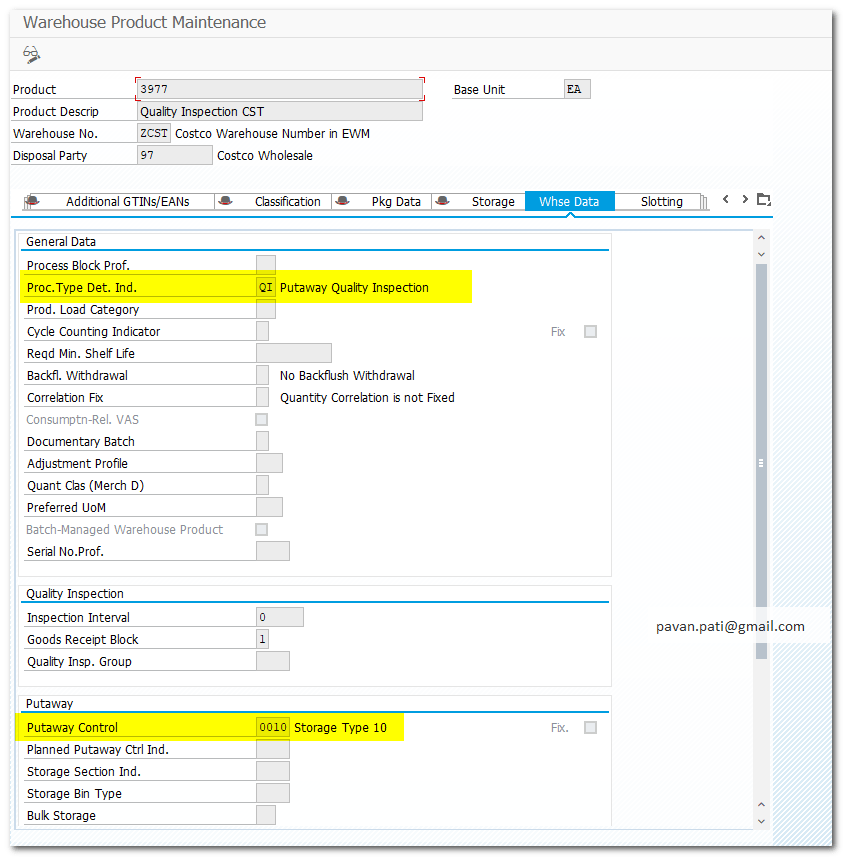
Maintain Inspection Setup in QM tab of Material Management
Create Inbound Delivery

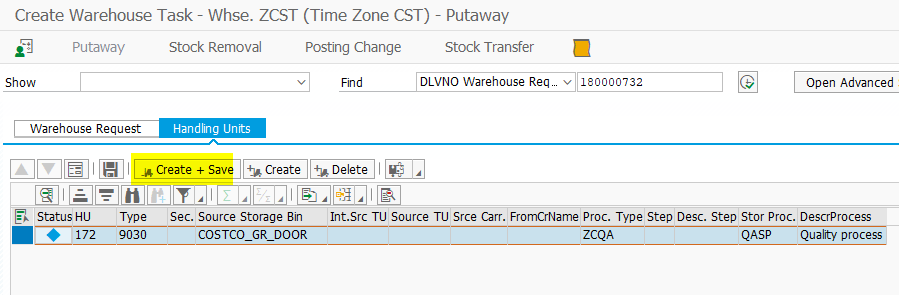
Check EWM Inbound Delivery for WPT ZCQA which will go through QI process
Create follow up Warehouse Task
| TYPE | 9030 |
| Source BIN | COSTCO_GR_DOOR |
| Proc Type | ZCQA |
| Storage Process | QASP |
/N/SCWM/MON
Select WT#36 and confirm in background

System will generate Inspection Document Number for task
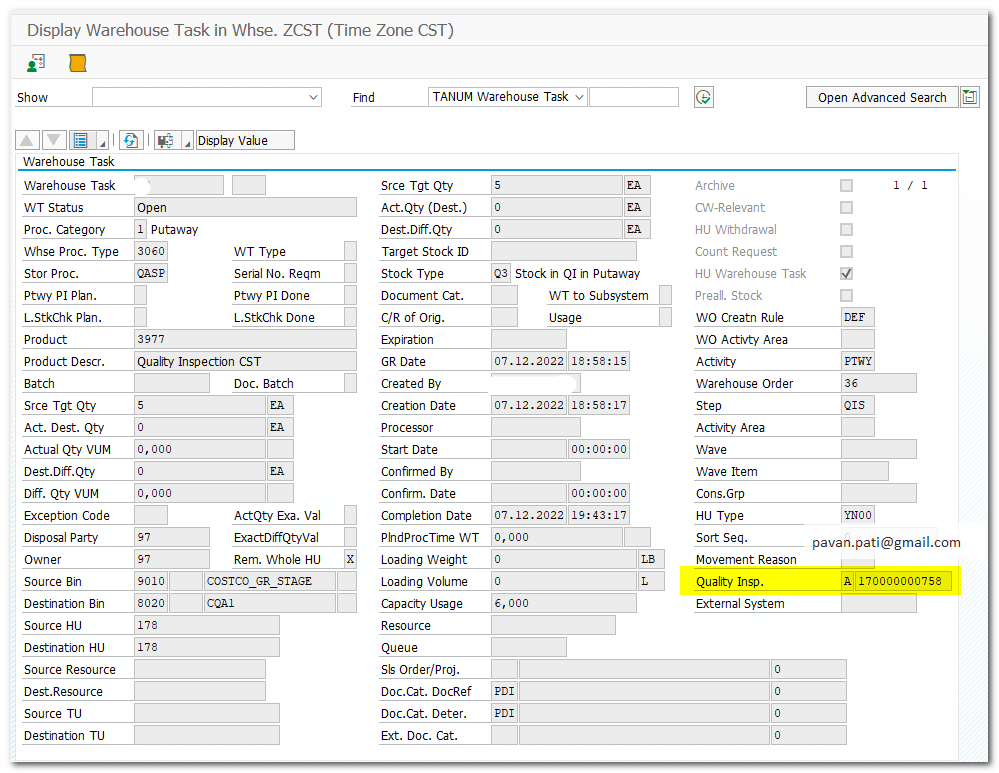
Select WT#38 and confirm in background
/SCWM/QINSP_S4
Change Item
Select Decision Accept or Reject
Select Item and click on Trigger Follow-up
Close HU
Save



 SAP Quick Guide